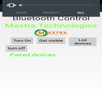
At first, 2 phones need to be connected via Bluetooth, then, you can take a photo from a far distance easily.
Usage:
1. Go to Setting, turn on Bluetooth and pair 2 phones together.
2. Open the application, tap on setting and choose the phone that needs to be connected.
3. A button named "B" will be appeared and when you tap on that button, the paired phone will take the photo.
Apart from taking photos from a distance, it also has some features to filter and edit photos professionally.
Latest Version
1.0Uploaded by
Emre Caydı
Requires Android
Android 4.0.3+
Category
Free Photography AppContent Rating
Everyone
Report
Flag as inappropriateLast updated on Jul 11, 2016
This release includes minor bug fixes and general improvements. Update to the latest version for the best experience.



APKPure - A multi-platform app store primarily focused on Android, providing extensive app-related content. Discover the app you want easier, faster, and safer, with quick and efficient downloads and installations.