
TIP : In case recording not work on Samsung, KitKat and above devices try these recommended settings: Go to settings and change Audio source : Voice_Call, Format : MP4, Quality: 11kHz and check Auto Speaker On option.
Best call recorder application to record incoming and outgoing calls automatically.
✓. Record your all calls automatically while calling or ask every-time to record new call.
✓. Search call by name or phone number.
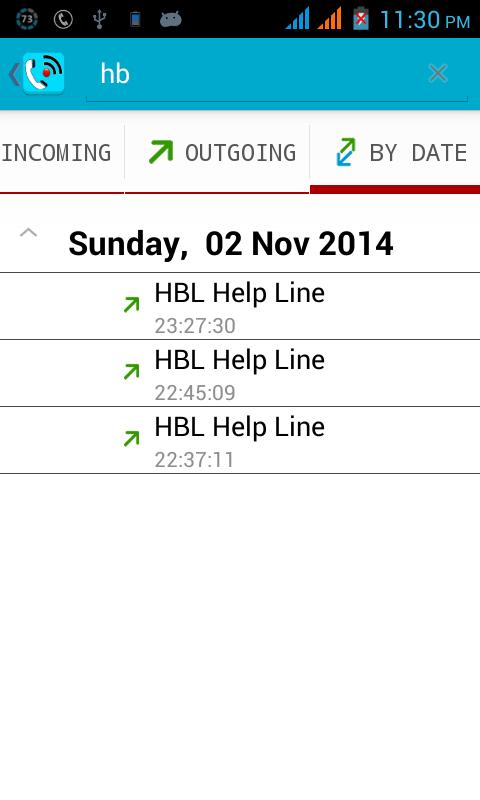
✓. Organize your call records. You can see calls as all calls records, only incoming, only outgoing, date and time easily.
✓. Share recording to Bluetooth, Message etc.
✓. Play, save and delete, call recordings
✓. Ignore recording for specific contact or phone number
✓. Add caller phone number to contacts
✓. See caller history
✓. Record your call or calls in MP3, WAV, MP4, AMR or 3GPP encoding / format.
✓. You can play back, or save your files on your SD card im mp3, wav, mp4, amr or 3gpp format.
✓. Audio Source options for both incoming calls and outgoing calls are also available. Try to change audio source only when default audio source does not work or does not records calls.
✓. Different options of audio quality are available. You can choose 44.1kHz (It might not work on some devices) for high quality or select lower sample rate for low quality audio recording. 8kHz is recommended for call recording.
✓. Notification with caller image.
✓. Vibrate device on start of call recording.
✓. Notification on device on start of call recording with blinking light (if your device supports it).
✓. You can listen your communication or calls recordings in your on device default audio player.
✓. Automatically on device speaker to record better quality voice.
✓. It’s FREE!
Notes: (Instructions + Troubleshooting tips)
1. Please note that some devices are not compatible or not allow to record calls.
2. Please confirm that your device should not have more than one call recording application, otherwise it can create issues.
3. If call recorder does not record calls, please restart your device to try again. If it does not record again then your device might not support call recording.
4. Some devices record low voice of other party, in this problem, please enable automatic speaker, on start of call recording by going application and then more settings.
5. This app might not be working when you are using other apps to record something, such as wechat, LINE: Free Calls & Messages, voice recorder or other call recorder.
6. You can select WAV, 3GPP, MP4 or AMR audio encoding format, if MP3 recording not working properly on some devices.
7. If you get error "msg_create_file_error", then please test, Have your device been with sdcard or memory card? If not, please change recordings destination path to any other path by going into more settings and recording path and change it correctly.
8. If you get "Sorry recording starting failed", please try other recording options like change Audio source or sample rate.
9. If you select option Always ask from settings, then after selecting this option, you will be ask every-time to record call after one second on outgoing call and after one second after you pick or answer incoming call.
10. Default voice quality is 8kHz, If it does not work on your device you can change from Quality options, 8kHz or 44.1kHz (High quality but might not works on some devices) are usually used by people.
11. If you select WAV file format then try sample rate 44.1kHz. This action will increase the file size but quality of audio become very crystal clear.
Latest Version
1.3.9Uploaded by
Zhang Yang
Requires Android
Android 4.0+
Category
Free Communication AppContent Rating
Everyone
Report
Flag as inappropriateLast updated on May 14, 2018
Bug fixed.





APKPure - A multi-platform app store primarily focused on Android, providing extensive app-related content. Discover the app you want easier, faster, and safer, with quick and efficient downloads and installations.