Scan Date:May 30, 2026
Show More

D-Day Alarm & Widget is the ultimate alarm and reminder app for Android, designed to help you stay on top of your schedule and never miss an important moment. With advanced features, highly customizable alarms, and interactive widgets, you can organize your time exactly the way you want.
Key Features:
Flexible Alarms: Set alarms by date, time, and seconds. Repeat by minute, hour, day, week, month, or specific weekdays.
Snooze & Gradual Volume: Customize snooze intervals and repetitions. Alarms can gradually increase in volume for a gentle wake-up.
Auto-Screen & Flashlight: Turn off the screen automatically after a set time and optionally enable flashlight during alarms.
Content & Media Support: Add text notes, photos, or videos to alarms for personalized reminders.
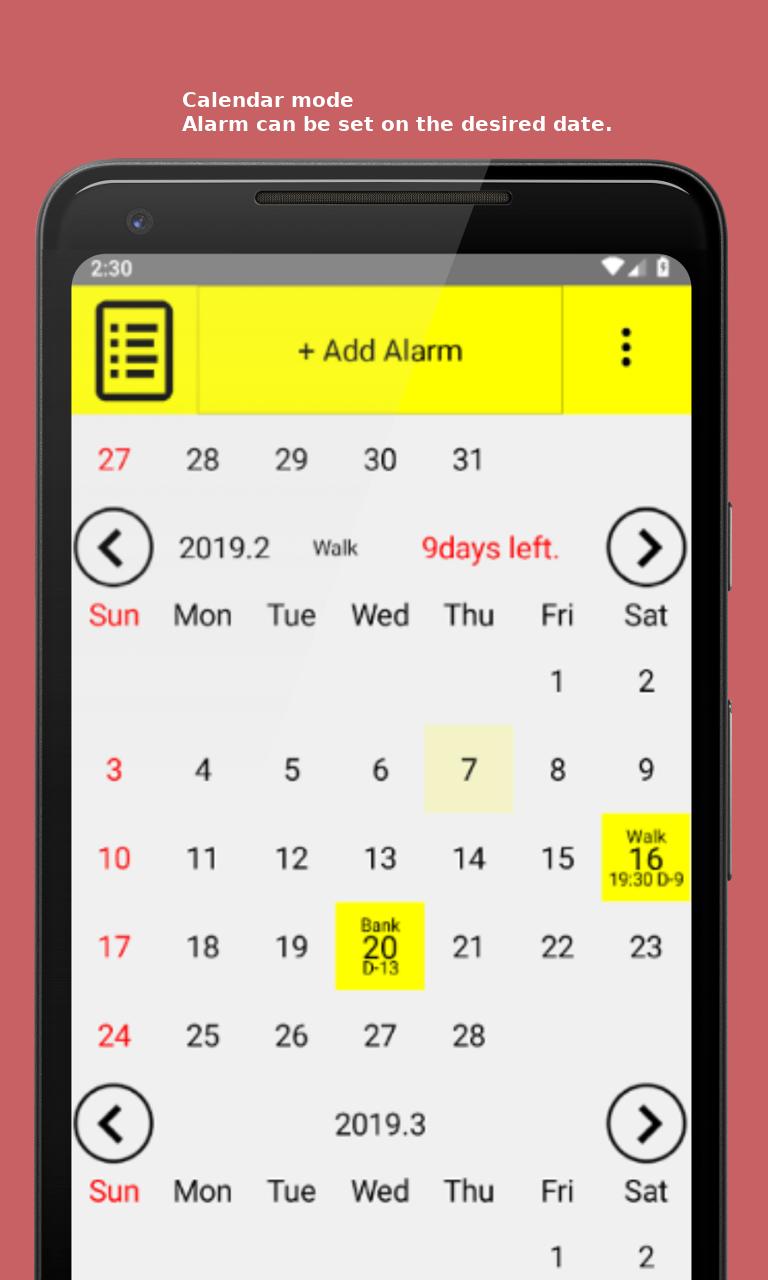
Calendar & Time Zone: Full calendar integration, including Google Calendar sync for holidays, upload/download events, and multiple time zone support.
Widget Customization: Display D-Day, date, content, and images. Customize widget size, position, text color, font size, border color, thickness, shadow, and blur effects. Show multiple alarms on the same day.
UI & Power Settings: Adjust UI text color, size, and alarm power level in 5 stages to save battery or maximize alert.
Recurring Reminders: Schedule alarms for a few minutes or days later, monthly, or even yearly events.
Additional Tools: Silent camera mode, automatic home screen updates with scheduled events, and flexible alarm dismissal options, including Whack-a-Mole and puzzle challenges.
With D-Day Alarm & Widget, you have complete control over your alarms, widgets, and reminders. Whether it’s daily routines, special events, or important deadlines, this app ensures you’ll never miss a moment. Perfect for personal organization, work schedules, or keeping track of special dates.
Latest Version
5.56Uploaded by
Mriam Ali
Requires Android
Category
Free Tools AppContent Rating
Everyone
Security Report
Report
Flag as inappropriateLast updated on May 30, 2026
Fixed a bug where certain timezones (including Daylight Saving Time/DST) were missing or displayed incorrectly.



APKPure - A multi-platform app store primarily focused on Android, providing extensive app-related content. Discover the app you want easier, faster, and safer, with quick and efficient downloads and installations.