Scan Date:Mar 28, 2026
Show More

Take full control of your screen orientation with a powerful floating rotation button.
This app lets you control screen rotation anytime, even while using other apps. A customizable floating button stays on top of your screen, giving you instant access to rotation controls wherever you are.
🔄 Instant Rotation Control Anywhere
Always-visible floating rotation button
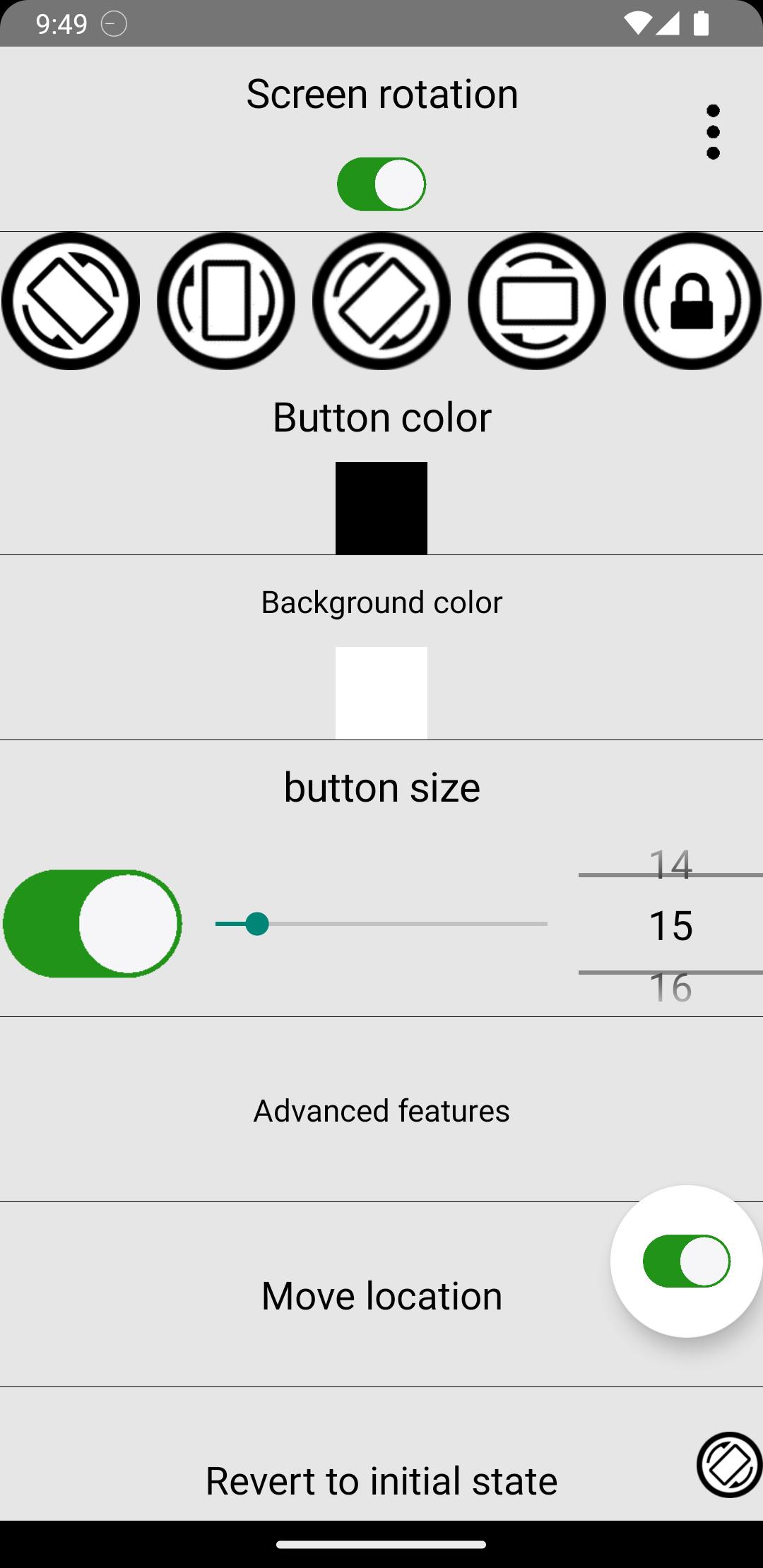
Lock orientation to Portrait, Landscape Right, Landscape Left, or Auto-Rotate
Works across all apps
Option to show the button for only 5 seconds after rotation
📱 Per-App Rotation Settings
Save preferred orientation for each individual app
Automatically apply saved rotation when the app opens
Perfect for games, video apps, browsers, and messaging apps
⚡ Smart Context-Based Rotation
Automatically change screen orientation based on:
🔌 When the phone is charging
🎧 When earphones/headset are connected
Set different rotation preferences for each situation and let the app handle the rest.
🎨 Fully Customizable Floating Button
Change button icon
Adjust button color
Customize size
Move button anywhere on the screen
Optimize visibility and comfort to match your style
🔒 Smart Auto-Rotate Control
Instantly enable or disable system auto-rotate
Lock and unlock rotation with a single tap
Prevent unwanted screen rotations while lying down or moving
Perfect For:
Watching videos in bed
Playing landscape-only games
Reading in portrait mode
Using apps that don’t support your preferred orientation
Keeping rotation stable while charging
Enjoy simple, fast, and powerful rotation control — anytime, anywhere.
Latest Version
3.86Uploaded by
Tâm Văn
Requires Android
Android 6.0+
Category
Free Tools AppContent Rating
Everyone
Security Report
Report
Flag as inappropriateLast updated on Mar 28, 2026
Fixed an issue where the Google Ads consent dialog repeatedly appeared on certain devices by updating to the latest API. Improved Android 7.1 compatibility.




APKPure - A multi-platform app store primarily focused on Android, providing extensive app-related content. Discover the app you want easier, faster, and safer, with quick and efficient downloads and installations.