
Package Name:info.androidx.buycalenf
SHA-256:0af4b54ab66fba8857743dd152e003d4f8a9f978c9439e4867f772e8812d49ca
Show More
This is a very simple app to make a list of shopping, save memos and manage stocks of food and household items! Just take a note whenever you notice what you have to buy next! Once you save items, it will be automatically saved on a history so that you can make a list from the history next time very easily! You don't need to retype the same item again! BuyNote shows you what you have to buy in the list of the calendar unless you tick the items! So you will never forget to buy something!
BuyNote User Guide
*Initial Window*
The initial window is the calendar. A button of number 7 of the right-corner of the calendar is to switch the display from monthly to weekly.
*Buttons of the calendar (from the left)*
1) Add button: Select the date and tap this button to move to "Enter List" window.
2) Today button: Go back to today's date.
3) Left&Right button: Move the date right to left.
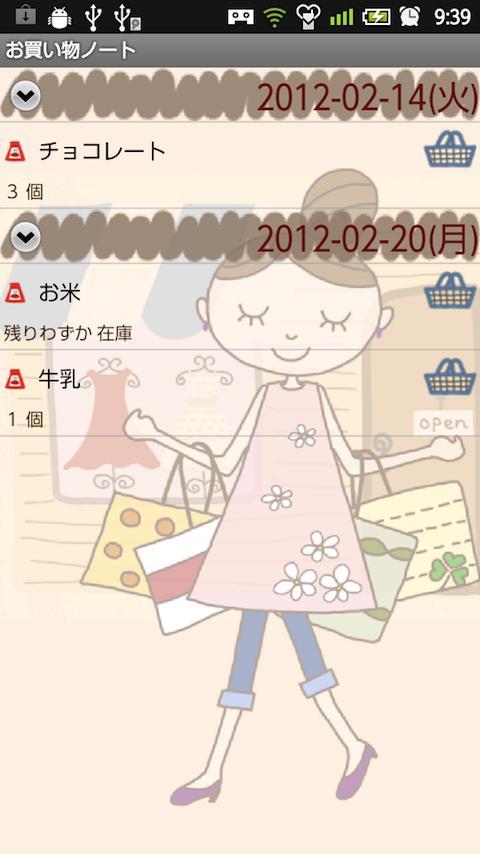
4) List button: You can see the list of saved items.
----Shopping bucket button of the list-----
You can make a new shopping list by tapping each shopping bucket.
----Menu button of the list-----
When you see the list, press menu button then press Search. You can search items by keywords.
--------------------------------------------
5) Note button: Press this button when you take a note or memo.
-----Buttons of Note window-------
a) Search button: Search note by keywords.
b) AtoZ button: Switch the display by alphabet.
c) Date button: Switch the display by date.
d) Add button: Make a new note or memo.
----------------------------------------------------
6) Calc button: Display the calculator.
*Menu buttons of the calendar window( initial window )*
1) Setting: Customize the calendar.
2) Password: Set a password.
3) Backup: Save data to SD card.
4) Setting Mark: Customize mark list by tapping each mark you want. You can shorten mark list.
5) Mark: Add mark to the date.
-----How to add marks on the calendar----
Select a mark you like. > Tap the date to add the mark.
-----How to delete the marks-----
Select the same mark. > Tap the date where the same mark is displayed.
6) Exit button: Exit app.
*Make a shopping list!*
1) Tap Add button of the calendar.
---Enter List Window----
a) Category: Enter item that you want to buy.
b) Select from the history of past: When you have already saved the same items before, tap this button. The list of saved items will be displayed. Tap an item you want to add to the list.
c) Memo: Take a memo.
d) Select quantity from categories: Instead of typing the number, you can select quantities from those list. You can customize your own categories as well. Plus button is Add button. You can create a new category. Pencil button is Edit button. Edit the category and make a new.
e): Quantity: Press this button to type the number of the item.
f) Delete button: Delete the item.
g)Add button (bottom of the window): Save the item and continue to make a list without moving the window!
h) Back button: Go back to the calendar.
*When you go shopping*
You can see the saved items in the list of the calendar window. Tap one of those then move to the List window. When you buy the item, tick the checkbox!
----Email button of the list window----
Email: You can send the list to your family member!
------------------------------------------------------------------------
Press Back button of the mobile to save and go back to the calendar.
Ticked items will be disappeared from the next day but data is saved in the history of past purchase.
Tick mark will be appeared when you buy and tick items.
Saved items will be in the list of the calendar unless you buy and tick the items so you won't forget to buy something!
Latest Version
1.0.41Uploaded by
Sherif Mohamed
Requires Android
Android 11.0+
Category
Free Shopping AppContent Rating
Everyone
Security Report
Check Now
Report
Flag as inappropriateLast updated on Apr 20, 2026
Bugfix





APKPure - A multi-platform app store primarily focused on Android, providing extensive app-related content. Discover the app you want easier, faster, and safer, with quick and efficient downloads and installations.