Package Name:com.widgets.style
SHA-256:d389f47ba1c8953ec5325d6e9b0e9fcdf967b82138f5b3cc78f0d7a091810a85
Show More
Your home screen is the screen you look at most. Widget Style Studio makes it look like you chose it.
WHAT THIS APP DOES
Android lets you put widgets on your home screen — a clock, your next meeting, your battery level. The trouble is that every widget is designed by a different team, so a home screen ends up looking like a noticeboard: five widgets, five typefaces, five shades of blue, none of them matching your wallpaper.
Widget Style Studio gives you one set of widgets that belong together. You pick a style pack, and every widget you add follows it — the same colours, the same corners, the same lettering. Change the pack later and everything you have placed changes with it.
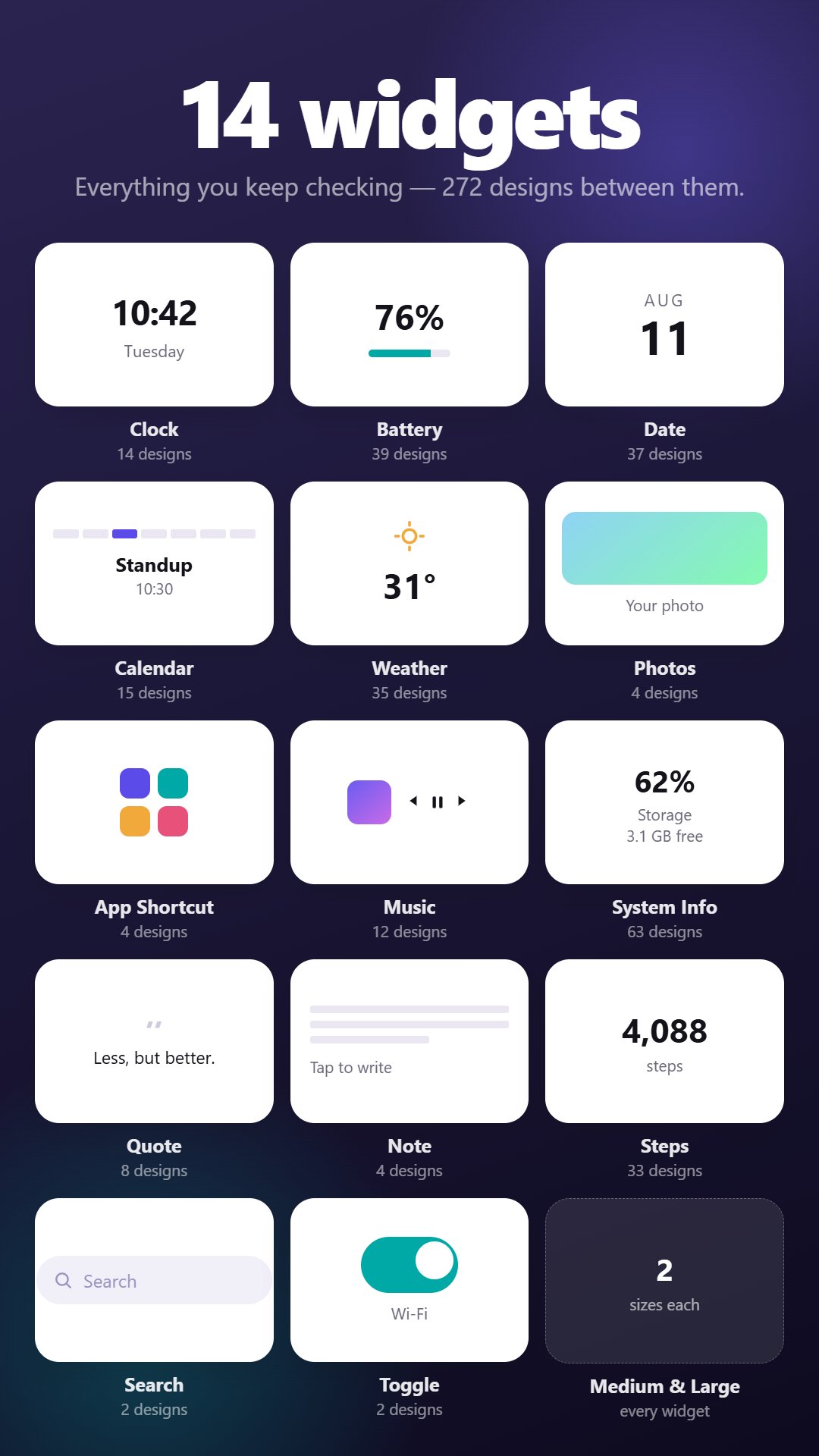
There are 18 packs to choose from, 14 kinds of widget, and 272 designs between them.
WHAT YOU CAN PUT ON YOUR SCREEN
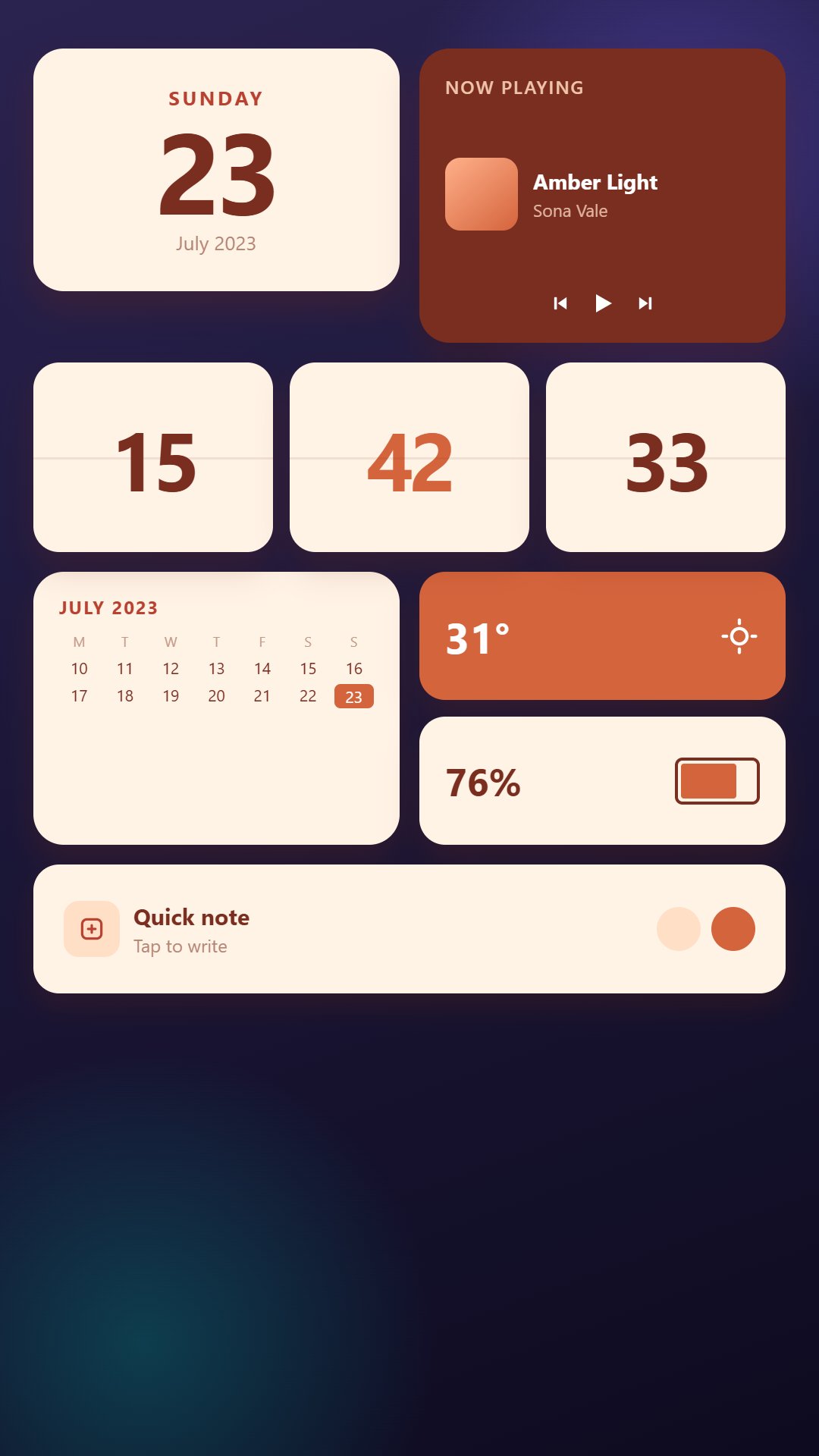
• Clock — analog faces, big numerals, flip panels and slim capsules
• Date — today's date, in 37 different treatments
• Calendar — your next event, so you know what is coming without opening your calendar
• Battery — how much charge is left, as a ring, a bar or a number
• Steps — today's step count, without opening a fitness app
• Music — what is playing right now, with skip and pause
• System Info — storage, memory and device stats at a glance
• Photos — a picture you love, framed on your home screen
• Quote — a new line every day
• Note — a reminder you can see without unlocking anything
• Search, App Shortcut and Toggle — the things you tap most, one press away
WHEN PEOPLE USE IT
• Redecorating a phone — matching every widget to a new wallpaper in a few minutes
• Building a minimal setup — one beautiful clock and nothing else
• Going dark — true-black AMOLED packs that save power on OLED screens
• Seeing things at a glance — your next meeting, your charge, your steps, without opening four apps
• Making an old home screen feel new again, without changing launcher
HOW IT WORKS
1. Pick a style pack
2. Choose a design and preview it before you commit
3. Tap Add Widget — it goes straight to your home screen
MAKE IT YOURS
Start from a pack, then change what you like: the accent colour, the background, the shape. There are 10 shapes — card, pill, circle, squircle, diamond, arch, scallop, notch, leaf and blob — plus fills like split, diagonal, striped and dotted. Every pack has a light and a dark variant, and every widget comes in two sizes.
WHAT IT DOES NOT DO
• No account and no sign-up — nothing to register for
• It does not replace your launcher, and works alongside the one you already use
• Calendar, step and music access are entirely optional. The app works without them, and you grant each one only for the widget that needs it
• Photos are chosen through the Android picker, so the app never asks to see your whole gallery
• You choose how often widgets refresh, so you decide the battery cost
Widget Style Studio is free to download and supported by ads.
Requires Android 8.0 or later.
Latest Version
1.0Uploaded by
Shaban Mohamed
Requires Android
Category
Free Tools AppContent Rating
Everyone
Security Report
Check Now
Report
Flag as inappropriateLast updated on Sep 16, 2026
This release includes minor bug fixes and general improvements. Update to the latest version for the best experience.




APKPure - A multi-platform app store primarily focused on Android, providing extensive app-related content. Discover the app you want easier, faster, and safer, with quick and efficient downloads and installations.