Package Name:com.m24apps.bluelightfilter
SHA-256:92aad7273bef63180cd8be215987b93a013611349dd71d127f68221db8b4b465
Show More
Blue Light Filter - Dark Mode is an optimal filter app created to provide warmlight night mode screen in order to ensure eye care against blue light and give you pleasant night reading light.
What is a blue light filter?
The blue light filter decreases the amount of blue light displayed in the screens by reducing the color temperature of the display.
Why do you need a Blue Light Filter - Dark Mode?
Blue light can suppress the production of melatonin (sleep inducing hormone), so filtering the blue light by using Night Mode Blue Light Filter will help you sleep better. It will also reduce mobile eye strain, so your eyes won't feel so tired by the end of the day.
Features of Blue Light Filter - Dark Mode
ADJUST COLOR TEMPERATURE
The night mode blue light filter lets you adjust the color temperature from 5000k to 1300k
SCREEN FILTER INTENSITY
The blue light filter app lets you adjust intensity and brightness of the blue light screen
BLUELIGHT FILTERS
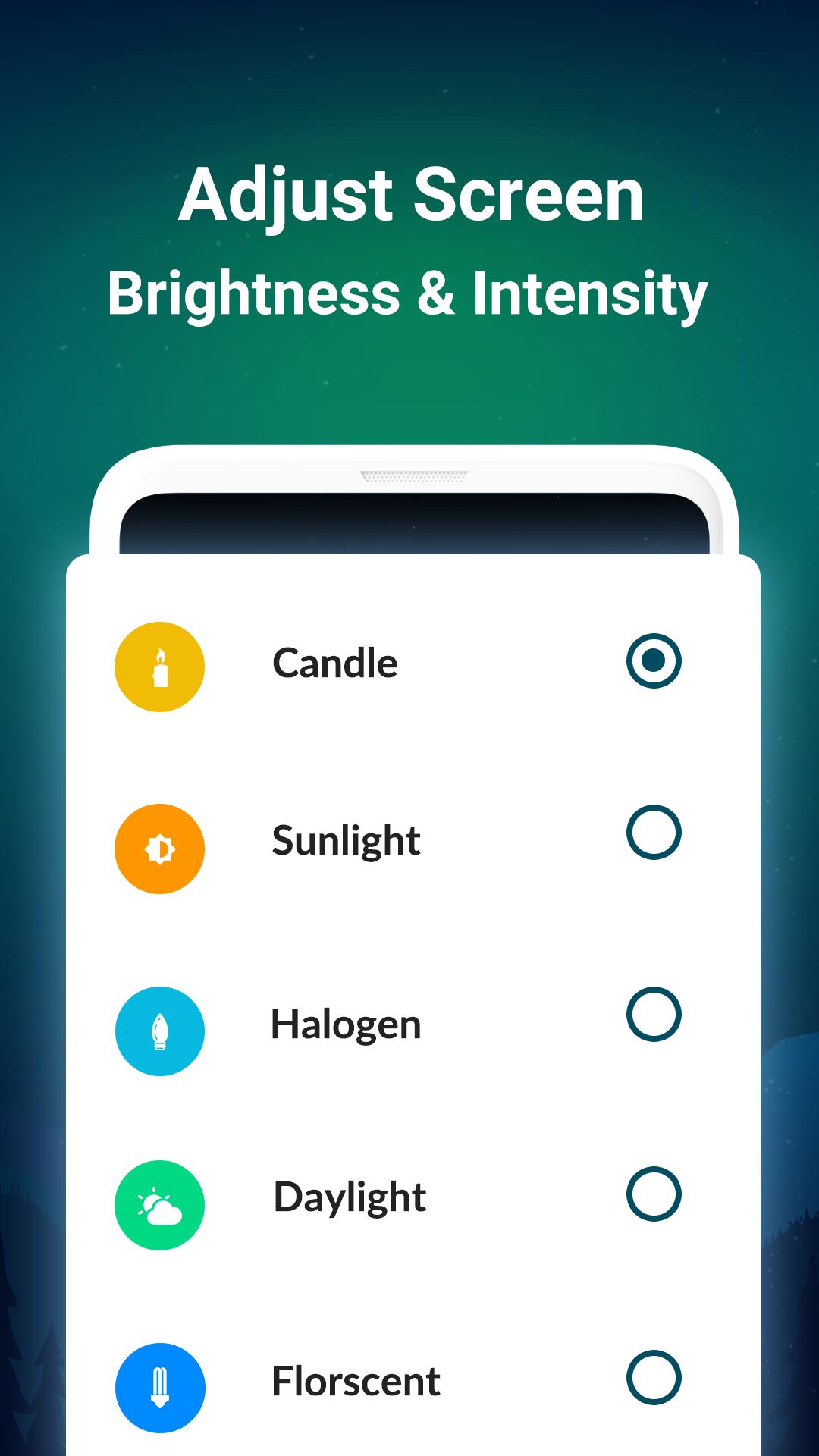
The Night Mode Blue Light Filter provides 8 blue light filters - Candle, Sunlight, Halogen, Daylight, Fluorescent, Incandescent, Dim and Ember. You can use one of 8 blue light filters to activate night mode or dark mode and warmlight for eye care against natural blue light rays. Relieve eye strain, macular degeneration, glaucoma and cataract with blue light night filter during sleepless night reading.
NOTIFICATION WIDGET
This blue light filter app comes with quick settings in the notification area. You can turn the blue light filter ON/ OFF directly from the notification bar very conveniently and choose or change the different blue light filter with a simple tap.
AUTOMATIC FILTER SCHEDULE
Schedule night mode to automatically switch the blue light filter ON/OFF.
ONE-TOUCH SCREENSHOTS
Blue light filter app lets you take one-touch screenshots with or without the blue light filter.
BATTERY SAVER
The night mode blue light filter has an in-built battery saver.
LANGUAGE SUPPORT or MULTILINGUAL BLUE LIGHT FILTER
This Night Mode Blue Light Filter supports more than 10 languages. Users can change the app language according to their preference from within this blue light filter app.
Thank you for downloading Blue Light Filter - Dark Mode.
Privacy Policy - https://smartaiapps.in/privacy-policy
Terms of Use - https://smartaiapps.in/terms
EULA - https://smartaiapps.in/eula
We at Smart AI Apps make sure to follow Google Play data safety guidelines and do not save or share any of our user's data.
If you have any queries or suggestions related to Blue Light Filter - Dark Mode, you can write to us at support@smartaiapps.in
Latest Version
2.0Uploaded by
Alexis Gonzalez
Requires Android
Android 4.4+
Category
Free Tools AppContent Rating
Everyone
Security Report
Check Now
Report
Flag as inappropriateLast updated on Jan 5, 2024
Minor bug fixes and improvements. Install or update to the newest version to check it out!






APKPure - A multi-platform app store primarily focused on Android, providing extensive app-related content. Discover the app you want easier, faster, and safer, with quick and efficient downloads and installations.