
Blocktopograph supports players who need to inspect Minecraft PE worlds, locate points of interest, and make careful edits without opening the game. It shows a top down view of saved terrain so you can plan builds and review structures. You can also check world data before committing changes. However, compatibility focuses on older MCPE versions, so backups are essential. If you want direct world insight on device, Blocktopograph APK offers a practical way to view information and edit data.
Top down world viewer
Blocktopograph renders your world from above using the data already saved on your device. It does not generate new chunks. You can switch map types such as Overworld, Nether, The End, Cave, Slime chunks, Heightmap, Biomes, Foliage color, X ray, and Light to study terrain and structure layout.
Markers and navigation
NBT editor and data control
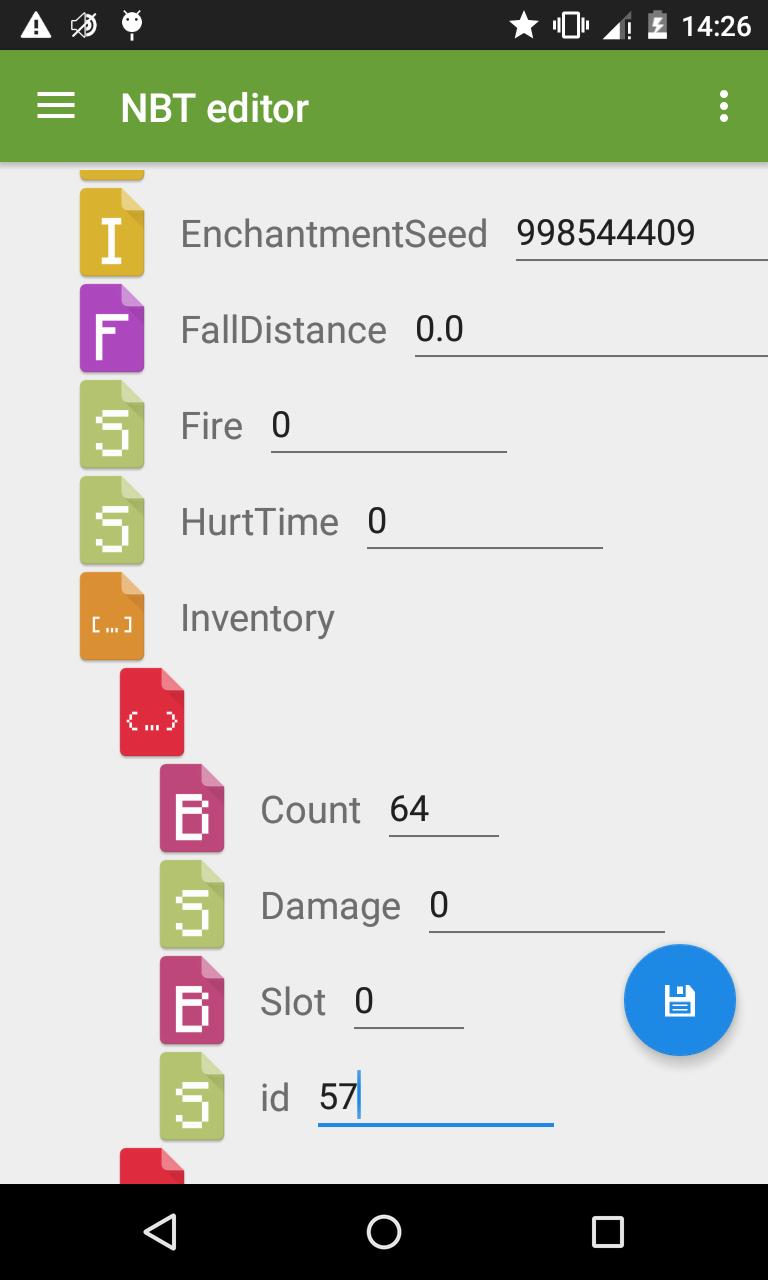
Additionally, you can inspect and edit NBT values in world files. This suits experienced users who need precise adjustments outside the game. Changes apply to the saved data, so review edits carefully and keep backups in case you want to restore an earlier state.
Compatibility notes
Lastly, the Blocktopograph latest version targets older MCPE formats. MCPE 1.2 beta and later are not supported. Support for 1.1 is experimental, with limited Nether maps and no block light data. Using MCPE 1.0 is recommended for the most reliable results, and backing up worlds is strongly advised.
Blocktopograph offers a top down world viewer and an NBT editor for older MCPE saves. Check compatibility and back up your worlds, then download Blocktopograph to inspect and adjust data with care. This unofficial fan made tool is not approved by or associated with Mojang.
Latest Version
1.7Uploaded by
Василиса Щербакова
Requires Android
Android 4.1+
Category
Free Tools AppContent Rating
Everyone
Report
Flag as inappropriateLast updated on May 8, 2017
Follow-up update for 1.6 (MCPE 1.0 support).
Bugfixes:
- Some menu entries linked incorrectly to the same screen, this has been fixed.
- Marker filter included some placeholders for expected features, they are hidden for now.
- Slight improvement on NBT editor lag.
- NBT editor input fields have better validation warnings now.




APKPure - A multi-platform app store primarily focused on Android, providing extensive app-related content. Discover the app you want easier, faster, and safer, with quick and efficient downloads and installations.