Niagara Launcher suits people who find crowded icon grids distracting or difficult to use with one hand. It replaces the usual home screen arrangement with a simple app list that keeps commonly used items close by. This minimalist Android launcher is especially practical on tall, large, and foldable phones, where reaching across the display can be uncomfortable. It also combines organization options with tools that can help you pay more attention to how often you use certain apps.
List based app layout
Niagara Launcher displays apps in a scrolling list instead of filling the screen with rows of icons. This layout keeps the home screen visually quieter and makes it easier to focus on the apps you need. You can scroll through the list when an app is not immediately visible.
Wave Alphabet for one handed access
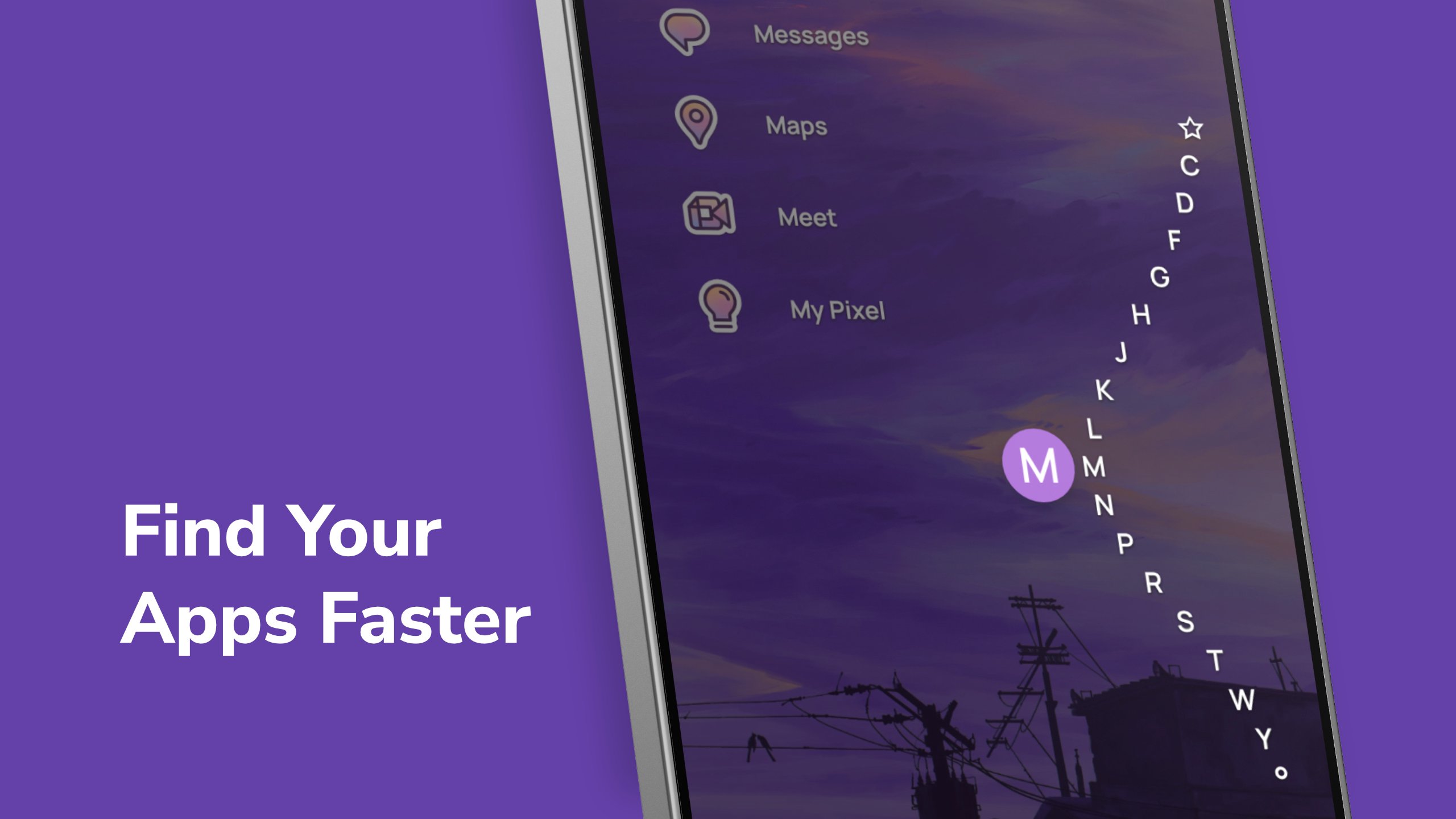
You can use the Wave Alphabet to move through your apps by their first letter. The alphabet follows a thumb friendly curve along the side of the screen, so it can be useful when holding a large phone in one hand. This gives you another way to find apps without opening a separate app drawer.
Notifications on the home screen
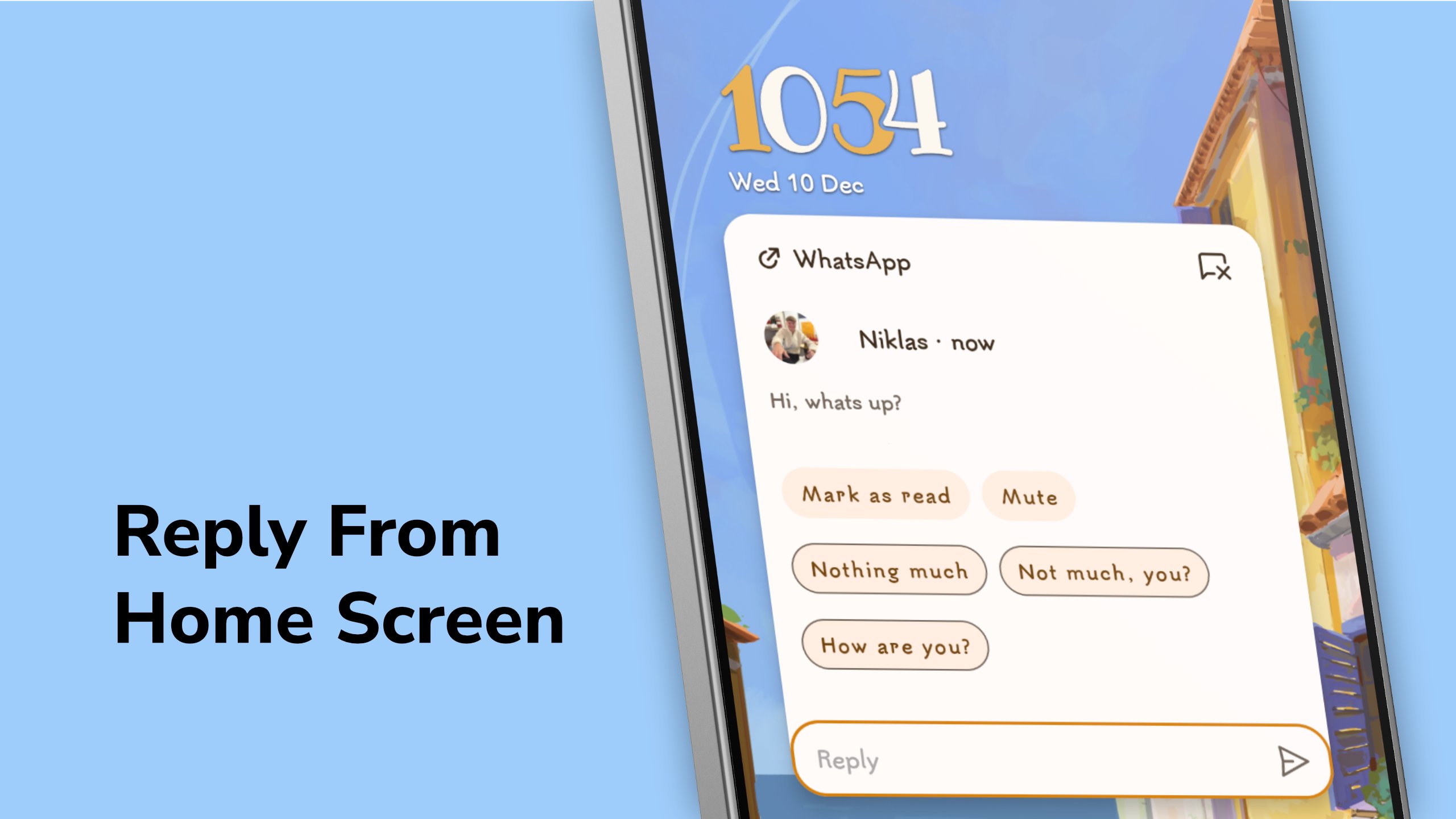
Niagara Launcher can show notifications directly beside relevant apps on the home screen. You can read and reply to supported notifications without leaving the launcher. Less important alerts can also be collected into a summary, which helps prevent the app list from becoming crowded with notifications.
Personal appearance settings
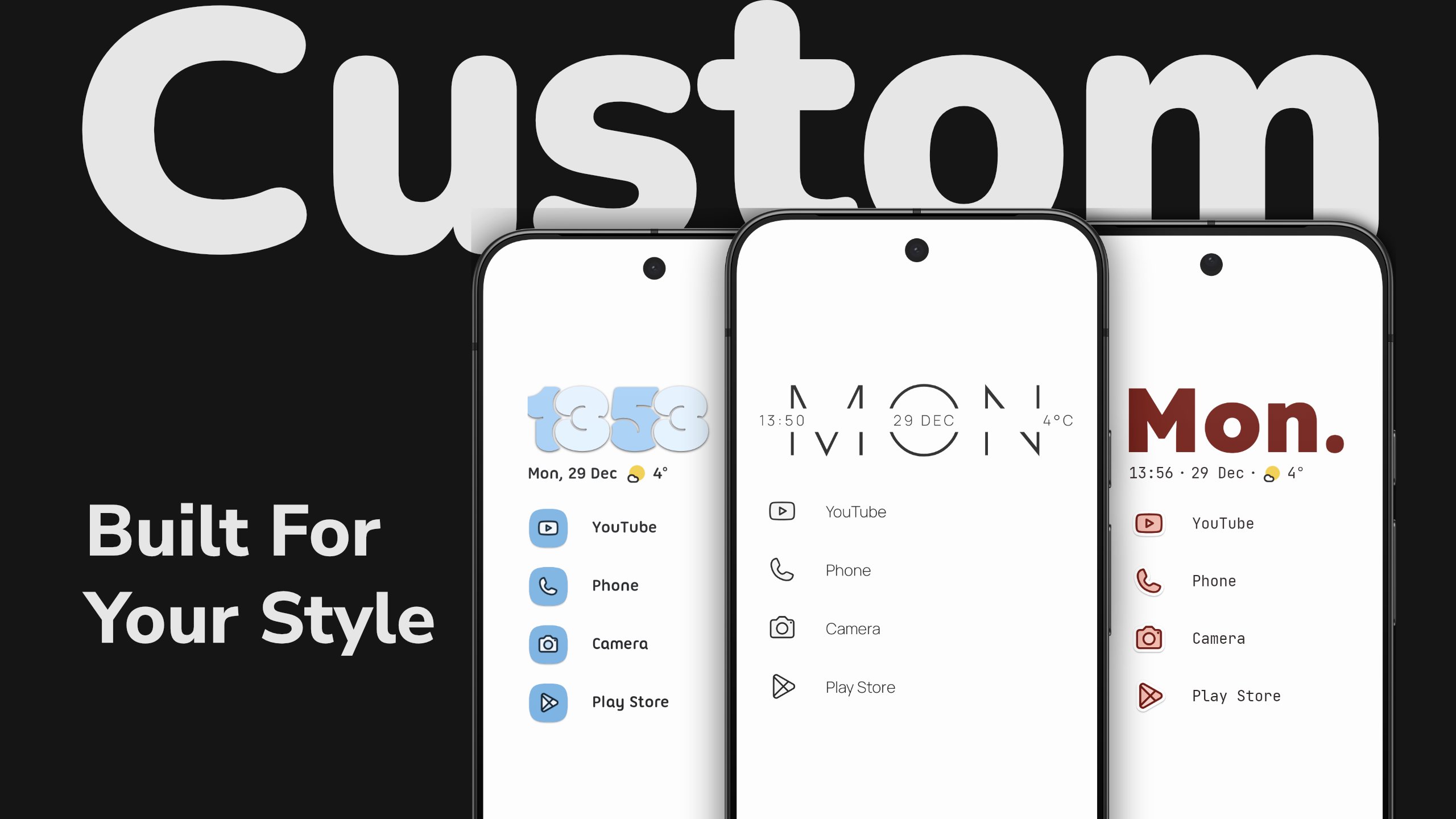
You can change the wallpaper, theme, icon pack, font, clock style, and light or dark appearance. Material You colors can adapt the launcher colors to your current wallpaper. These settings let you adjust the Android home screen while keeping the same list based structure.
Search, widgets, and app organization
Niagara Launcher includes search for apps, contacts, web searches, and calculations. You can add calendar and weather widgets, create pop up folders, and place up to four widgets in a widget stack. It also lets you hide apps that you do not want shown in the main list.
The free edition includes the clean home screen, Wave Alphabet navigation, direct notification replies, limited personalization, and an ad free experience. This may suit users who mainly want a simpler way to open and manage apps.
Niagara Pro adds full theme controls, icon, font, and clock customization, plus calendar and weather widgets. It also includes pop up folders, widget stacks, and Usage Breaker reminders. Usage Breaker can remind you when you open selected apps frequently, which may help if you want to reduce repeated checking.
Niagara Launcher is designed around thumb reach, so it can be a useful option for large, tall, or foldable Android phones. The app list and Wave Alphabet reduce the need to stretch to icons placed at the top corners of the screen. Before choosing the Pro edition, consider whether you need extra widgets, folders, and detailed appearance controls rather than only the basic home screen layout.
After you download Niagara Launcher APK and open the launcher, start by looking through the app list and deciding which tools you want close at hand. Then adjust the layout gradually so the home screen stays easy to scan during daily use.
Open Niagara Launcher and view the apps arranged in its scrolling list.
Swipe along the Wave Alphabet at the side of the screen to jump to apps beginning with a chosen letter.
Check notifications beside apps, then read or reply when a supported alert needs attention.
Open the launcher settings to select a wallpaper, theme, font, clock style, or icon pack that fits your preferred look.
Hide unused apps and, if available in your edition, set Usage Breaker reminders or create folders and widget stacks for frequently used items.
Niagara Launcher offers a list focused Android home screen for users who prefer fewer visible distractions and easier one handed app access. Check the Niagara Launcher latest version details before installation if you want the most current available release and feature set.
For support and product information, use the official contact details below.
Website: https://niagaralauncher.com/
Email: hello@niagaralauncher.com
Latest Version
1.16.29Uploaded by
Aqil Arif Arif
Requires Android
Android 8.0+
Category
Free Personalization AppContent Rating
Everyone
Report
Flag as inappropriateLast updated on Sep 16, 2026
✏️️ Create, Share, and Discover Themes With Theme Studio
Create your own themes with our new Theme Studio. Customize wallpapers, icons, clock styles, and text with a live preview, save multiple setups, and share them with friends or the community. This update also marks the beginning of our brand refresh and the launch of Mellowdrop Studio, our new independent software studio.






APKPure - A multi-platform app store primarily focused on Android, providing extensive app-related content. Discover the app you want easier, faster, and safer, with quick and efficient downloads and installations.