★ Important ★
After installing the application, do not click on the application icon.
After installing the application, leave space for the widget on the smartphone wallpaper
-> Press and hold on the wallpaper to place the clock widget at the desired size
-> Click on the clock to open the settings screen.
How to place a smartphone widget (picture explanation)
https://blog.naver.com/hajunggu/221040649231
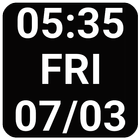
● font size setting example
- 1x1: 25
- big : General smartphone 120 / Flip Phone 75
● explanation
- Very large/small font.
- Various settings (see photo)
- year omitted
- multi language (day of week)
- Change font color
Latest Version
1.93Uploaded by
ក្មេងឌឺ អាចារតូច
Requires Android
Android 4.1+
Category
Free Lifestyle AppContent Rating
Everyone
Report
Flag as inappropriateLast updated on Mar 17, 2019
- Add privacy policy



APKPure - A multi-platform app store primarily focused on Android, providing extensive app-related content. Discover the app you want easier, faster, and safer, with quick and efficient downloads and installations.