
Avroid suits users who often write in Bangla and also need English in the same conversation. It follows the familiar AVRO layout so everyday writing feels natural across chats, posts, and documents. The setup is straightforward and fits regular use at home, school, or work. Before you download Avroid, remember to enable it in your phone’s language and input settings, then choose it when typing in any app.
Bangla and English layouts
First, after installing Avroid APK, you can switch languages while typing. Avroid supports AVRO, Probhat, National, and English layouts. In the Beta channel, Arabic and National are available. In the Stable channel, Probhat and Univroid are included.
Themes, emojis, and symbols
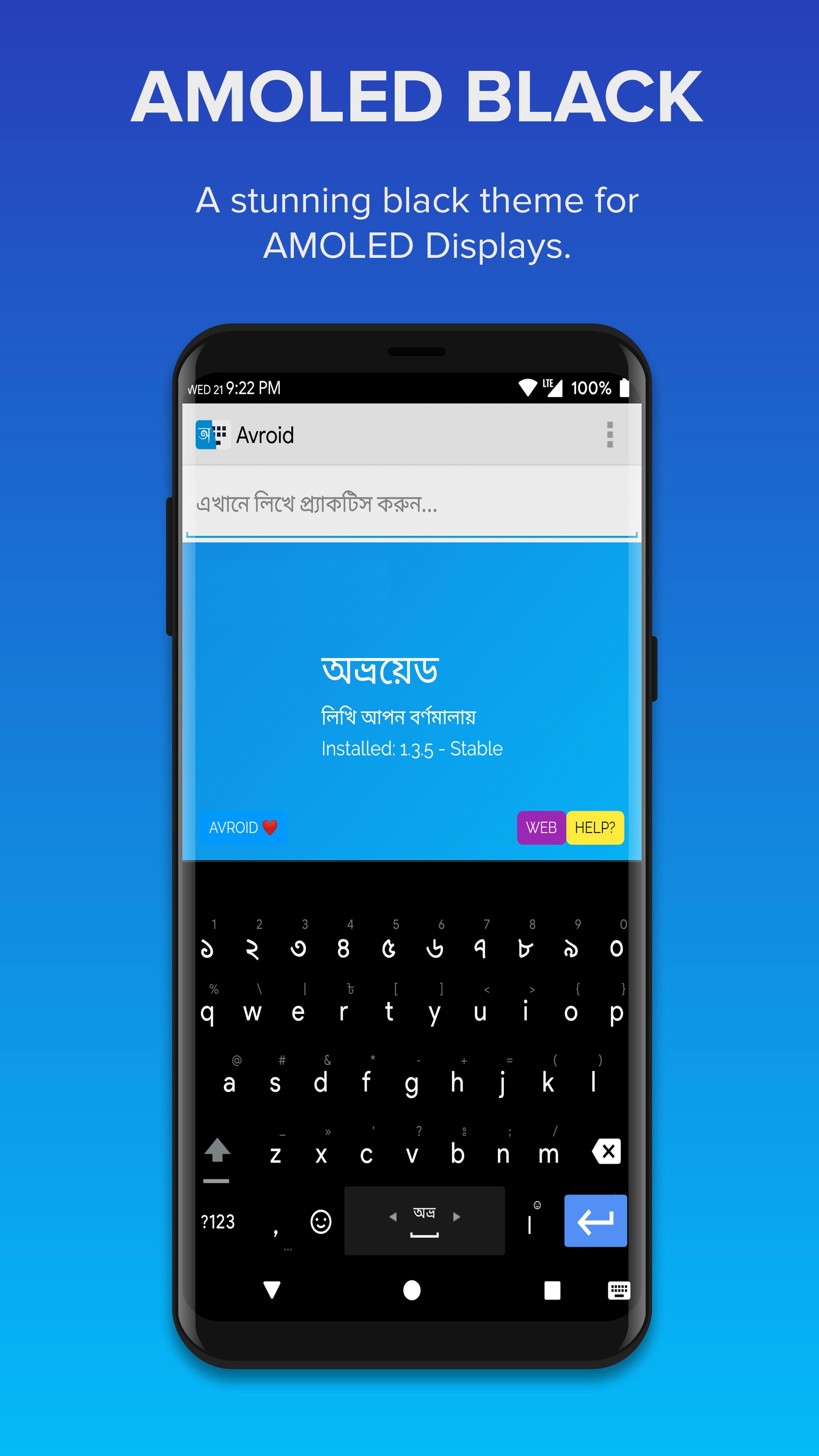
Next, Avroid offers 150 emojis with instant smiley input. You also get 60+ symbols for everyday writing. New themes arrive regularly, including seasonal releases for a fresh look. A web domain shortcut helps you enter site addresses faster.
Typing assistance
Avroid provides word correction to reduce common mistakes. Suggestions appear as you type to help complete words quickly and keep messages clear. This support aims to make everyday typing smoother without extra steps.
Offline use, voice input, and support
This keyboard focuses on accurate Bangla input with familiar layouts and easy switching. Install the Avroid latest version, enable it in settings, and select it when you start typing. Adjust layouts and themes as needed to match your daily use.
Latest Version
1.3.7Uploaded by
Jad Khalifeh
Requires Android
Android 2.2+
Category
Free Productivity AppContent Rating
Everyone
Report
Flag as inappropriateLast updated on Mar 22, 2018
Emergency hotfix removing the number row. Sorry for the inconvenience.



APKPure - A multi-platform app store primarily focused on Android, providing extensive app-related content. Discover the app you want easier, faster, and safer, with quick and efficient downloads and installations.




















