
Audio Editor is an very useful application which contains Audio Cutter and Audio Merger in a single application.
Audio Editor is an application that let's users to cut audio files into pieces. And those different pieces will merger and create new audio.
This application is too much useful for you to get that part of music from full file which you like most but it is tough to find from internet or any other sources. So why should you waste your time to search your favourite music part from internet. Use this application and save time.
______________________________________________________________________________
Audio Cutter
Features :
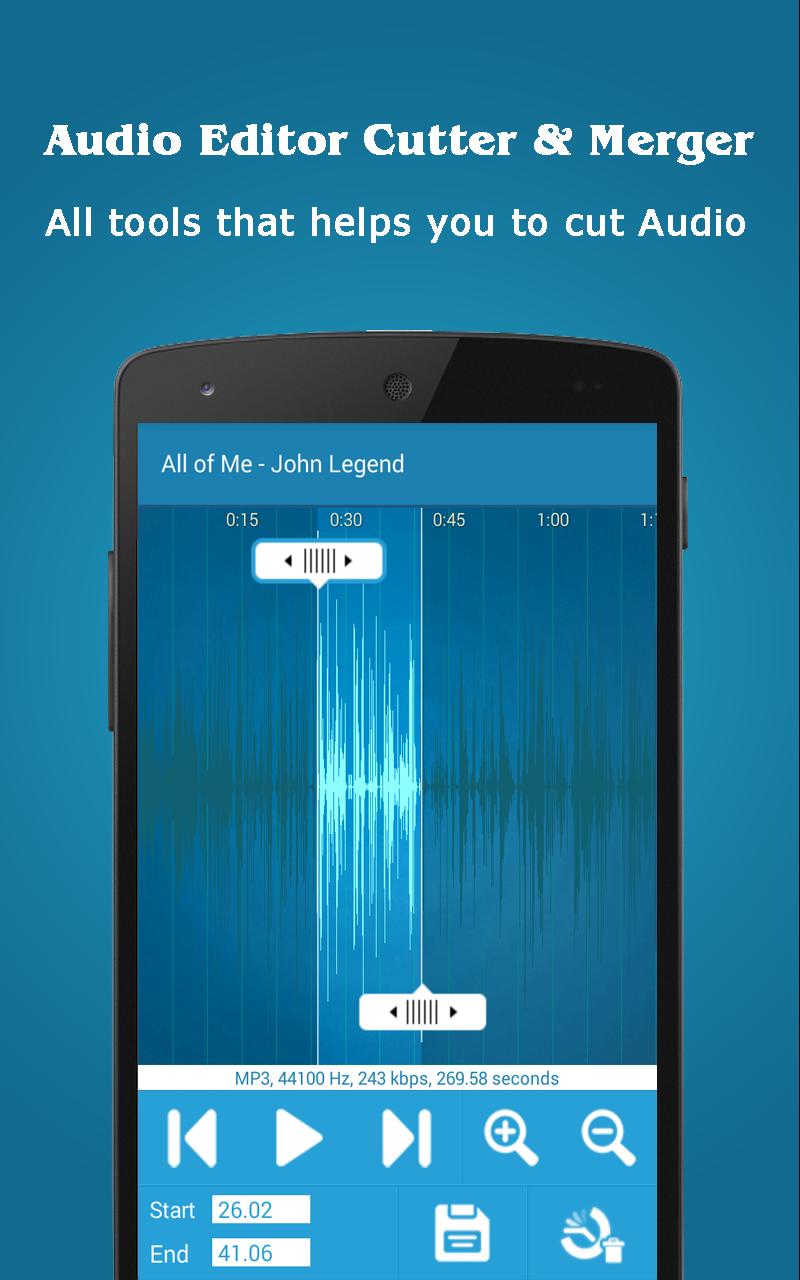
- Audio Cutter helps you to trim your favourite music pieces from any audio or Mp3/Songs.
- You can record and cut your audio into pieces that you want from Recorded Audio.
- This application supports nearly all popular audio formats like MP3, WAV, AAC, AMR and other audio formats.
- For better marking position on audio wave form, you can zoom-in or zoom-out for Audio Cutter.
- You can assign Ringtone to contact directly form this Audio Cutter.
- User-Friendly Interface that helps you to cut your Audio as much as easiest way.
How to Use :
Step 1 : Go to the Audio Cutter from dashboard. Select your Audio/Music that you want to cut.
Step 2 : Adjust starting and ending marker on particular audio piece that you want to make Ringtone or simply cut.
Step 3 : All element that helps you to cut your audio pieces form large file are displayed on a Audio Cutter screen. Use them as per your need.
Step 4 : Then just tap on save. That's it !
______________________________________________________________________________
Audio Merger
Features :
- Audio Editor can also be used as an Audio Merger
- Audio Merger helps you to Join or Merge two Audio/Music pieces into a single track
- Easy User Interface to Merger Audio.
- Fast and efficient to Merge your two Audio Tracks.
- You can provide name of Merged Audio file.
How to Use :
Step 1 : Go to the Audio Merger from dashboard. Select both the tracks as Audio/Music that you want to Merge in single Merged Audio.
Step 2 : After selecting both the Audio/Music, enter name of new audio file as File Name as you want.
Step 3 : Then simply tap on Merge Audio button. That's it !
Hope You like our Audio Editor Cutter & Merger !
______________________________________________________________________________
*Disclaimer :
The application is developed base on:
Ringdroid code: http://code.google.com/p/ringdroid/
Latest Version
2.1Uploaded by
Mohammed Alrwi
Requires Android
Android 4.0+
Category
Free Music & Audio AppContent Rating
Everyone
Report
Flag as inappropriateLast updated on Dec 24, 2016
Version 2.0
★ Performance Improved.
★ Bug Fixed.
★ UI Improved.




APKPure - A multi-platform app store primarily focused on Android, providing extensive app-related content. Discover the app you want easier, faster, and safer, with quick and efficient downloads and installations.