
>>Assistive Touch for Android - Virtual Home key, easy touch to lock screen and open recent task - Virtual Volume key, quick touch to change volume and change sound mode - Clean ram, boost speed, one touch boost
>> Easy touch to open your favorite application - Go to all setting very quick with a touch
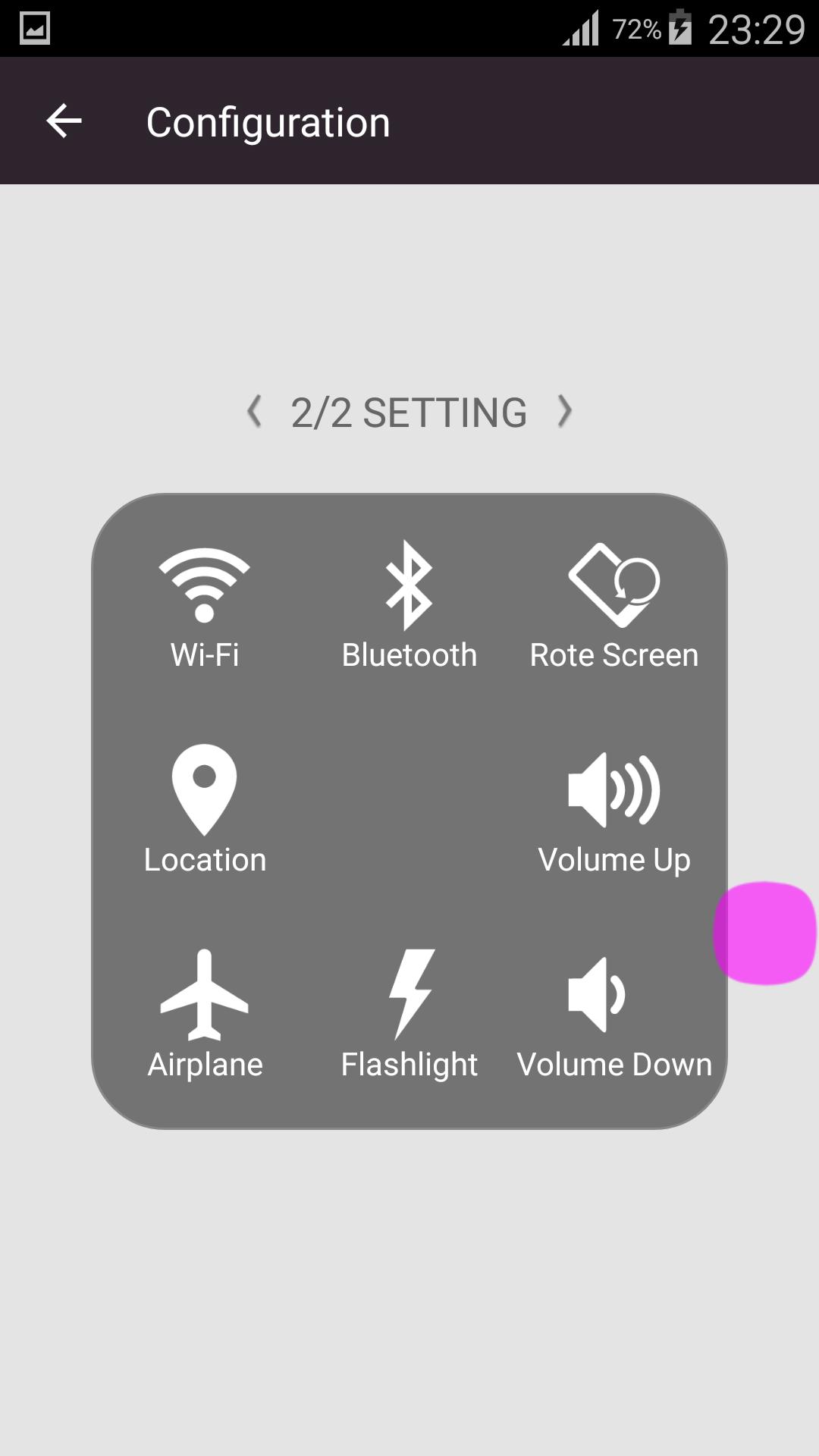
>>Quick touch setting include: - Power popup (4.1and up) - WiFi - Bluetooth - Location (GPS) - Ring mode (Normal, Vibrate, Silent) - Screen rotation - Volume up & down - Airplane mode - Flashlight Bright - All application on your device
>>Customize - You can change color of background with your favorite color - You can change icon of Assistive Touch easy with many pretty icon, totally free
Note : This app uses the Device Administrator permission.
Latest Version
1.0Uploaded by
Nhan Nguyen
Requires Android
Android 2.3.2+
Category
Free Tools AppContent Rating
Everyone
Report
Flag as inappropriateLast updated on Feb 24, 2017
This release includes minor bug fixes and general improvements. Update to the latest version for the best experience.





APKPure - A multi-platform app store primarily focused on Android, providing extensive app-related content. Discover the app you want easier, faster, and safer, with quick and efficient downloads and installations.