Scan Date:May 12, 2026
Show More


ArduinoDroid brings a full local toolchain to your phone or tablet, so you can build projects without a computer. It supports Arduino boards along with ESP8266 and ESP32 devices, and it runs entirely offline with no account needed. The interface follows familiar coding patterns to help you navigate files, edit sketches, and manage boards on the go. You can compile on device, upload to hardware, and review output in one place. Therefore, makers, students, and hobbyists can keep projects moving from anywhere. Get the ArduinoDroid APK latest version on APKPure to start coding faster on mobile.
Mobile IDE with helpful coding tools*
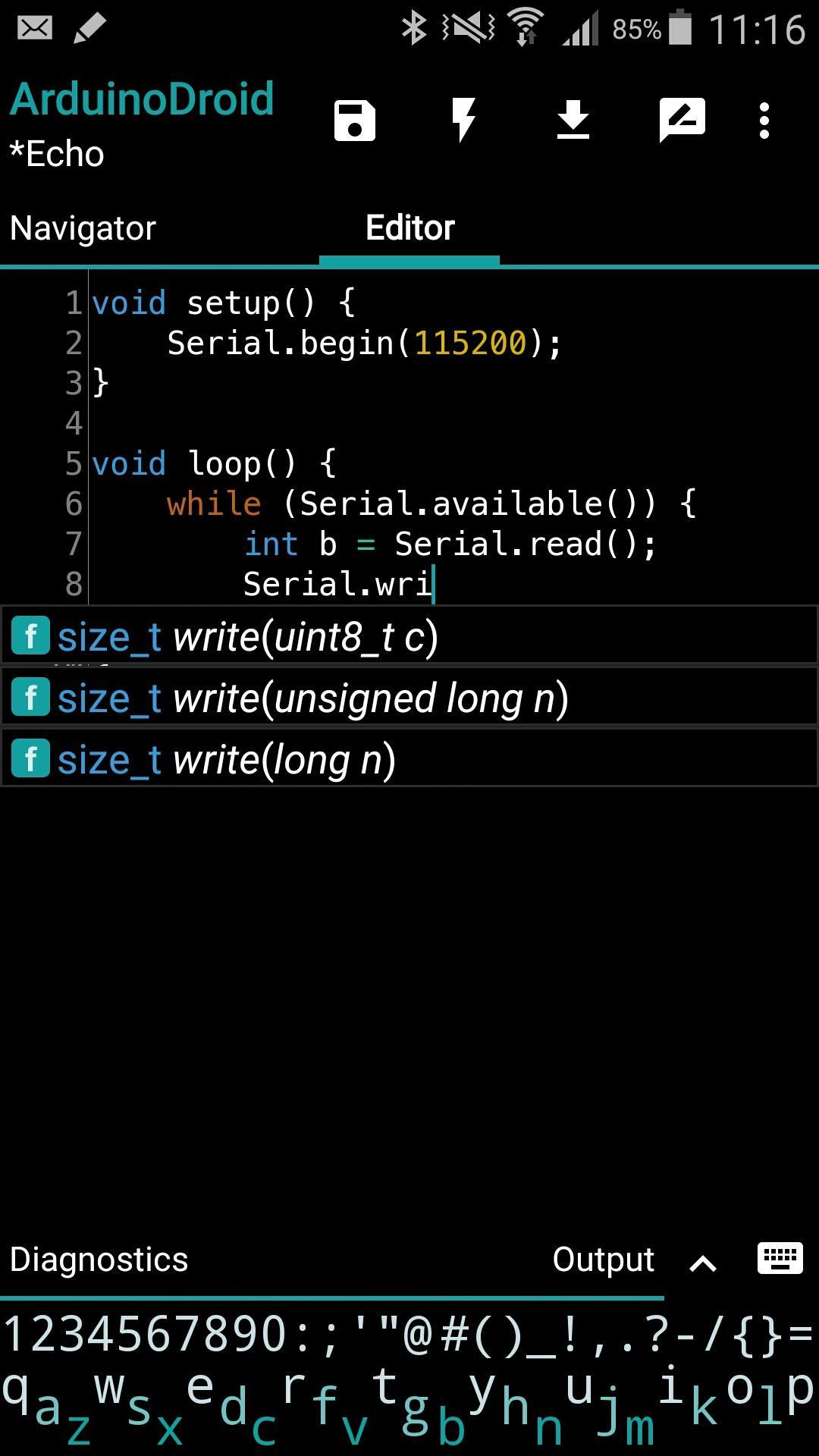
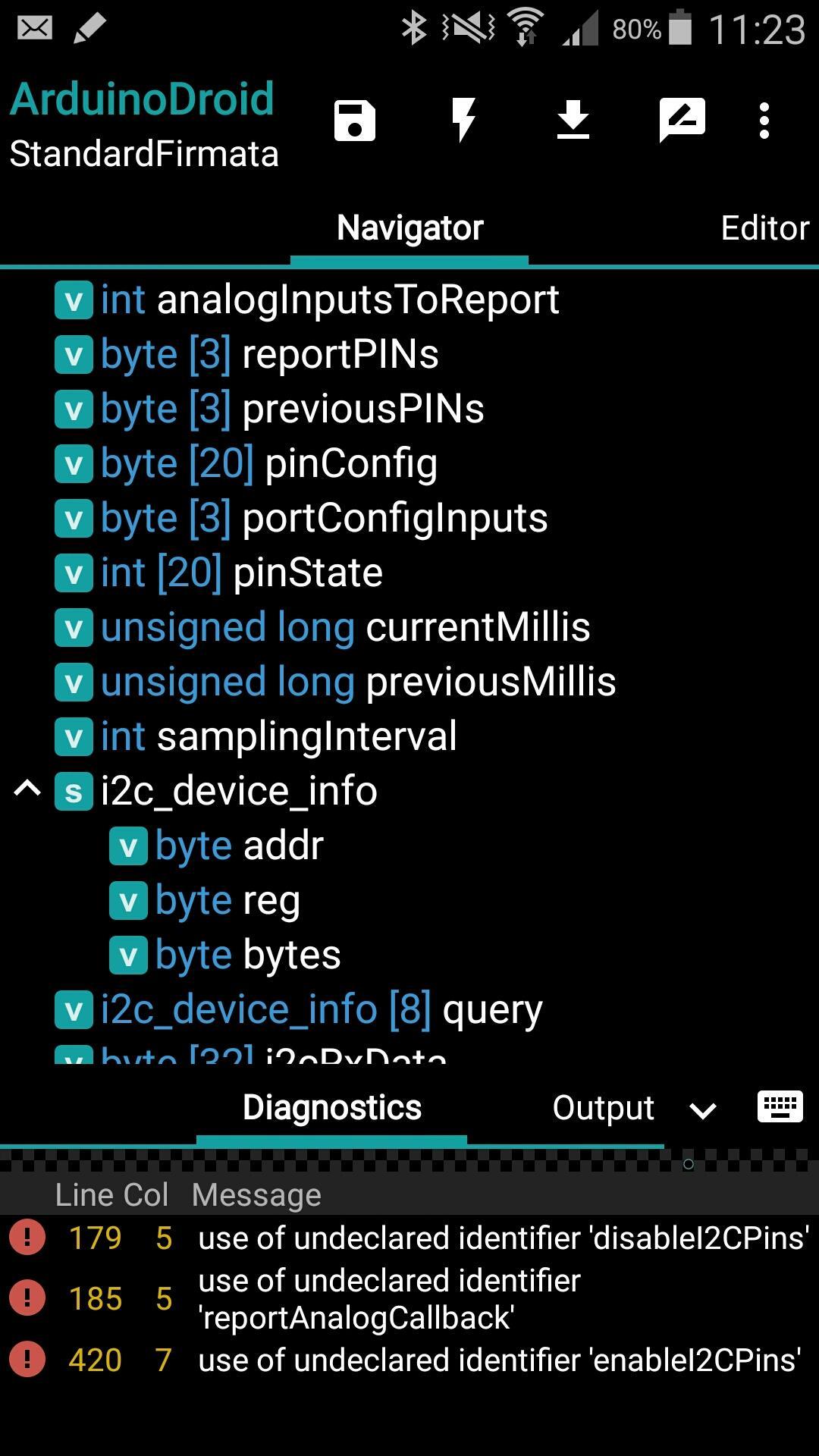
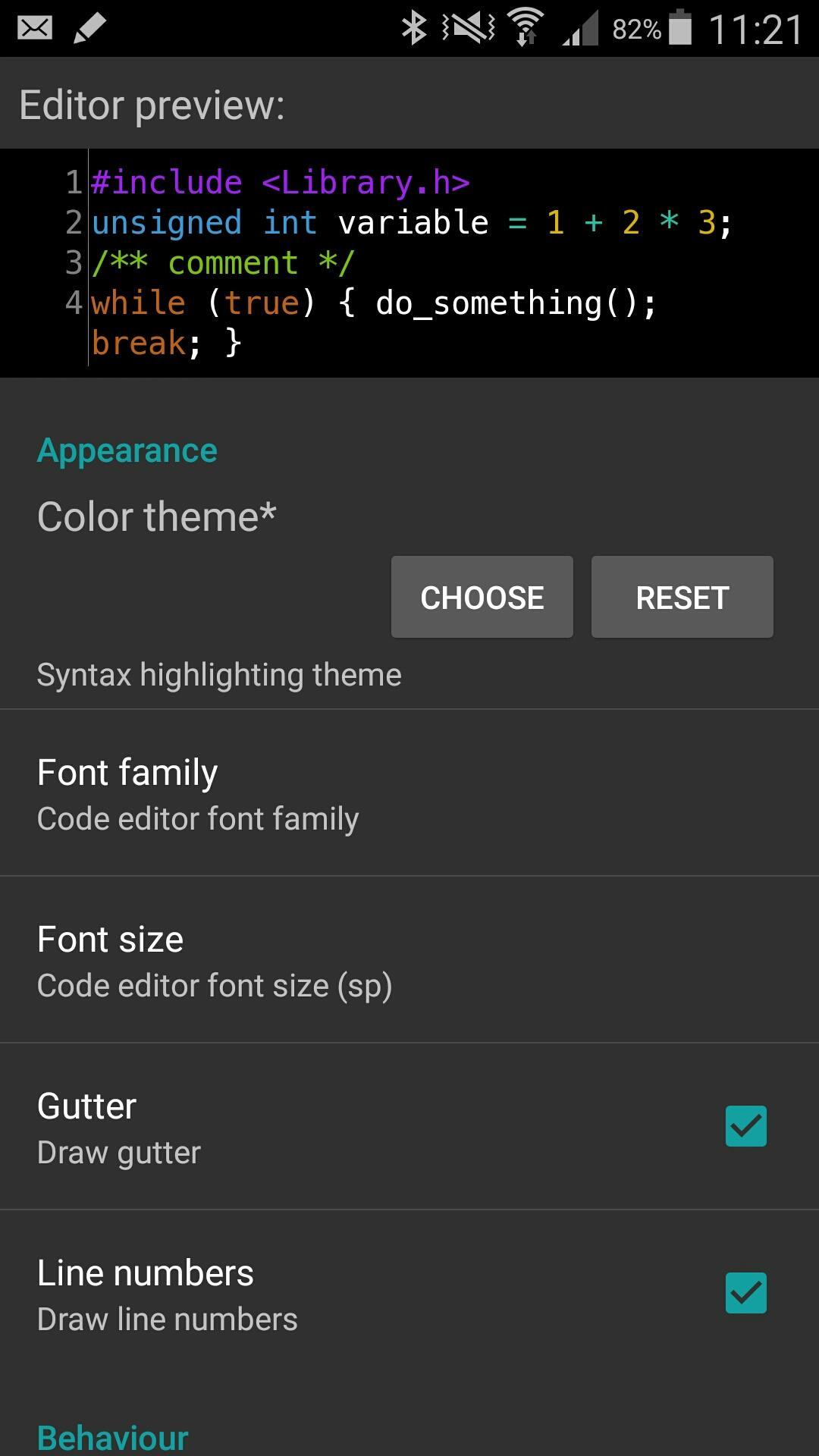
ArduinoDroid provides syntax highlighting, themes, code completion*, real time diagnostics*, a file navigator*, and a small on screen keyboard* designed for coding. These advanced options help reduce errors and speed up editing on mobile. See advanced features on the official site for details.
Compile and upload from your device
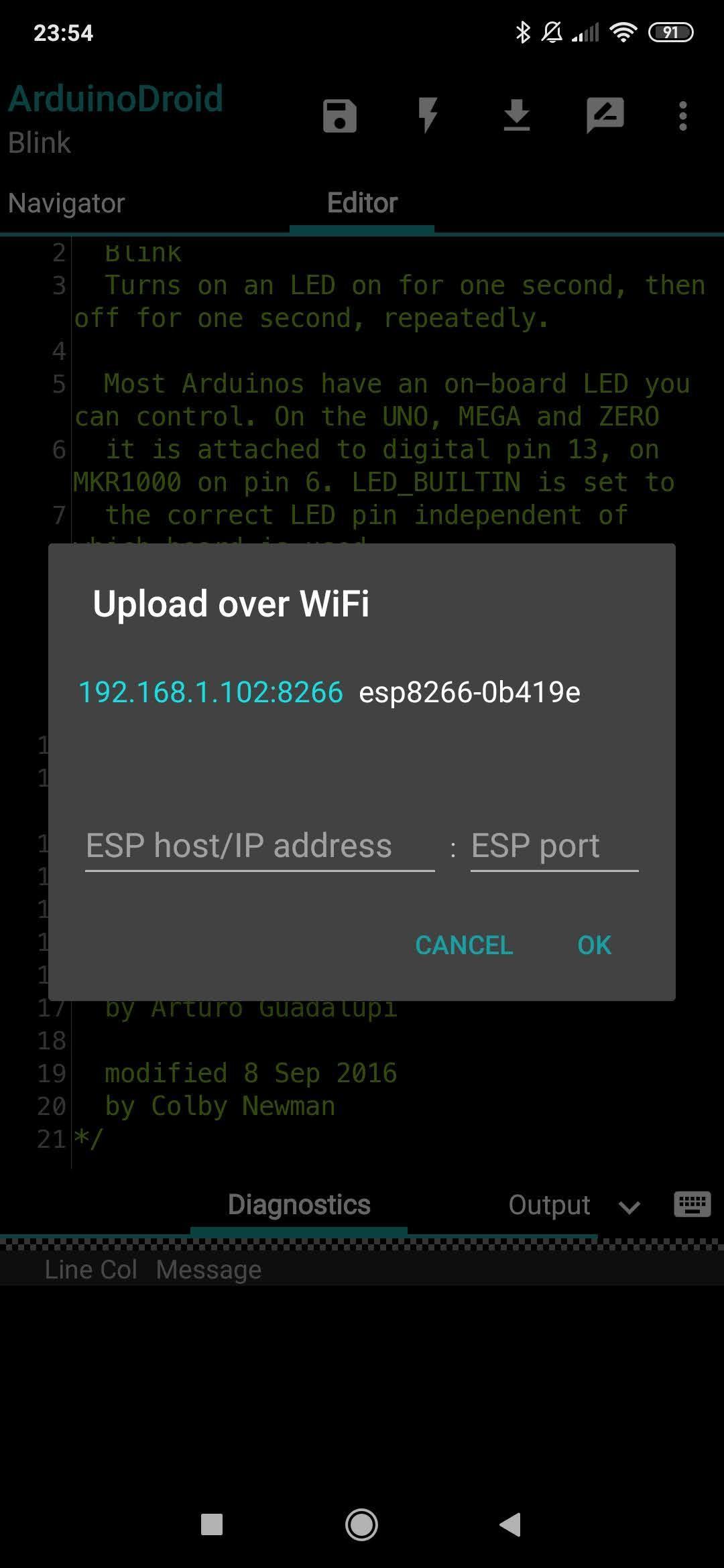
You can build sketches locally and upload over USB to popular Arduino boards. Moreover, you can use Wi‑Fi over the air for ESP8266 and ESP32 targets when a network is available, which keeps your workflow flexible.
Integrated serial monitor and output views
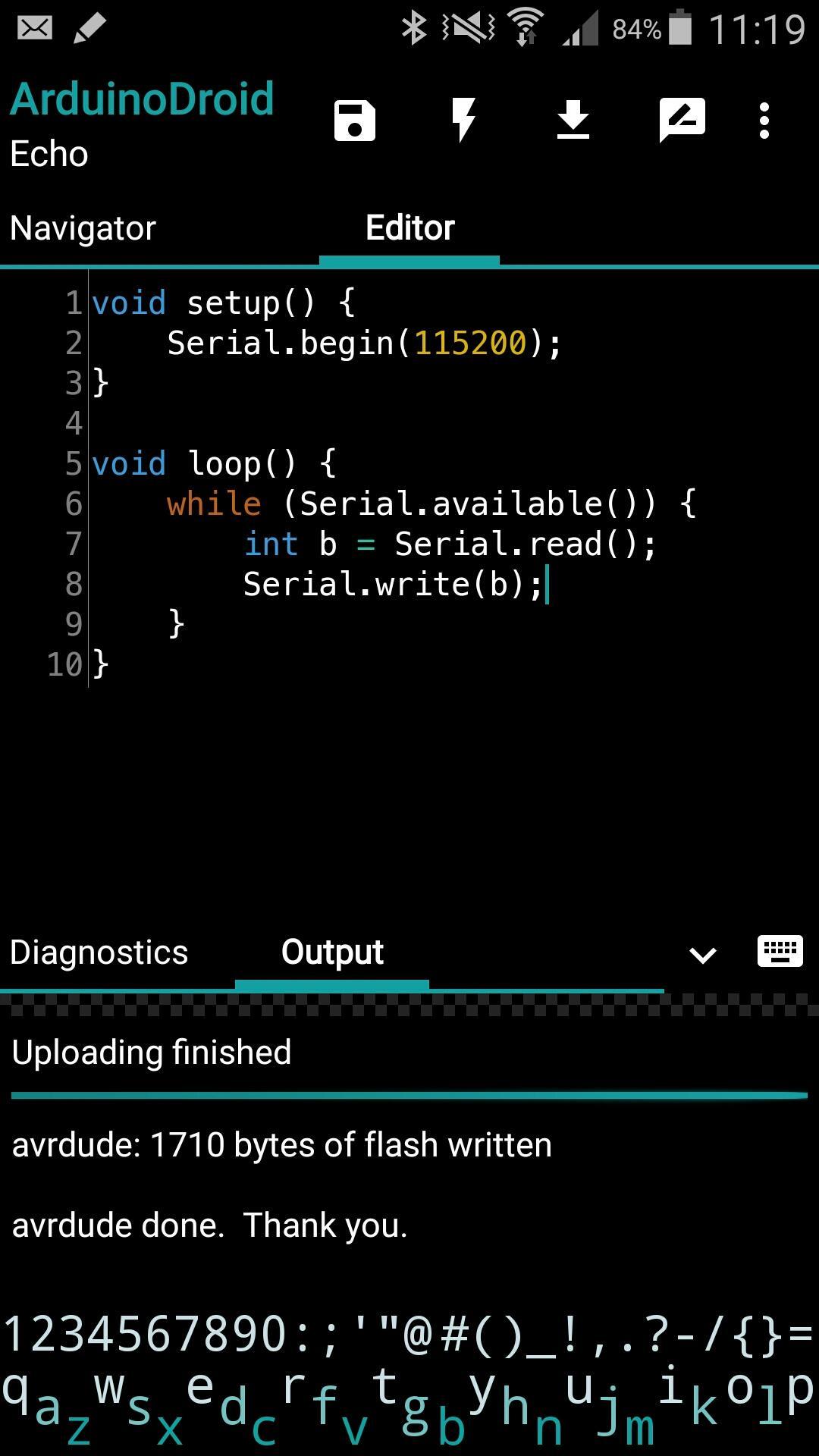
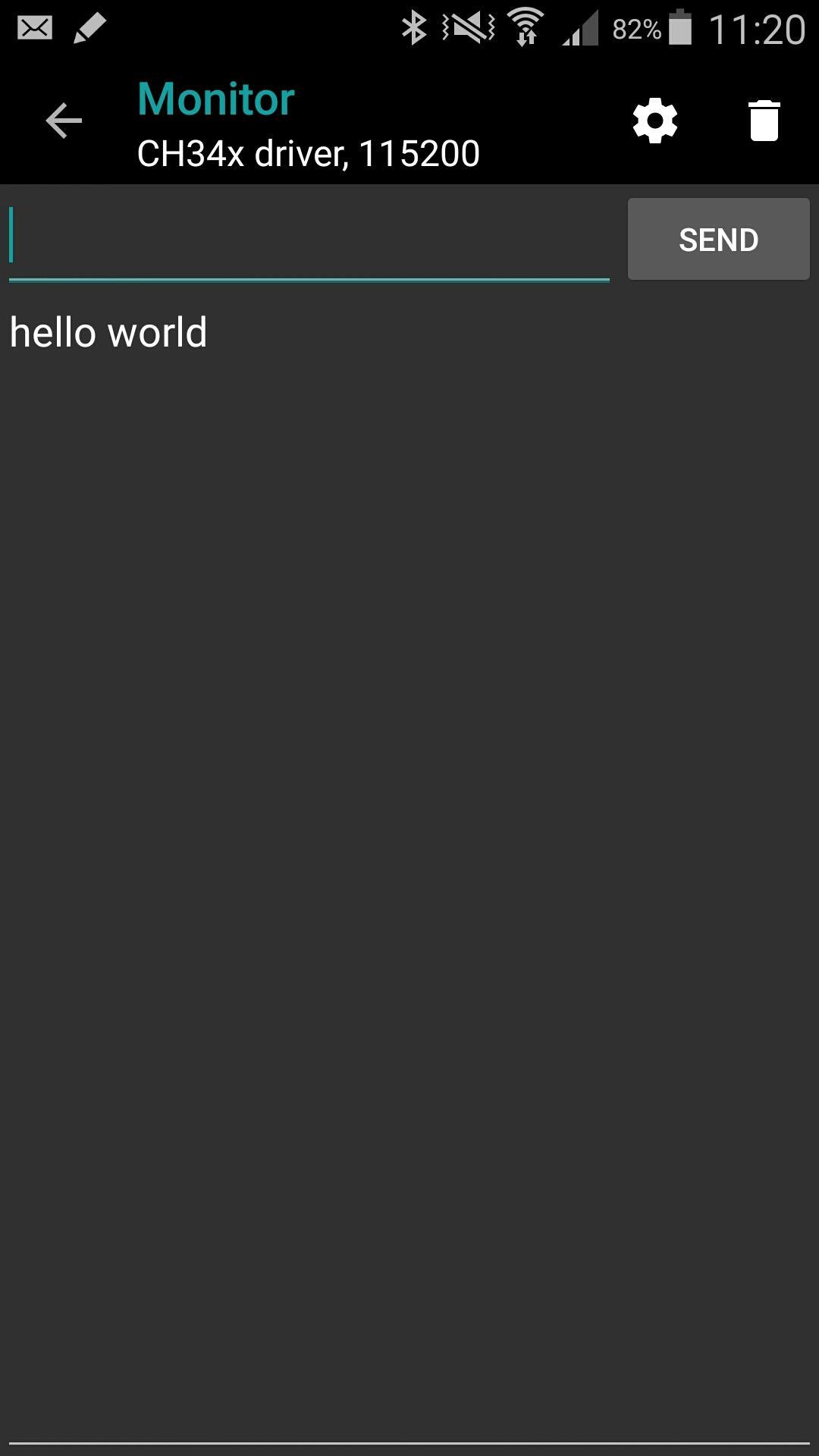
ArduinoDroid includes a serial monitor for viewing logs and interacting with your board. In addition, output and diagnostic panes help verify builds and troubleshoot common issues during development.
Offline by design with optional cloud sync
The app works fully offline using local compilers, libraries, and examples. Also, optional Dropbox and Google Drive integrations let you back up or sync sketches if you prefer a cloud workflow.
Broad board coverage for common projects
ArduinoDroid supports Arduino Uno, Mega 2560, Nano old and new bootloader, Leonardo, Micro, Pro Micro, Pro and Pro Mini, Yun, Esplora, Robot series, plus ESP8266 and ESP32 families. Digistump boards are also supported.
Onboarding with examples and libraries
Bundled example sketches and libraries help you get started quickly. Therefore, new users can open a sample, set the target board, build, and upload in a few steps without extra setup.
*Advanced capabilities such as code completion, diagnostics, navigator, themes, and the built in keyboard are marked with an asterisk. Learn more on the official site: advanced features.
ArduinoDroid supports USB uploads for many Arduino boards using an internal uploader that handles common bootloaders. Therefore, a typical Uno or Mega connects by cable and uploads directly from the app.
For ESP8266 and ESP32, you can upload over USB or use Wi‑Fi over the air when your device and board share a network. If an upload fails or a board is uncommon, ArduinoDroid can fall back to Avrdude where appropriate. For known issues and fixes, see the troubleshooting guide on the official site.
Board support varies by bootloader and connection method. Therefore, check your exact model and use the troubleshooting page if an upload does not start.
ArduinoDroid includes bundled examples to demonstrate common tasks such as blinking LEDs, serial echo, and Wi‑Fi setup. You can open, edit, and build any example directly.
The app recognizes standard Arduino library structures. Moreover, you can install additional libraries from a .zip file and manage them in your sketch folder. This makes it simple to reuse code across multiple projects.
ArduinoDroid is a third party app and is not the official Arduino application. Arduino is a trademark of its respective owner. Names of other brands belong to their owners.
For guides, fixes, and release notes, visit the official website and blog. You can also review the troubleshooting section for upload and build issues.
Use this quick guide to write, compile, and upload a sketch with ArduinoDroid. The steps outline a basic USB upload, and the same flow applies to Wi‑Fi over the air where supported.
ArduinoDroid offers a focused mobile IDE for Arduino, ESP8266, and ESP32 that works offline with integrated upload and monitoring. Get the ArduinoDroid APK on APKPure, and keep your hardware projects moving anywhere.
Official contacts and links:
Does ArduinoDroid work offline?
Yes, ArduinoDroid works fully offline because it includes local compilers, libraries, and example sketches. You can write, build, and upload without an account or a network connection, which makes it reliable in classrooms, workshops, and field projects.
How do USB and Wi‑Fi uploads work in ArduinoDroid?
ArduinoDroid uses an internal uploader for many Arduino boards over USB and supports Wi‑Fi over the air for ESP8266 and ESP32. If an upload fails, the app can fall back to Avrdude in certain cases; see the troubleshooting page for board specific steps.
Can I install additional libraries in ArduinoDroid?
Yes, ArduinoDroid recognizes standard Arduino libraries and lets you import a .zip library into your sketch environment. After installing, you can include the headers in your sketch and compile them on device like any other project.
Which boards are supported by ArduinoDroid?
ArduinoDroid supports Arduino Uno, Mega 2560, Nano old and new bootloader, Leonardo, Micro, Pro Micro, Pro, Pro Mini, Yun, Esplora, Robot series, plus many ESP8266 and ESP32 boards and Digistump. Check your specific model and connection type in the app before uploading.
How can I download or update the ArduinoDroid APK?
Get the latest ArduinoDroid APK on APKPure to download or update to the new build. Open this page, choose download ArduinoDroid, install the package, and then reopen the app to continue your projects.
Latest Version
8.2.2Uploaded by
บอล งับ ครับ ผม
Requires Android
Android 8.0+
Category
Free Tools AppContent Rating
Everyone
Security Report
Report
Flag as inappropriateLast updated on May 12, 2026
* Fixed: crash when ESP32S3 "4d system" board is chosen



APKPure - A multi-platform app store primarily focused on Android, providing extensive app-related content. Discover the app you want easier, faster, and safer, with quick and efficient downloads and installations.