

aRacer Smart is made for riders and vehicle tuning users who need to check ECU data during setup, testing, or daily inspection. It works with supported aRacer RC/RS Super and RCMini5 ECU units, so users can view vehicle operation data from an Android phone. In this way, the app helps turn ECU information into readable data for monitoring and tuning decisions. Users who want to download aRacer Smart can use this page to understand its main purpose before installing it.
Real time ECU monitoring
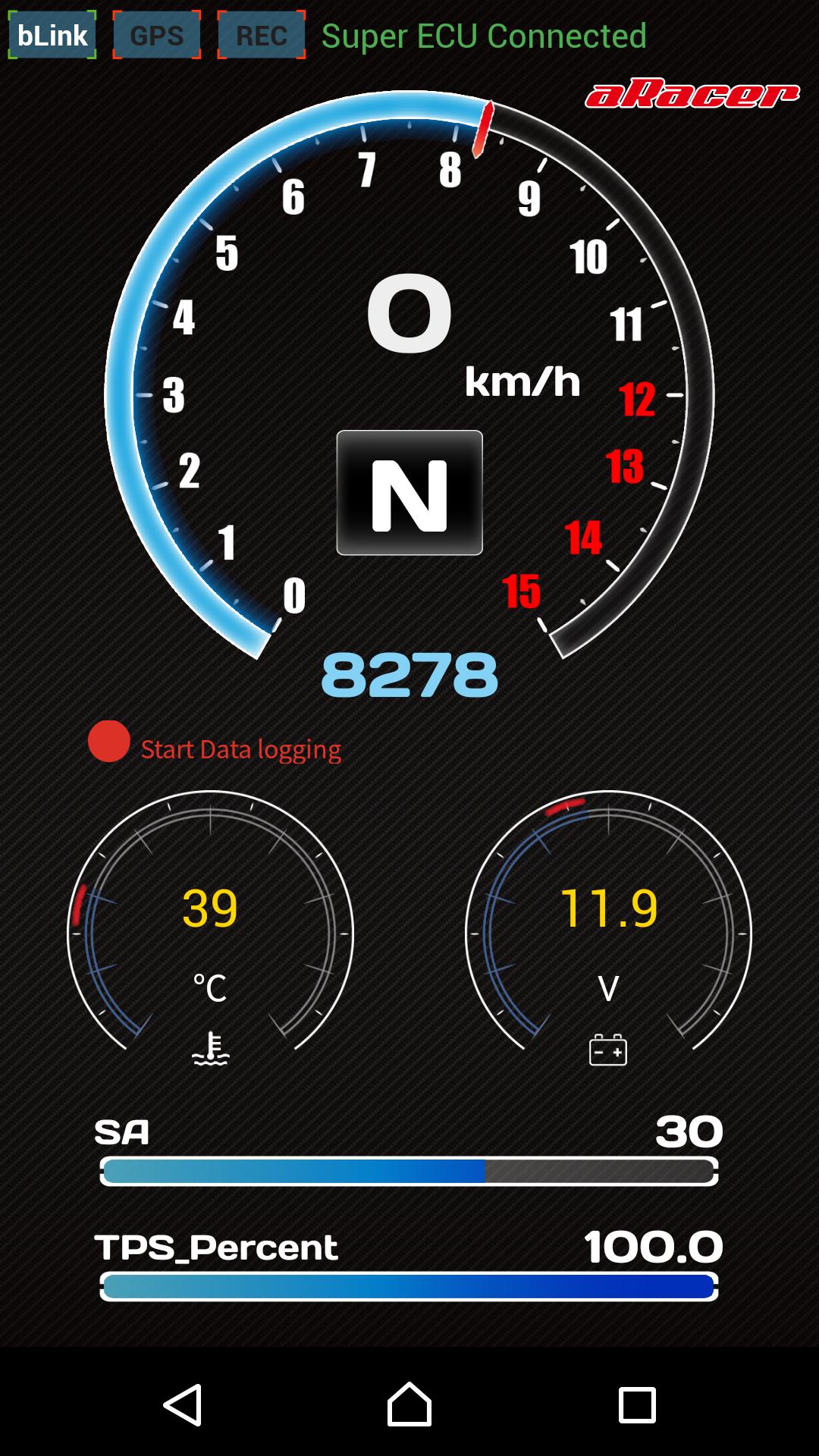
aRacer Smart connects with supported aRacer ECU hardware to show engine data while the vehicle is running or being tested. You can use Monitor Pro or Monitor Lite depending on how much information you need on screen. This helps users follow basic vehicle status, engine behavior, fuel related data, and speed related readings in a more organized way.
Engine data recording
aRacer Smart can record engine data, which is useful when a user wants to review what happened during a ride or tuning session. Instead of relying only on memory, you can keep data from a specific test and compare it later. As a result, changes in engine response or vehicle behavior can be checked with clearer reference points.
Power Meter for performance data
aRacer Smart includes a Power Meter that displays performance related information such as horsepower, torque, and acceleration. This feature gives users a way to observe power output data from the supported ECU environment. For riders who adjust setup step by step, these readings can help confirm whether a change affects the vehicle in the expected direction.
Log data analysis
aRacer Smart supports log data analysis for users who need to examine recorded information after riding or tuning. You can review data changes across a session and look for patterns in engine behavior. This is helpful when checking whether fuel settings, ignition timing, or other adjustments are connected to changes seen during actual use.
Fault code reading and tuning controls
aRacer Smart can read malfunction codes from the ECU, which helps users identify possible ECU or engine related issues faster. After checking the basic condition, users can also access tuning functions such as Fuel Base, Spark Angle, Idle RPM, RPM Limit, Auto Tune, Quick Shift, and tuning map sharing. These tools are intended for users who understand ECU tuning and need direct access to supported adjustment items.
aRacer Smart is built around the aRacer ECU environment, especially RC/RS Super and RCMini5 systems. Before installing, users should check whether their ECU model is supported, because the app depends on compatible hardware for monitoring, log review, and tuning access. If the ECU is not part of the supported range, the app may not provide the expected functions.
The app is better suited to users who already work with motorcycle or vehicle modification, ECU setup, or riding data review. It is not a general dashboard app for every vehicle. Therefore, users should treat it as a focused ECU management tool rather than a basic speed or trip display.
aRacer Smart is related to the official aRacer SpeedTek ecosystem, where users can look for product information, support materials, ECU details, and related technical resources. This is useful when confirming ECU compatibility or learning more about supported tuning products before using the app.
After installing the aRacer Smart APK, users should prepare the supported ECU and vehicle before opening the app. The process is easier when the vehicle is in a safe place and the user already knows which data or tuning item needs to be checked. For tuning related changes, it is important to review values carefully before applying them.
aRacer Smart gives supported aRacer ECU users a focused way to monitor engine data, read fault codes, review logs, and manage tuning related settings from an Android phone. Install the aRacer Smart latest version if you need these ECU monitoring and adjustment functions for compatible RC/RS Super or RCMini5 systems.
Latest Version
Pro-7.1Requires Android
7.0
Category
Tools AppContent Rating
Everyone
Report
Flag as inappropriateLast updated on Oct 3, 2025
This release includes minor bug fixes and general improvements. Update to the latest version for the best experience.




APKPure - A multi-platform app store primarily focused on Android, providing extensive app-related content. Discover the app you want easier, faster, and safer, with quick and efficient downloads and installations.