

APK EXTRACTOR PRO helps when you need to keep a copy of an installed app for later use, move it to another device, or organize app files in one place. It is designed for users who want to work with APK files already present on their phone rather than search through storage folders manually. With APK EXTRACTOR PRO APK, you can create copies of supported installed apps and manage the saved files from the same interface.
Extract installed apps
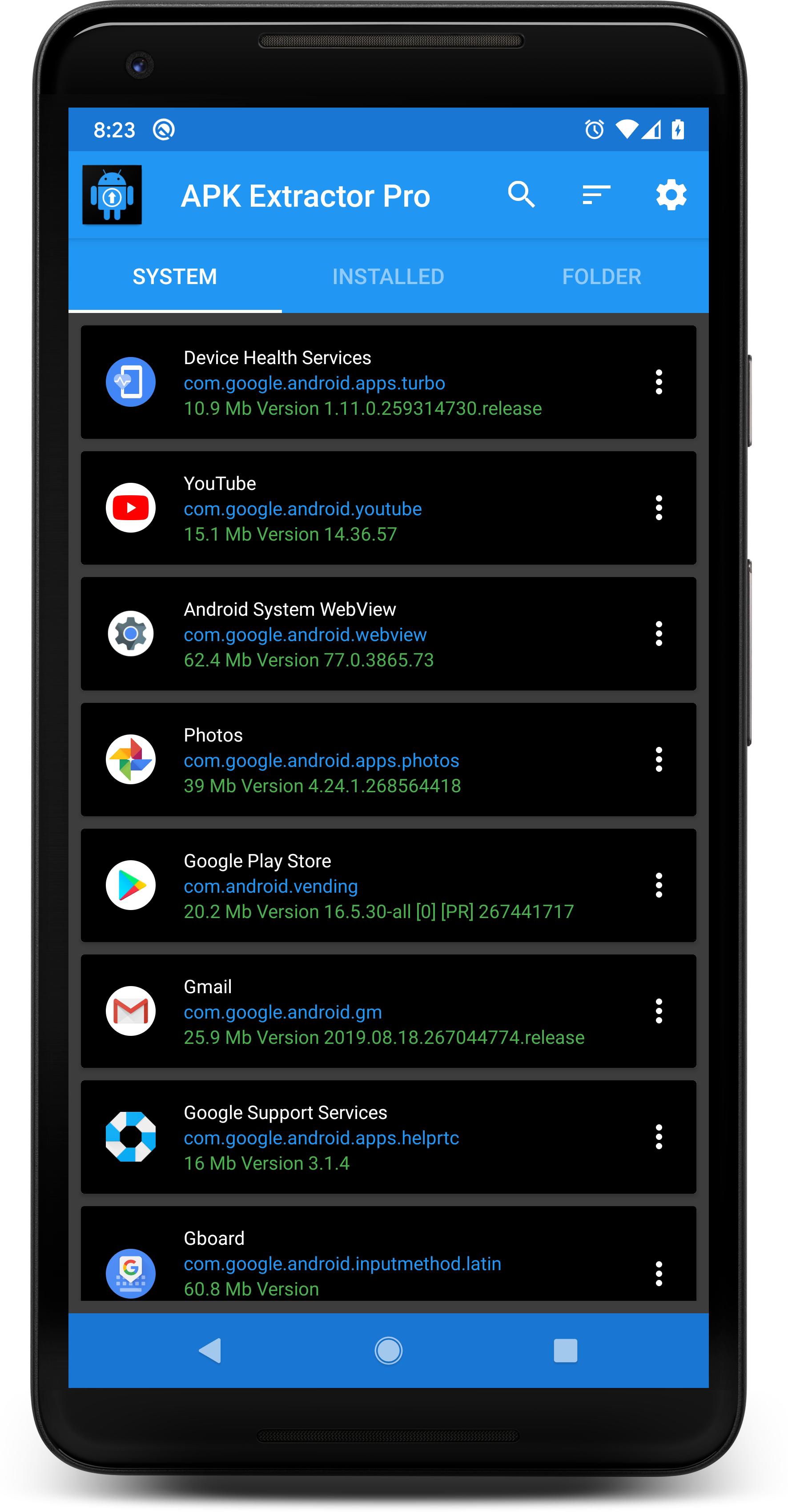
APK EXTRACTOR PRO can create an APK file from applications installed on your Android phone. This lets you keep an APK backup before removing an app or changing phones. The extracted file is stored in the folder selected in the app.
Work with user and system apps
You can extract apps that you installed on the device without root access. APK EXTRACTOR PRO also supports system app extraction on rooted devices. Root access is therefore only needed when you want to extract apps that came with the phone’s system.
Select several apps at once
APK EXTRACTOR PRO lets you select multiple applications for extraction in one session. You can also select more than one app when removing or uninstalling items. This can be useful when clearing apps that are no longer needed or preparing several backups.
Choose how files are organized
You can save extracted files in the APK Extractor Pro folder on internal storage or an SD card. The app can organize file names by application name, package name, or version information. This makes it easier to identify a saved APK when several versions are stored.
Manage files after extraction
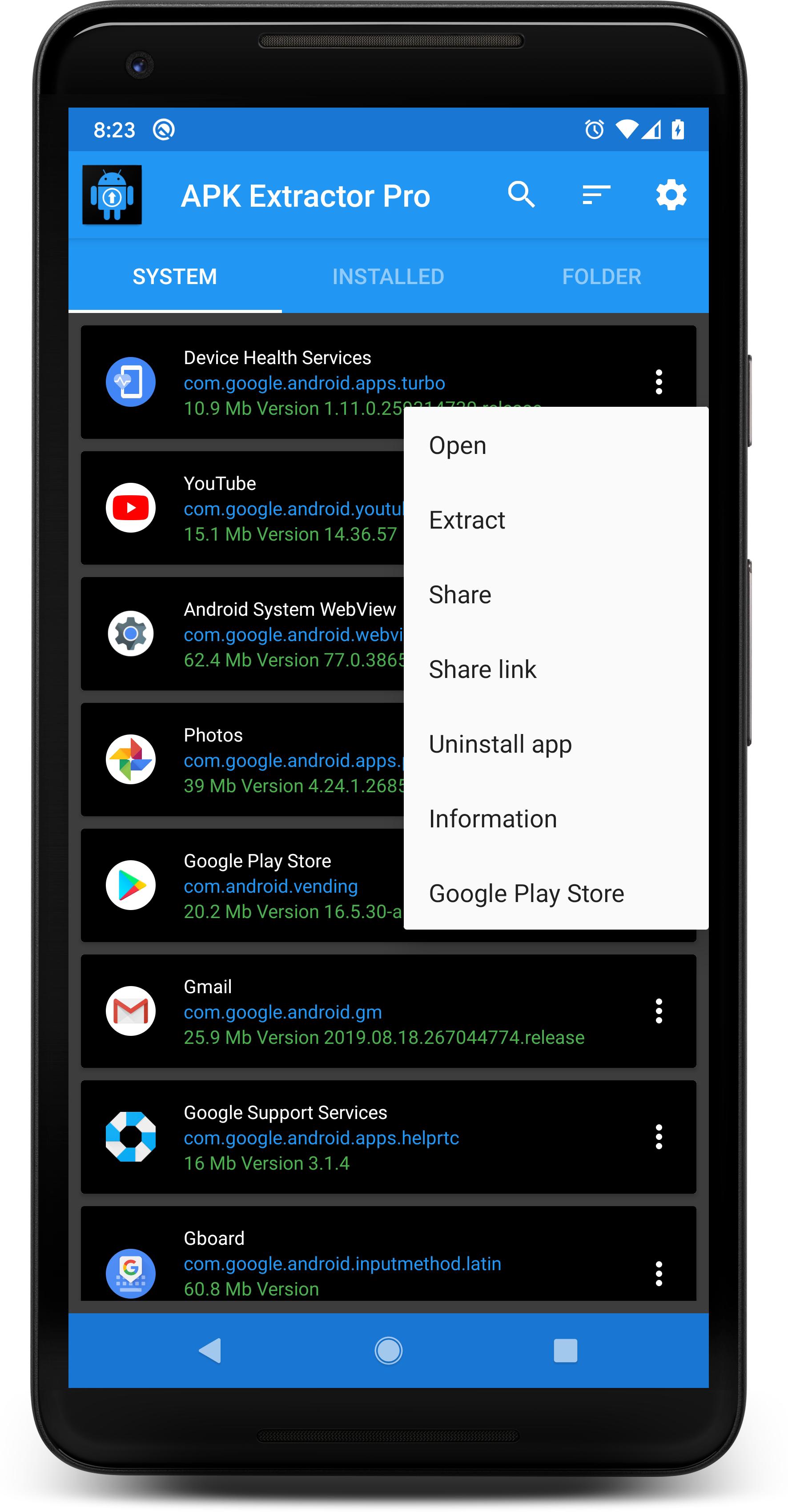
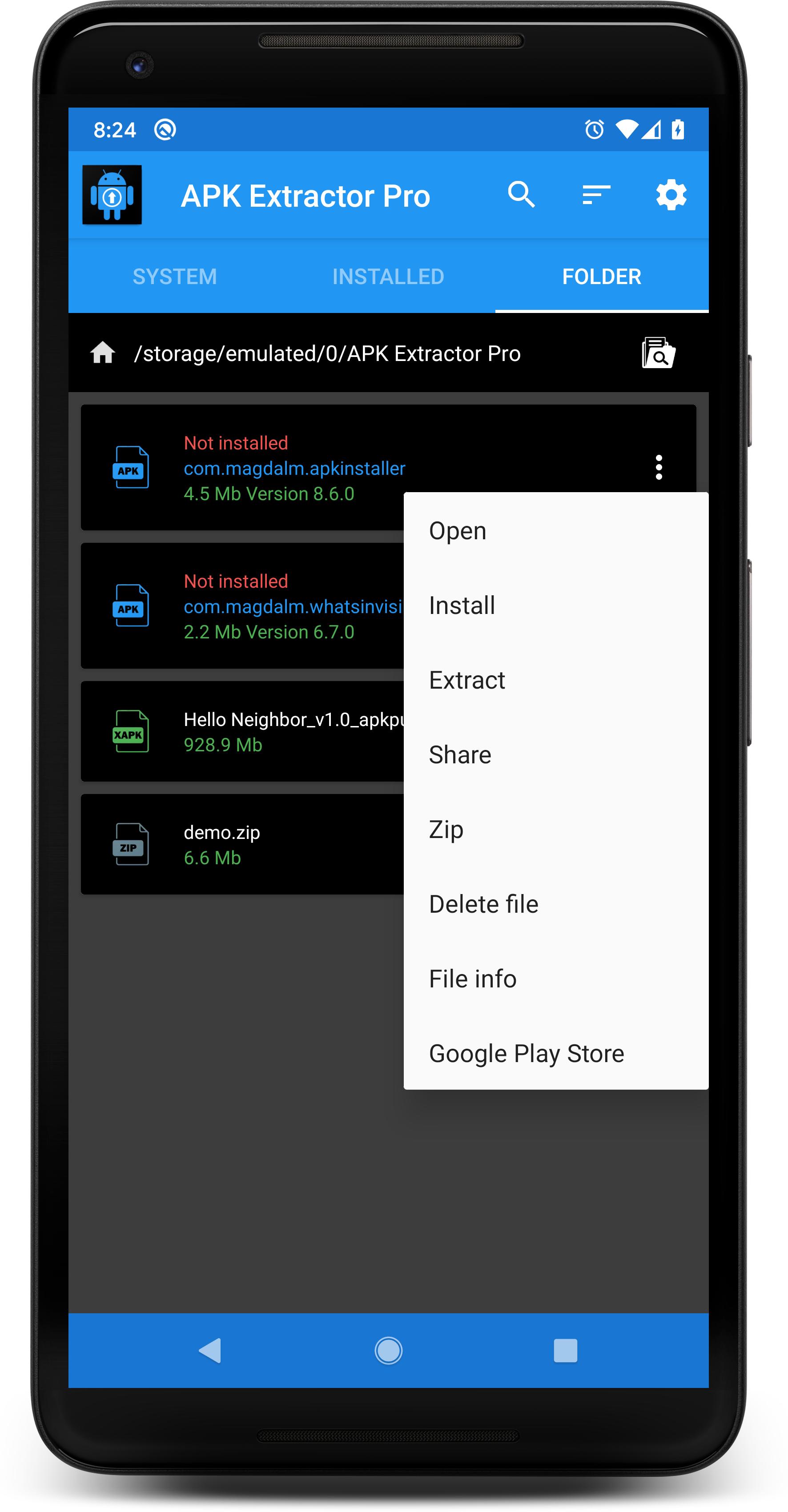
After an APK is created, APK EXTRACTOR PRO lets you open its folder and decide what to do next. You can reinstall the file, delete it, or share it through Gmail, Dropbox, or Google Drive. The app also includes search for finding installed apps and an option to save application icons.
Before extracting files, choose a folder that the app can access. Some protected internal storage locations, including the Downloads folder on certain phones, may not be available for selection. If a message asks you to choose another folder, select an accessible folder in internal storage or use an SD card when available.
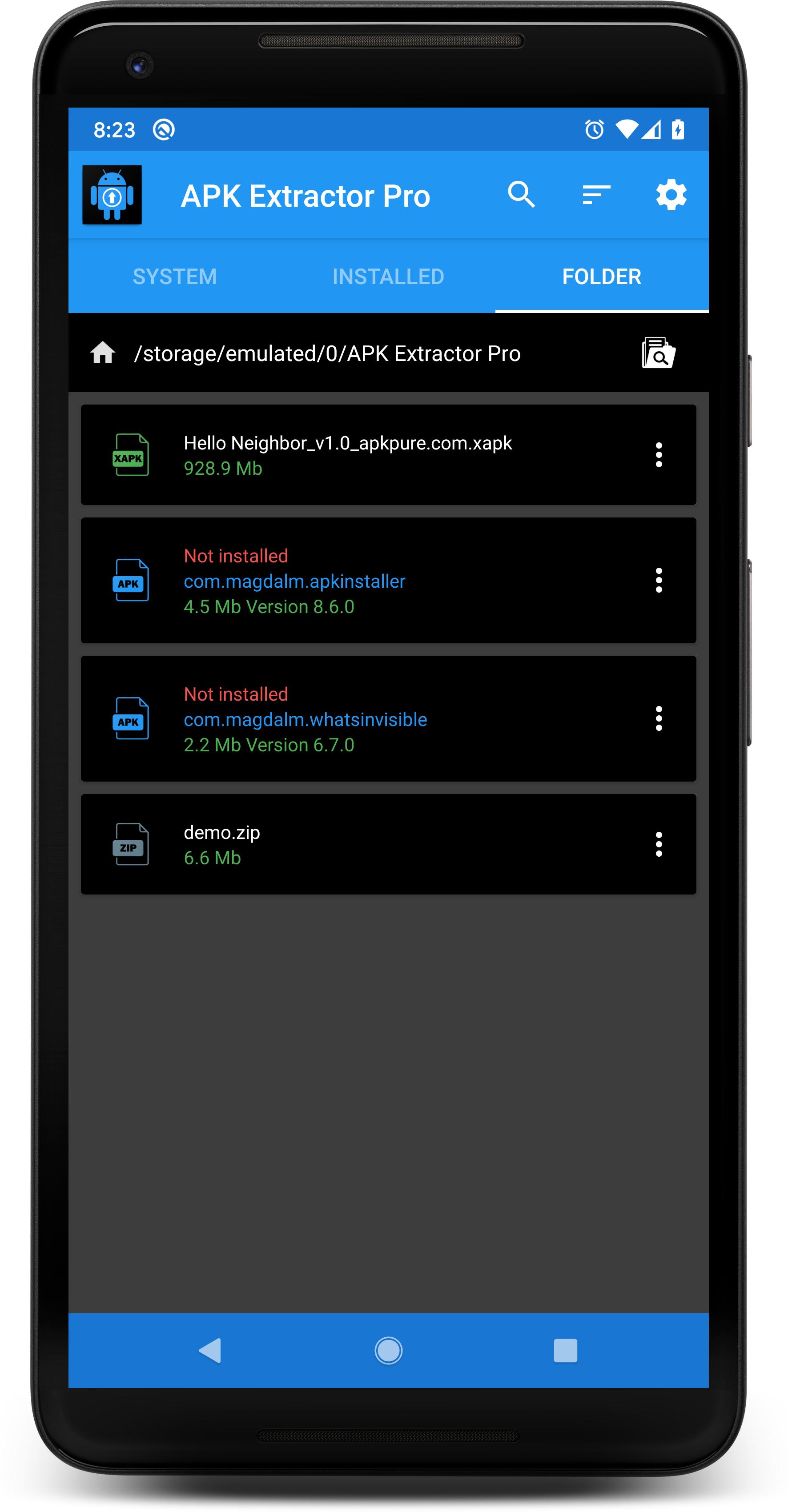
The default APK Extractor Pro folder is intended for keeping extracted files together. Check this folder after extraction if you want to share, reinstall, or remove an APK. Keeping files in a dedicated location can also help prevent confusion between older and newer copies.
Removing APK EXTRACTOR PRO from the phone does not necessarily stop an active Premium subscription charge. If you started a subscription or free trial, review its status through the subscription account used to start it. Cancel the subscription there if you do not want future recurring charges.
After you download APK EXTRACTOR PRO, open it and allow the app to show the installed applications on your phone. Choose an accessible save folder before starting so the extracted file has a clear location. The following steps cover a typical extraction process.
Open APK EXTRACTOR PRO and browse the installed app list, or use search to find the app you want.
Select one app or select several apps if you want to process them together.
Set the destination folder and choose whether file names should use the app name, package name, or version details.
Start extraction and wait for the APK file or files to be created in the selected folder.
Open the extraction folder, then reinstall, share, or delete each APK according to your needs.
APK EXTRACTOR PRO is suited to users who need to create and manage APK copies from installed Android apps. Check the selected storage folder and root requirement for system apps before using APK EXTRACTOR PRO latest version.
Latest Version
14.5.0Uploaded by
Minh Minh
Requires Android
Android 4.3+
Category
Free Tools AppContent Rating
Everyone
Report
Flag as inappropriateLast updated on Oct 25, 2019
* Added XAPK Installer
* Added, compact list view
* SD Card path improvements
* Design, colors and icons improvements
* Compatible with Android 10
* Updated libraries
* Bugs fixed



APKPure - A multi-platform app store primarily focused on Android, providing extensive app-related content. Discover the app you want easier, faster, and safer, with quick and efficient downloads and installations.