Scan Date:May 1, 2026
Show More

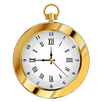
Enjoy personalization of your home screen with this simple, beautiful and useful analog clock widget. Tap on the widget to choose one of five clock designs.
• Simple, beautiful and useful application;
• Widget in 2x2 and 3x3 sizes;
• Five clockface designs in different colors;
• App is free and no-ads.
NOTE: This app is a widget. After installation you should put it on your home screen from the widget list:
- For Android 4.x - Open applications, widgets tab, look for "Analog Clocks Widget" and drag it to your home screen;
- For Android under 4.0 - Keep pressing the home screen till an additional menu of widgets appears. Pick out "Analog Clocks Widget" from a list of widgets.
- In some cases widgets will not be added to the widget list - this is a common problem of Android 4.0.x. In this case please reboot your device.
Latest Version
1.0Uploaded by
Jose Julio Sierra Sandoval
Requires Android
Android 3.0+
Category
Free Personalization AppContent Rating
Everyone
Security Report
Report
Flag as inappropriateLast updated on Dec 27, 2015
This release includes minor bug fixes and general improvements. Update to the latest version for the best experience.



APKPure - A multi-platform app store primarily focused on Android, providing extensive app-related content. Discover the app you want easier, faster, and safer, with quick and efficient downloads and installations.