Scan Date:Jun 24, 2024
Show More

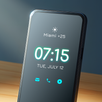
Always on Display is a super Always On Amoled wallpapers app that display basic information on lock screen like Mobile Time , Date , Notification , music control, clock display and much more on dark screen when your mobile Screen is "Off".
Always On Display : Super Amoled app you can keep your mobile screen ON all the time with the Digital clock Display , Analog clock Display , Calendar clock , Emoji clock , Picture Display clock with notification , Date , Time and more and all without having to touch the phone .
Edge Lighting:
Always on edge for any android phone application has an amazing user interface to use and it make your mobile screen totally adorable with attractive lighting. Color effects will run around your screen when incoming calls or new notification arrive. Edge Lighting offers many settings which allow you adjusting the edge lighting color, width and Style:
Edge Lighting Features:
* Edge Lighting color effect
* Edge Lighting duration animation
* Edge Lighting speed animation
* Edge Lighting Thickness line
How to use this App Always on Screen - AMOLED:
1. Open Amoled Wallpapers, start service
2. To wake up your phone, double tap on screen
3. To turn off screen just press power button
4. The user can on or off service.
Permissions :
Phone permission:
The app needs phone permission to recognize incoming calls, dismiss the always on screen and show the incoming call screen.
Modify system settings permission:
The app needs permission to modify system settings to change the brightness of the lock screen.
Main Feature Always On AMOLED Wallpapers :
* Stylish and smart Watch - always on amoled
* Option to start display after screen lock activated
* Music Controller : song play , pause , forward , backward
* Notifications - view notifications without touching your device
* Customization - change the text color, text size, font, brightness
* Always On Memo - write a reminder and make it show up on your screen
* Shortcuts added such as flashlight, home button, Calculator
* Change clock style: there is a vast variety of styles (Digital, Analog, Emoji Clock , Picture Clock and calendar clock etc).
Latest Version
3.22Uploaded by
Tòñi Ķŕôoŝ
Requires Android
Android 5.0+
Category
Free Personalization AppContent Rating
Everyone
Security Report
Report
Flag as inappropriateLast updated on May 29, 2024
- Crashes Fixed
- Functionality Improved




APKPure - A multi-platform app store primarily focused on Android, providing extensive app-related content. Discover the app you want easier, faster, and safer, with quick and efficient downloads and installations.