Package Name:alwaysondisplayclock.betterysaverclock.nightdigitalanalogaodclock
SHA-256:4c67bb45caff66173d676d782c80b86fd99dd43ede2033de4cd52ae77bd4bccc
Show More
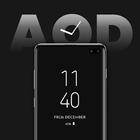
Are you always required to look at a clock while working?
If yes then this app is beneficial for you.
You can always on display with Digital, Analog, and emoji clock timers and see the time or notification without taping or switching ON the device.
This AOD display clock will keep always ON display of the phone and with a clock on it. On the display along with the clock, it also shows the date, day, and battery percentage.
Also, the always clock on display will help to see the time easily at wake-up from sleep without unlocking your mobile, as time will be Always ON Screen.
The beneficial part of the app is that it gives different clock options.
1) Digital Clock
- In this, you can set the digital watch on the AOD.
- There are different clocks styles with fonts.
- You can also customize this ambient clock as per required.
- Change the fonts, and font colors, add the text on display and change the background.
- Set the background as color, select from the collection, or phone the phone storage.
2) Analog Clock
- In this, you can set the analog watch on the screen.
- Easily editable and personalise according to wish.
- Different clocks style, fonts, and font colors add the text on display and change the background.
- Select the background from the given collection, colors, or phone storage.
3) Emoji Clock
- In this, there are clocks with different emoji.
- This is editable as desired same as analog & digital.
After editing the Digital, Analog, or emoji timer, you can take the preview and then set it as the theme on display.
Settings:
- Enable to show the battery percentage
- 24 hours format
- Enable vibration on the Always on screen
- Multiple options to exit from the AOD screen
- Music control option to show music control while playing songs
- Adjust the AOD screen brightness
- Set the stop delay timing of the AOD screen
- Set the battery rule as per the battery in the phone
- Turn on the Volume button while always on display
- Enable the battery optimization
- Enable always on screen for charging, normal or both
Features:
- Multiple clocks type: Digital, Analog, & emoji.
- Different editing options.
- Add the information that will be displayed on the screen.
- AOD while charging and normal.
- Simple and easy to apply on the screen.
"Our app uses the READ_MEDIA_IMAGES permission to allow users to select an image from their gallery and set it as wallpaper. Without this permission, the app would need to temporarily store the selected image, as the URI permissions granted for gallery images are often removed after a short period, making it inaccessible. The READ_MEDIA_IMAGES permission ensures seamless access to the selected image without the need for temporary storage, providing a smoother user experience."
Latest Version
26.0Uploaded by
Diemerson Barbosa
Requires Android
Android 7.0+
Category
Free Personalization AppContent Rating
Everyone
Security Report
Check Now
Report
Flag as inappropriateLast updated on Sep 23, 2025
🚨Big App Update Alert! 🚨
Your AOD just got better! 🔥
🆕 New themes: Digital ⏱️, Analog 🕰️ & Emoji 😎 Clock
🐞 Bug fixes = smoother experience
✨ Polished UI for better usability
💎 Premium access is now live – unlock the best!




APKPure - A multi-platform app store primarily focused on Android, providing extensive app-related content. Discover the app you want easier, faster, and safer, with quick and efficient downloads and installations.