Scan Date:Jan 1, 2020
Show More
Monitor specific NISSAN parameters in real-time, including engine advanced sensor data by adding this plugin to Torque Pro.
Advanced LT is a plugin for Torque Pro, extending the PID/Sensor list with specific parameters from NISSAN vehicles, allowing you to try the plugin with limited sensors before buying. This version does not include calculated sensors like Injector Duty Cycle (%).
*PLEASE NOTE* that other NISSAN models/engines may be supported, but the plugin was tested only on the following models/engines equipped with DiagOnCan (CANBUS ONLY):
* 370Z 3.7 V6 (Z34 VQ37VHR)
* Altima 2.5 (L32 QR25DE)
* Altima 3.5 V6 (L32 VQ35DE)
* Armada 5.6 V8 (TA60 VK56DE)
* Frontier 2.5 (D40 QR25DE)
* Frontier 4.0 V6 (D40 VQ40DE)
* March/Micra 1.6 (K13 HR16DE)
* Maxima 3.5 V6 (A35 VQ35DE)
* Murano 3.5 V6 (Z51 VQ35DE)
* Pathfinder 4.0 V6 (R51 VQ40DE)
* Rogue 2.5 (S35 QR25DE)
* Sentra 2.0 (B16 MR20DE)
* Tiida/Versa 1.8 (C11 MR18DE)
* Titan 5.6 V8 (A60 VK56DE)
* Xterra 4.0 V6 (N50 VQ40DE)
* X-Trail 2.0 (T31 MR20DE)
* X-Trail 2.5 (T31 QR25DE)
For more information about NISSAN engines, visit http://en.wikipedia.org/wiki/List_of_NISSAN_engines
Advanced LT requires the latest version of Torque Pro installed in order to function. This is *NOT* a standalone application and will *NOT* work without Torque Pro.
Plugin Installation
-------------------------
1) After downloading the plugin on Google Play, make sure that you see the plugin listed on your Android device installed applications list.
2) Launch Torque Pro and click on the "Advanced LT" icon
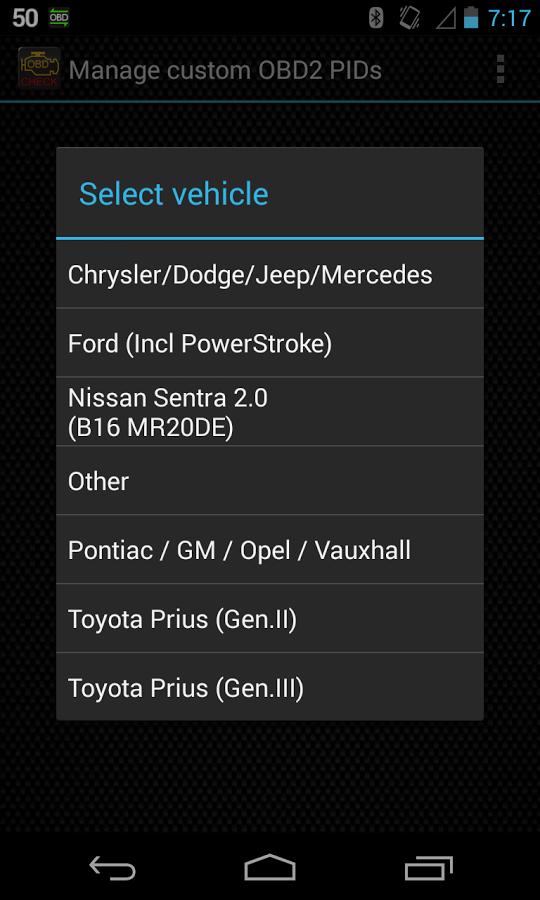
3) Select the appropriate engine type and return to Torque Pro main screen
4) Go to Torque Pro "Settings"
5) Make sure that you can see the plugin listed also on Torque Pro by clicking "Settings" > "Plugins"> "Installed Plugins".
6) Scroll down to "Manage extra PIDs/Sensors"
7) Usually this screen will not display any entries, unless you have added any pre-defined or custom PIDs in the past.
8) From the menu, choose "Add predefined set"
9) You may see predefined sets for other NISSAN engine types, so make sure you pick the right one.
10) After clicking on the entry from the previous step, you should see additional entries on the Extra PIDs/Sensors list.
Adding Displays
------------------------
1) After adding the additional sensors, go to the Realtime Information/Dashboard.
2) Press the menu key and then click on "Add Display"
3) Select the appropriate display type (Dial, Bar, Graph, Digital Display, etc)
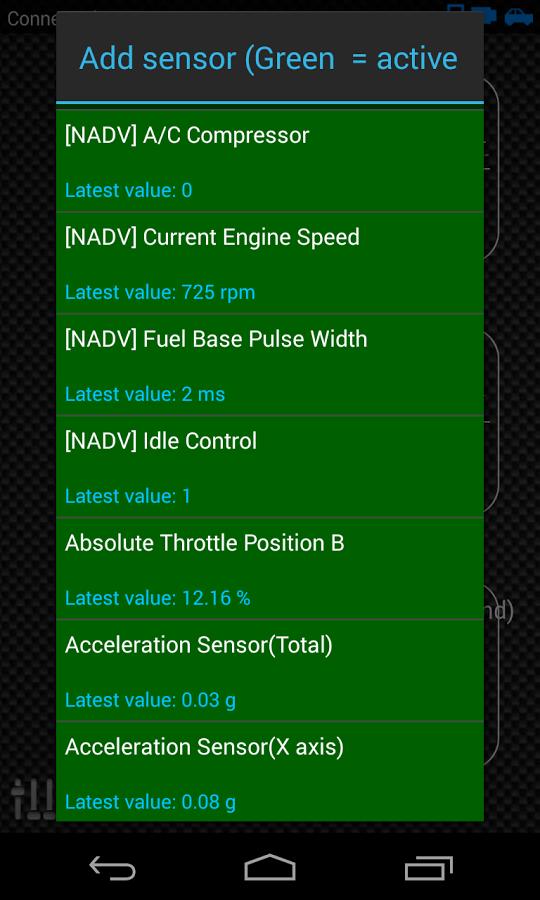
4) Select the appropriate sensor from the list. Sensors provided by Advanced LT begins with "[NADV]" and should be listed right after the time sensors in the top of the list.
More features/parameters will be added in further releases. If you have comments and/or suggestions please just let me know.
Latest Version
2.0Uploaded by
ĐĂngg Vi
Requires Android
Android 4.1+
Category
Free Auto & Vehicles AppContent Rating
Everyone
Security Report
Report
Flag as inappropriateLast updated on Dec 14, 2019
* Updates API26+ handling for third party plugins following Torque's main fix





APKPure - A multi-platform app store primarily focused on Android, providing extensive app-related content. Discover the app you want easier, faster, and safer, with quick and efficient downloads and installations.