Aadhaar, which means foundation in many Indian languages, is the term for the unique identity number issued by the UIDAI. No resident can have a duplicate number since it is linked to their individual biometrics; thereby identifying fake and ghost identities which result in leakages today. Savings from eliminating duplicates and fakes through Aadhaar-based identification will further enable governments to expand benefits to other eligible residents.
Aadhar Card Scanner - Download, update and check linking status of your Aadhaar card from your mobile phone instantly. Aadhar Portal is your one-stop solution to view and manage your Aadhar Details such as name, date of birth and gender will already be mentioned as per the details submitted at the time of registration on the e-Filing portal. And most important thing is your finger scan compulsory.
Verify the details on screen with the ones mentioned on your Aadhaar card.
If the details match, enter your Aadhaar card number and click on the “link now” button.
A pop-up message will inform you that your Aadhaar card has been successfully linked to your mobile number.information online.
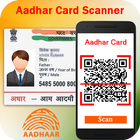
Adhar card QR code scanner helps to scan the QR code placed in your adhar card.
Once you download and install this free QR code scanner in your mobile,
you just need to place the QR code which is there on your aadhar card .
How to Use
- Just Open Scan option top of screen and simply point to QR or Barcode you want to scan, app will automatically detect and scan it. QR code will automatically save in the history page. No need to press any buttons, take photos or adjust zoom.
- Get Your Scanned Data from save aadhar card option in our Aadhaar Info Scanner and share your friend and family.
Aadhar Card Scanner / Aadhar QR Code Scanner 2017 Features:
- Scan your Aadhar Card QR-Code and get all Aadhaar details in on your phone.
- Download and view/read your Aadhaar card in PDF format (100% Legal ID proof and address proof )
- No need to visit e-Seva kendra (eSeva center) or enrolment center and pay high fees to get Aadhaar card for yourself and family. This service is completely FREE!
- Get Update your Aadhaar Card Details (name, mobile, address etc.)when change by the Aadhaar Self Service Update Portal (SSUP). Check you Aadhar application status and aadhar card correction details.
- you will get all of the details while you scan any Aadhar card , the details which we will get after scan the QR code in the Aadhar card.(Name,Gender,Birth Of Date,UID,Care Of, Village Tehsil,Post Office,District,State,Pin-code(Postal Code)).
Please email us if your device is not supported, we will try our best to support it.
Give your creative idea to us. We are implement it. Give your rate and comment.
If you like this Aadhar Card Scanner 2017 app then share with your friends and family member.
Thank You..!!!
Latest Version
1.1Uploaded by
Ivan Pham
Requires Android
Android 4.0.3+
Category
Free Tools AppContent Rating
Everyone
Report
Flag as inappropriateLast updated on Oct 27, 2017
Minor bug fixes and improvements. Install or update to the newest version to check it out!




APKPure - A multi-platform app store primarily focused on Android, providing extensive app-related content. Discover the app you want easier, faster, and safer, with quick and efficient downloads and installations.