Scan Date:Jul 3, 2025
Show More


Shizuku helps users who rely on advanced Android tools run tasks with more control and fewer errors. It acts as a bridge between compatible apps and the system, so actions that usually need root can work through a service you start when needed. The built-in manager shows status and access requests in one place, which makes oversight simpler. Moreover, you decide which client apps can use it, and you can stop or restart the service at any time. Shizuku APK suits users who want predictable behavior without permanent changes.
Binder-based API access
Shizuku apk uses Binder calls so supported apps can work directly with system APIs. This approach is faster and more reliable than running shell commands, since it avoids parsing issues and command length limits. As a result, tools designed for power users gain consistency across devices and Android versions.
Flexible server start methods
You can start Shizuku via ADB for a no‑root setup or use root if your device already has it. ADB mode requires you to restart the server after each reboot, while root mode makes restarts easier. This flexibility helps you choose the setup that matches your device and comfort level.
Centralized access control
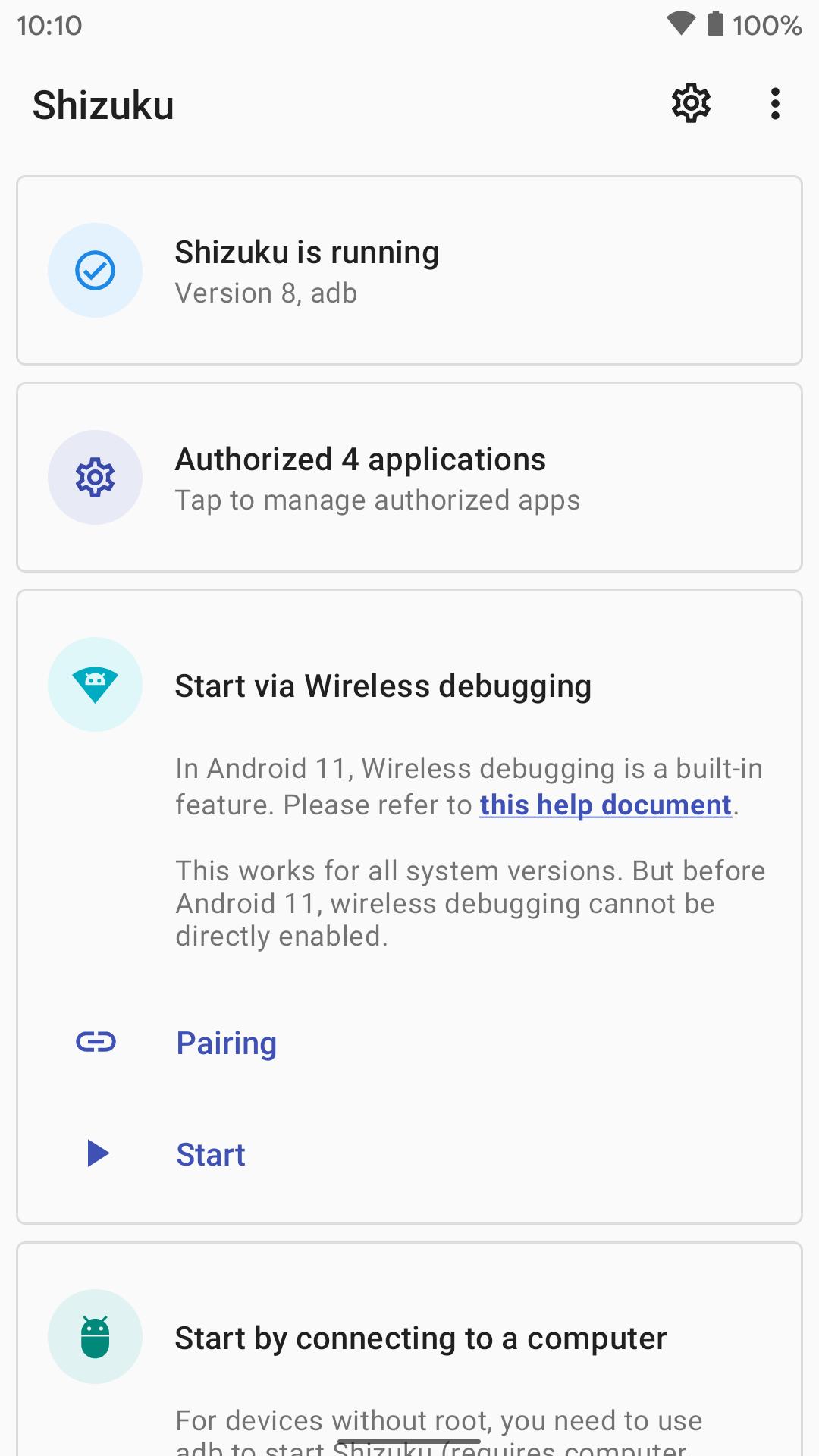
Shizuku app shows which client apps request access and lets you review, approve, or deny each one. The manager also displays the service status and runs helpful checks to confirm that everything is configured correctly. This keeps elevated operations visible and under your control.
Guided setup and troubleshooting
Shizuku provides clear guidance to help you start the server, verify permissions, and handle common issues. In-app steps explain what to do next and where to check if something fails. This makes setup and recovery straightforward for users who want dependable workflows.
Open-source ecosystem and developer support
Shizuku apkpure offers a documented API and SDK, with examples and migration notes to help developers integrate quickly. A growing ecosystem of compatible apps, including tools like App Ops, makes practical use cases easy to find. Many users look for Shizuku latest version to benefit from improvements that support these clients.
Shizuku sits between compatible apps and Android system APIs, using Binder calls rather than shell commands. Binder requests are structured and typed, so client apps avoid fragile command parsing and quoting issues. This design improves speed, stability, and predictability for tasks that need elevated privileges.
Shizuku apk requires user approval for each client app that requests access. Only grant access to apps you trust and review requests in the manager before allowing them. You can revoke permissions later if access is no longer needed or if behavior changes.
Many popular power-user utilities work with Shizuku and benefit from its Binder-based design. You can explore compatible tools through community lists such as the “Awesome Shizuku” collection on GitHub and by checking client app documentation. This helps you find apps that match your workflow before you download Shizuku.
Developers can target Shizuku to expand the audience for advanced tools, since ADB mode allows privileged operations without permanent root. The documented API and examples explain integration details and common patterns. Visit the official site for links to docs and repository information that support testing and rollout.
To start, make sure your device is ready and decide which start method fits your setup. When you download Shizuku, the manager guides the process and shows status and access requests.
Open Shizuku and follow the on-screen steps in the manager to begin setup.
Choose a start method. Use ADB to start the server without root, or use root if available for easier restarts.
Wait for the service to start, then check the manager for status and any required permissions or checks.
Open a supported client app that works with Shizuku and request access when prompted.
Return to the Shizuku manager to review and approve the request. If you used ADB mode, remember to restart the server after a device reboot.
Shizuku apk download enables supported apps to call system APIs through Binder with user-controlled access and flexible start options. If you plan to use power-user tools, download Shizuku latest version APK from APKPure to manage elevated operations without committing to permanent root.
FAQs:
1: Is this Shizuku related to the VTubers Shizuku Murasaki or Shizuku Kuroe?
No. This is an Android system tool, not a VTuber.
2: Is this about Hunter x Hunter's Shizuku, cosplay, or tattoos?
No. This page is about the Shizuku system utility for Android, not the anime character or related fan art.
3: Is this app connected to Shizue Izawa, Shizuku Amai, or Amayoshi Shizuku?
No. Those are unrelated individuals (a voice actress and creators). This is an Android development tool.
4: What is Shizuku?
Shizuku is an Android utility that lets apps use system APIs with elevated privileges via Binder, without requiring root.
5: How to use Shizuku?
Install the APK, start the server via ADB (no root) or root, then grant access to supported apps through the manager.
For official information and documentation, visit:
Latest Version
13.6.0.r1091.b844bc49Uploaded by
Xingchen & Rikka
Requires Android
Android 7.0+
Category
Free Tools AppContent Rating
Everyone
Security Report
Report
Flag as inappropriateLast updated on Jul 5, 2025
Minor bug fixes and improvements. Install or update to the newest version to check it out!


APKPure - A multi-platform app store primarily focused on Android, providing extensive app-related content. Discover the app you want easier, faster, and safer, with quick and efficient downloads and installations.