If your location is missing, find a place in the same time zone & change the clock title:
(1) Find another city/location in the same time zone, and add it.
(2) Click on the new city and select "Edit Clock".
(3) Rename the clock title & description and click on "OK".
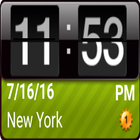
Small, easy to read and highly customizable, Simple World Clock Widget.
Refreshed with Material design, a simple world clock right on your home screen exactly the way you want it.
Features
Custom Time zone
Custom Background color
Custom label, text size and color
Set application shortcuts by tapping clock
To add this widget, simply long press on your home screen and select Simple World Clock Widget.
Some devices need different way to add widgets. Please check the manual of your device to add home screen widgets.
Latest Version
1.3Uploaded by
الباشا احمد العراقي
Requires Android
Android 2.1+
Category
Free Tools AppContent Rating
Everyone
Report
Flag as inappropriateLast updated on Nov 20, 2016
Minor bug fixes and improvements. Install or update to the newest version to check it out!




APKPure - A multi-platform app store primarily focused on Android, providing extensive app-related content. Discover the app you want easier, faster, and safer, with quick and efficient downloads and installations.