
Package Name:com.roamingsquirrel.android.zooalphabet
SHA-256:4fdc2e4d8a038c3315bcb194975676a8eb9564a01646a1d1122960f9cff49d1a
Show More
General:
The application opens with a welcome and a rendition of the ABC song. The initial start-up screen shows all the letters of the alphabet - the sound of each letter can be heard by pressing the relevant letter (please note that a long press on the letter 'Z' will allow the ABC song to be repeated). The buttons at the bottom of the main screen transfer the application into either ABC mode or Zoo Quiz mode. There is an option to record yourself singing along with the ABC song by pressing the microphone image situated between the 2 buttons at the bottom of the screen - this allows about 25~26 seconds of audio to be recorded (a progress dialogue will be displayed during this time - the recording can be cancelled at any time by pressing the 'Cancel Recording' button on the progress dialogue). After pressing the image, count 1, 2 and the song will start for you to sing along with - the recorded audio can be played back by long pressing the letter 'Y'. If the recording is made when using headphones, the end result will be the recorded voice - if, when recording, headphones are not used, the application's version of the song will also be heard in the background of the finished recording. The ability to record within the application can be turned On or Off in the 'Settings' tab (the default is On). If recording mode is set to Off, long pressing on the letter 'Y' is automatically disabled.
ABC Mode:
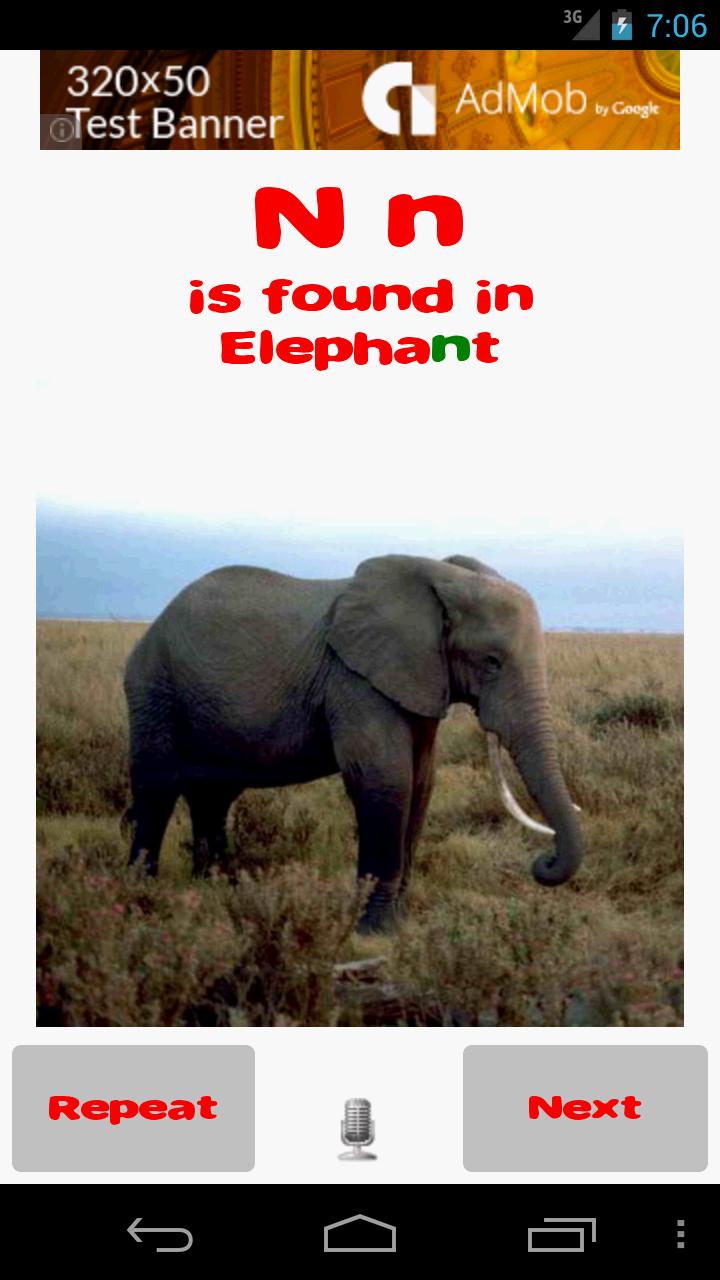
The ABC application can be viewed in two modes - the first mode (the default) displays a word and picture relating the letter to the first letter of the word; the second mode displays a word and picture where the word contains at least one instance of the letter - the choice of modes can be made via the 'Settings' tab in the options menu which can be accessed from the start-up screen. There is an option for the user to record their own voice by pressing the microphone image situated between the 2 buttons at the bottom of the screen - this allows about 10 seconds of audio to be recorded - for example, this function can be used to check the user's pronunciation of the letter and/or name of the pictured animal, bird or fish against that in the application - the recorded audio can be played back by long pressing the 'Repeat' button. The recording for each screen remains available until it is recorded over by a new recording and can be replayed next time the screen appears by long pressing the 'Repeat' button - if recording mode is enabled and no recording has been made for a specific screen, long pressing the 'Repeat' button will result in the application's version of the audio being played. If recording mode is set to Off, long pressing on the 'Repeat' button is automatically disabled.
Zoo Quiz Mode:
In Zoo Quiz mode, the user enters the name of a pictured animal, bird or fish by pressing the relevant button. The quiz can be set up to include 10, 20, 30, 40 or 50 pictures via the 'Settings' tab (the default is 20 pictures). During the quiz, a running score of correct answers is shown at the top of the screen and a final score is provided to the user at the end of each quiz. Audio in this mode can be set On or Off via the 'Settings' tab (the default is On).
Settings:
In addition to the choice of display modes and recording modes, the 'Settings' tab also allows a choice of pronunciation for the letter Z - i.e. in either US English (the default) or UK English, plus whether to display the letters alphabetically (the default) or randomly and whether to enable vibration mode for the buttons (the default is On).
Information:
Move to SD Card supported for Android 2.2+ users – looks good on either phones or tablets.
This is an ad-supported app - an ad-free paid version is also available for a nominal US$ 0.99 - to download the paid version, please search for Zoo Alphabet (adfree)
Latest Version
1.0.7Uploaded by
Fawaz Al-Ghamdi
Requires Android
Android 7.0+
Category
Free Education AppContent Rating
Everyone
Security Report
Check Now
Report
Flag as inappropriateLast updated on Jul 7, 2025
updated for new versions of Android





APKPure - A multi-platform app store primarily focused on Android, providing extensive app-related content. Discover the app you want easier, faster, and safer, with quick and efficient downloads and installations.