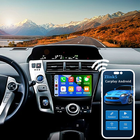

Zlink5 helps drivers with Android based aftermarket stereos use phone services on the car screen in a familiar layout. It focuses on simple setup and steady daily use, so you can keep attention on the road during commutes and trips. The app is built for third party head units rather than factory systems, which sets clear expectations before installation. Community guides cover setup and recovery, while practical tips address common issues over time. If you need to reinstall after removal, the Zlink5 APK is often used to restore a compatible build provided by your device vendor.
CarPlay and Android Auto for aftermarket units
Zlink5 enables Apple CarPlay and Android Auto on Android based head units sold for aftermarket installation. You can bring maps, calls, messages, and audio from the phone to the car display in a way that feels familiar. This approach keeps your primary apps within reach without relying on the phone screen.
Wireless and USB pairing options
Zlink5 supports both wireless pairing and direct USB connection, so you can choose what fits your routine. A first setup by cable often establishes a stable base, then you can move to wireless when convenient. This flexibility helps in cars with different hardware or signal conditions.
Responsive touchscreen control and easy setup
The interface is designed for clear touch control on the car screen, with straightforward prompts during initial pairing. Zlink5 guides you through basic permissions and device trust steps, which reduces guesswork for first time use. As you switch between apps, touch response remains consistent for common in car tasks.
In car essentials with HD audio
Once connected, Zlink5 brings navigation, music, podcasts, calls, and messaging into one car friendly view. Voice input and steering wheel controls, when supported by the head unit, help you keep hands on the wheel and eyes forward. Audio playback supports high quality streaming so you can listen clearly at normal driving volume.
Compatibility and safety by design
Zlink5 works with many aftermarket Android systems and a wide range of Android phones, which helps when upgrading different vehicles. To promote safe driving, the app blocks video streaming apps such as YouTube or Netflix while in use. This safety first design keeps attention on the road and reduces distraction in motion.
Zlink5 is intended for Android based aftermarket head units, not factory embedded systems that do not allow external apps. Some head units ship with a bundled copy from the device maker, and updates or restores should match that exact build. If your device originally included the app, use the package recommended by the seller to avoid mismatched versions.
Certain brands require an activation code that is linked to the head unit hardware or seller account. Zlink5 does not generate codes on its own, and codes are typically provided by the head unit manufacturer or reseller. If prompted for activation, check your device documentation or contact the seller to obtain the correct code for your unit.
If the app fails to launch on your multimedia unit, start with a full reboot of the head unit and phone. Next, clear the app cache and data on the head unit, then reopen the app and grant all requested permissions. Make sure date and time are correct, since incorrect system time can block pairing and certificates. If issues continue, try the first connection by USB, update the head unit firmware when available, or reinstall the same build recommended by your device vendor.
Video streaming apps are intentionally unsupported while using Zlink5 in the car. This behavior is by design to reduce driver distraction and keep the focus on navigation, audio, and communication. Do not attempt to bypass these limits, as they are in place for safer everyday driving.
Use Zlink5 to bring Apple CarPlay or Android Auto onto a compatible Android head unit with a short setup. For stable results, start with a wired connection, then move to wireless if your unit supports it. If available, install the Zlink5 latest version that matches your head unit brand and build.
Zlink5 brings navigation, audio, calls, and messages to compatible aftermarket Android head units with a clear, car ready interface. For a quick setup on supported devices, download Zlink5 and follow the on screen pairing prompts.
Latest Version
1.3Uploaded by
Antonio Rivera
Requires Android
Android 7.0+
Category
Free Auto & Vehicles AppContent Rating
Everyone
Report
Flag as inappropriateLast updated on Jul 4, 2025
Minor bug fixes and improvements. Install or update to the newest version to check it out!



APKPure - A multi-platform app store primarily focused on Android, providing extensive app-related content. Discover the app you want easier, faster, and safer, with quick and efficient downloads and installations.