

WiFi Manager helps you handle everyday Wi‑Fi tasks with clear tools for scanning, connecting, and organizing your saved networks. It offers helpful signal insights so you can choose a better access point and stay connected to the strongest option available. The interface focuses on quick actions, and you can control many tasks from home screen widgets. You can also label networks with your own names and icons to keep track of them. Therefore, WiFi Manager fits both quick checkups and deeper troubleshooting, and it is designed to make switching and managing networks more efficient on modern Android devices.
Best network switcher
WiFi Manager continuously checks your saved networks and can switch to a stronger or more reliable option when it becomes available. This reduces manual toggling as you move around. You can enable or disable the feature from the main screen or a widget for full control.
Channel radar and signal tools
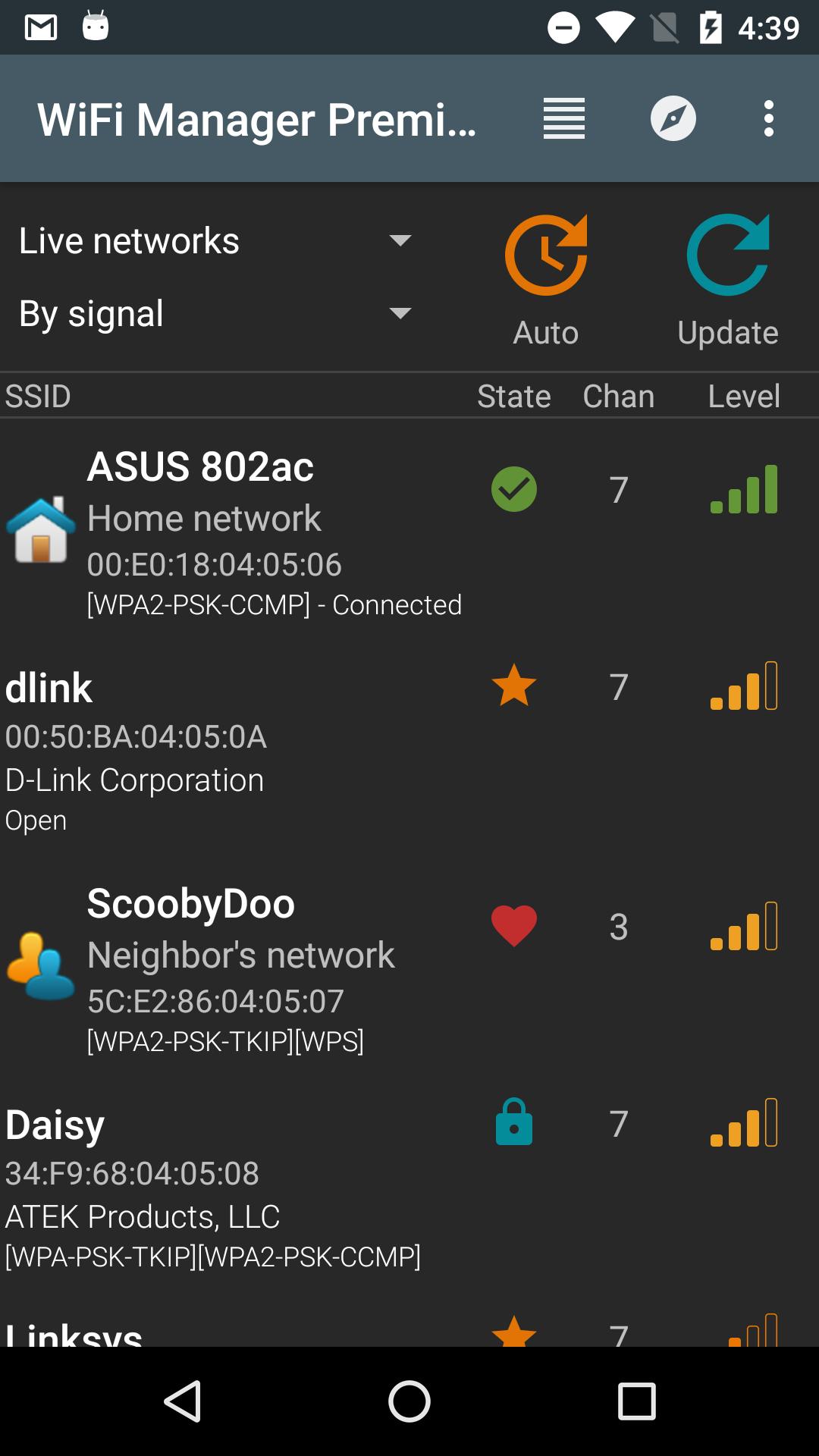
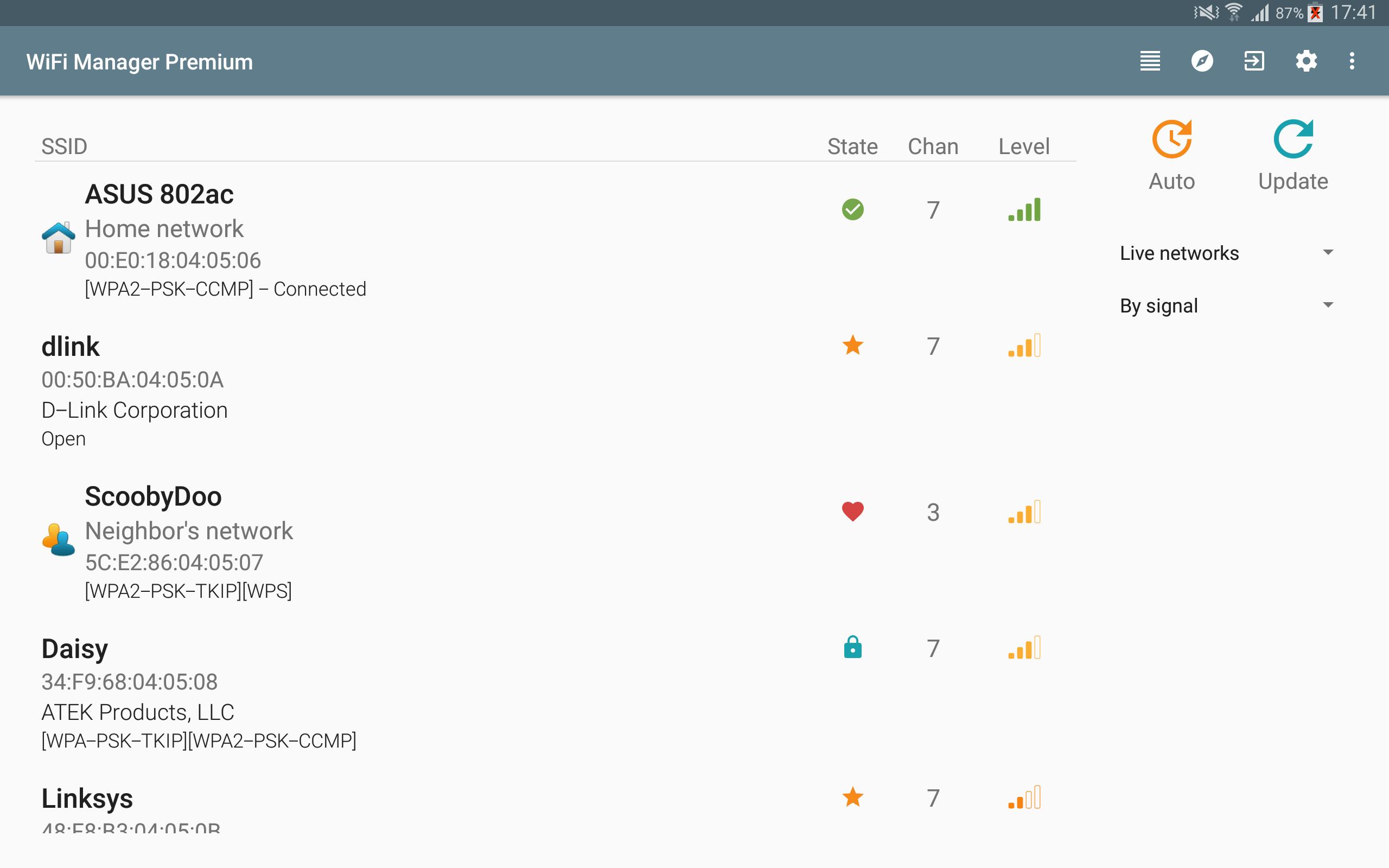
WiFi Manager shows channel numbers and live signal strength so you can avoid crowded channels and pick a better spot for stable connectivity. These insights help you understand why a network is slow. As a result, you make informed choices before you connect.
Powerful home screen widgets
Add widgets for one tap connect, quick toggling of the best network switcher, and detailed connection info in multiple sizes and themes. You can quickly switch networks without opening the app. This keeps common actions at your fingertips.
Per network customization
Assign custom names and icons to SSIDs so you never confuse similar networks at home, work, or public places. Optional per network IP settings are available with Premium. This helps you keep profiles tidy and easy to recognize.
Open hotspot discovery
WiFi Manager can scan in the background and notify you when open Wi‑Fi hotspots are nearby. You can then review signal details before connecting. This reduces time spent searching for a usable connection while on the go.
Clean, adaptable interface
The design focuses on clarity so you can see status, available networks, and actions at a glance. Shortcuts, lists, and indicators are easy to read. Therefore, tasks such as connecting, forgetting, or renaming are fast.
WiFi Manager is free to use with ads. You can upgrade to Premium through an in‑app purchase to remove ads and unlock extra tools. Premium adds per network options such as custom description, custom icon, and IP settings, plus a one tap connect widget and additional widget themes. The upgrade is optional, and the core scanning and connection features remain available for free.
To reassure you about authenticity, WiFi Manager is developed by Kostya Vasilyev of KMansoft. The official package name is org.kman.WifiManager. When you download WiFi Manager on APKPure, you are getting the original WiFi Manager APK. You can also get the WiFi Manager APK latest version here when updates are released by the developer.
WiFi Manager requests only the permissions needed for its features. The app may prevent the device from sleeping to support background scanning and open network discovery notifications. It can use storage access to set notification sounds and to back up or restore your custom network icons and descriptions. It may change system settings to support the access point or tether widget. It uses billing permission only to process the optional Premium purchase. For questions or feedback, the developer can be reached at kmansoft@gmail.com.
This quick guide walks you through core tasks so you can get started right away. After installation, open the app and grant any requested permissions so scanning and notifications work as expected.
WiFi Manager helps you find, connect to, and organize Wi‑Fi with clear tools, useful widgets, and a best network switcher that reduces manual work. Get the WiFi Manager APK latest version on APKPure to keep the app up to date, or simply download WiFi Manager now to start improving everyday connections.
How does the best network switcher work in WiFi Manager?
The best network switcher in WiFi Manager monitors your saved networks and switches to a stronger or more stable option when it becomes available. You can turn it on or off from the settings or via the widget, and you always stay in control of when switching happens.
Does WiFi Manager show Wi‑Fi passwords?
No, WiFi Manager does not show or recover Wi‑Fi passwords and it does not bypass security. WiFi Manager focuses on scanning, connecting to networks you can use, analyzing signal quality, and helping you manage saved profiles safely.
How do I add a WiFi Manager widget to my home screen?
To add a widget, long press on an empty area of your home screen, tap Widgets, then choose a WiFi Manager widget size and theme. After placing it, you can enable the best network switcher toggle or one tap connect if your Premium upgrade is active.
How can I download or update the WiFi Manager APK?
To download or update, get the WiFi Manager APK on APKPure and follow the on screen steps to install the latest build. You can check back anytime for the WiFi Manager APK latest version as new releases from the developer become available.
Can I control my Wi‑Fi from my phone with WiFi Manager?
Yes, WiFi Manager lets you scan, connect, disconnect, and forget networks directly from your phone. It also offers channel and signal insights, and it can toggle the best network switcher. Router configuration is not included, so you will need your router app or web portal for that task.
Latest Version
4.3.0-230-nicolasUploaded by
Kheusapps
Requires Android
Android 4.1+
Category
Free Productivity AppContent Rating
Everyone
Report
Flag as inappropriateLast updated on Dec 8, 2024
This release includes minor bug fixes and general improvements. Update to the latest version for the best experience.







APKPure - A multi-platform app store primarily focused on Android, providing extensive app-related content. Discover the app you want easier, faster, and safer, with quick and efficient downloads and installations.