Scan Date:Mar 27, 2026
Show More

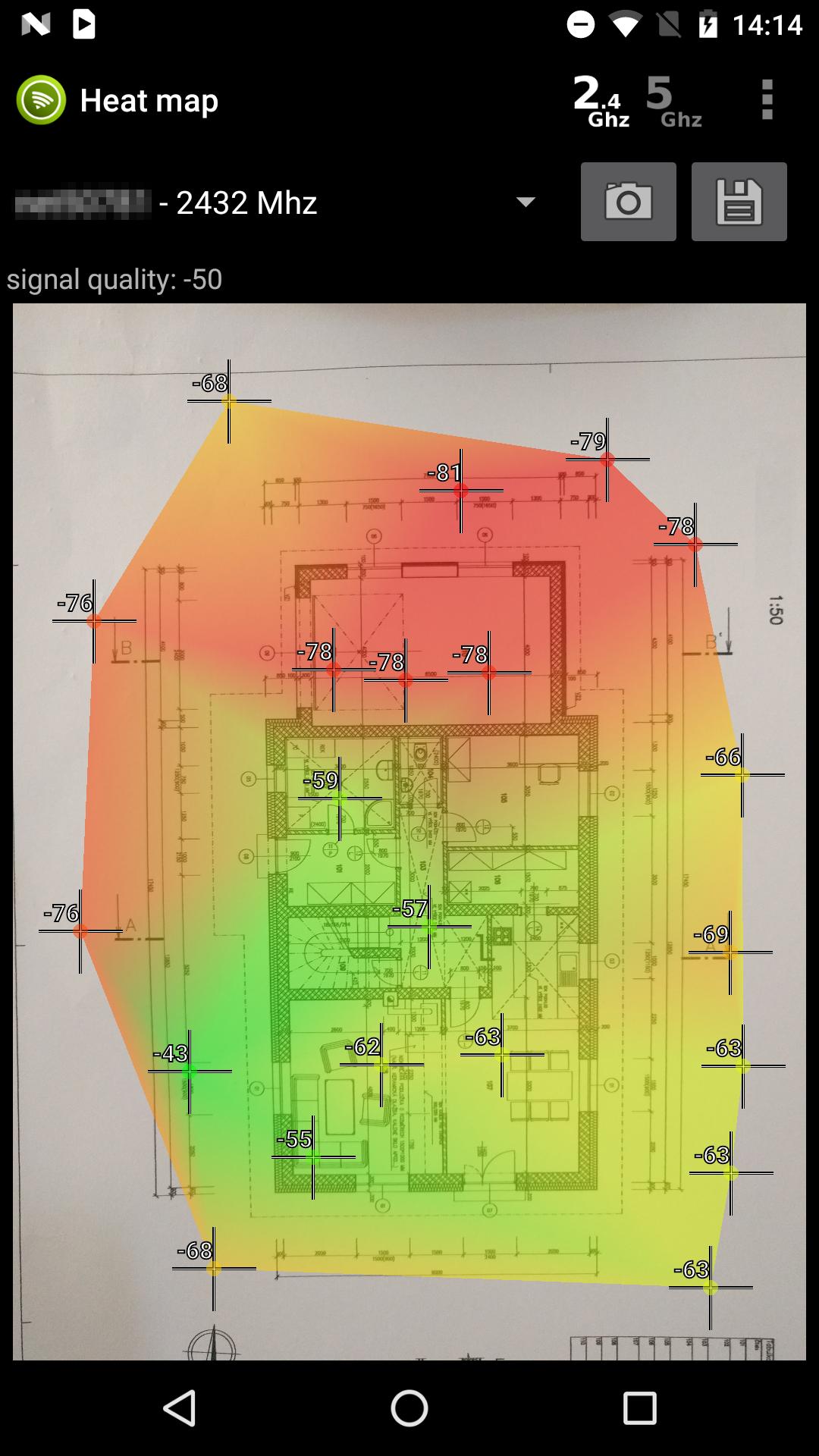
WiFi Heat Map helps you visualize wireless signal strength across any space — your home, office, warehouse, or shop.
How it works:
1. Upload a floor plan image or take a photo of your layout
2. Select which WiFi networks to measure
3. Walk around and hold your finger on each position
4. Watch the heatmap build in real time
Key features:
• Live heatmap visualization during measurement
• Track multiple WiFi networks simultaneously
• Project detail with per-network signal previews
• Export heatmaps as PNG images or CSV data
• Pinch to zoom, drag to navigate your floor plan
• Undo measurements, rotate floor plan
• Customizable marker size and edge glow effect
• Built-in help guide
• No account required, no data collected
• Works completely offline after WiFi scan
Find and fix WiFi dead zones:
See exactly where your signal is strong and where it drops. Compare coverage of different access points side by side. Use the data to optimally position your
routers and repeaters.
Privacy:
This app requires location permission solely because Android requires it for WiFi scanning (since Android 6.0). The app does not track, store, or transmit your
location. Full explanation is provided within the app.
Note on scan speed:
Android limits WiFi scans to 4 per 2 minutes. You can disable this in Developer Options for faster measurements. Instructions are included in the app settings.
Available in: English, Czech, German, Spanish, French, Italian, Polish, Portuguese, Russian, Slovak
Latest Version
6.3Uploaded by
Hnin Lawon Nwe
Requires Android
Android 9.0+
Category
Free Tools AppContent Rating
Everyone
Security Report
Report
Flag as inappropriateLast updated on Mar 27, 2026
Minor fixes after a complete app overhaul.


APKPure - A multi-platform app store primarily focused on Android, providing extensive app-related content. Discover the app you want easier, faster, and safer, with quick and efficient downloads and installations.