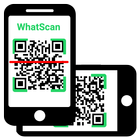
Are you an avid Whatsapp user? If you love the messaging platform and you have multiple accounts or simply want to have Whatsweb Whatsapp options, try this app. It gives tons of multiple options, no matter what are your needs related to the Facebook owned platform. This is a companion app created for Whatsapp! It enables you to have dual whatsapp or double whatsapp i.e 2 whatsapp in 1 phone.
MANAGE YOUR ACCOUNTS SMARTLY
You have one whatsapp account, where all of your contacts are stored. However, you must use two phones, one for work and one for personal use. With our app you can install the same account on the two phones. Vice versa, you have two Whatsapp accounts, one for work, other for personal use. With our app you can also put 2 whatsapp in one phone. The second whatsapp can only be added throughout our app.
SIMPLE TO USE
There are few simple steps you need to do to have two whatsapp in one phone or the same whatsapp on 2 phones. With few simple taps you can use whatsapp normally but from 2 phones or from 2 accounts. All normal functions are kept and you can easily send messages, pictures, videos etc.
DON’T WORRY ABOUT SECURITY
We will protect you as well. With our password options, the app will keep your messaging a secret. This also offers great control over children. Parents should seriously think of using this helpful Whatsapp companion app.
Whatsweb WHATSAPP
- possibility to add multiple accounts on one smartphone
- possibility to add the same account to two smartphones
- ability to add password to protect your messages and the whole account
- simple and intuitive
- light in size
- free
------------------------------------------------------------
The app guarantees great options in your everyday Whatsapp communication.
Get the app for FREE!
IMPORTANT:
Account Manager for Whatsapp is an app created by us. It is not an official WhatsApp application and in any ways it is not associated with WhatsApp Inc.
----------
HOW TO USE
----------
1. Install and Open Whatsweb on device (Phone/Tablet) you want to sync/clone your whatsapp to
2. Open whatsapp on your main phone (the account you want to clone)
- On Android: Scroll to the Chats screen -> Menu -> whatsapp Web.
- On iPhone: Click Settings -> whatsapp Web.
- On Nokia S60 and Windows Phone: Go to Menu -> whatsapp Web.
- On Nokia S40: Swipe up from bottom of screen -> whatsapp Web.
- On BlackBerry: Go to Chats -> Menu -> whatsapp Web.
- On BlackBerry 10: Swipe down from top of the screen -> whatsapp Web.
3. After clicking "whatscan", you should see a camera QR scanning screen.
4. Now scan the QR code displayed on whatsweb
5. Done! Sync complete! Now you can access the same whatsapp account on both devices!
6. Enjoy 2 whatsapp in 1 device!
Hint: Whatscan for whatsapp web is created by us, and it not an official WhatsApp application and not associated with WhatsApp Inc.
Latest Version
1.4Uploaded by
Amrul
Requires Android
Android 4.1+
Category
Free Communication AppContent Rating
Everyone
Report
Flag as inappropriateLast updated on Oct 6, 2017
New features, bugs fixes and improvements



APKPure - A multi-platform app store primarily focused on Android, providing extensive app-related content. Discover the app you want easier, faster, and safer, with quick and efficient downloads and installations.