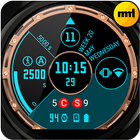
Android Wear watch face with some custom options and functions:
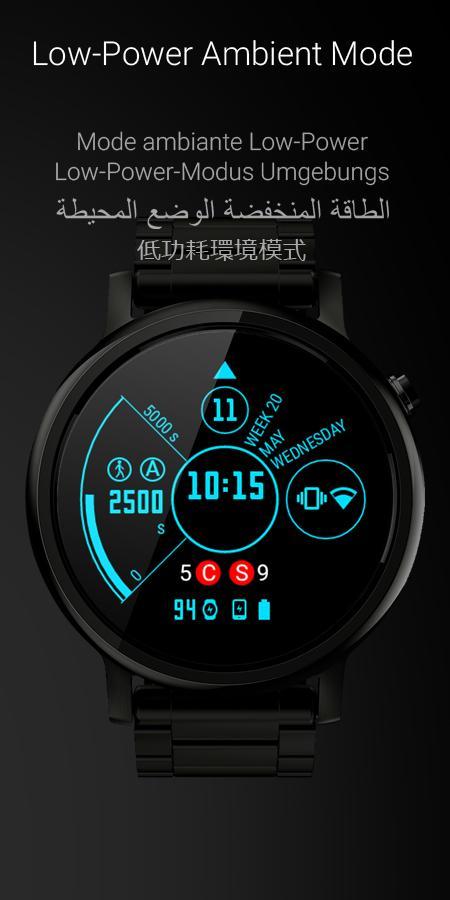
- hour, minutes, seconds
- day number
- week number
- week day name
- month name
- steps counter ( "Steps "A")
- "Night mode" (18:00 - 04:00)
- Ambient mode
- AM/PM indicator (triangle on top)
- watches battery level
- smartphone battery level
- smartphone status: Ringer (silent/vibro) and Connections (WiFi/Mobile data)
- built-in Calendar (touch on day number for open);
Warning: this watch face ONLY for ANDROID WEAR smartwatches.
Configuration supported languages
- English
- Español
- Français
- Deutsch
- Nederlands
- Italiano
- Português
- Русский
- 日本の
- 中文 (繁體)
Note: to work correctly reading the number of steps necessary to synchronize the clock with Google Fit app on your smartphone.
Latest Version
1.0.6Uploaded by
Phan Pha
Requires Android
Android 4.3+
Category
Free Personalization AppContent Rating
Everyone
Report
Flag as inappropriateLast updated on Jan 11, 2019
Fixed a bug in displaying the battery level of a smart watch.






APKPure - A multi-platform app store primarily focused on Android, providing extensive app-related content. Discover the app you want easier, faster, and safer, with quick and efficient downloads and installations.