The Android Oreo shortcut to activate split-screen mode by long-pressing the overview AKA recent apps button was removed in Android Pie. This app fixes that.
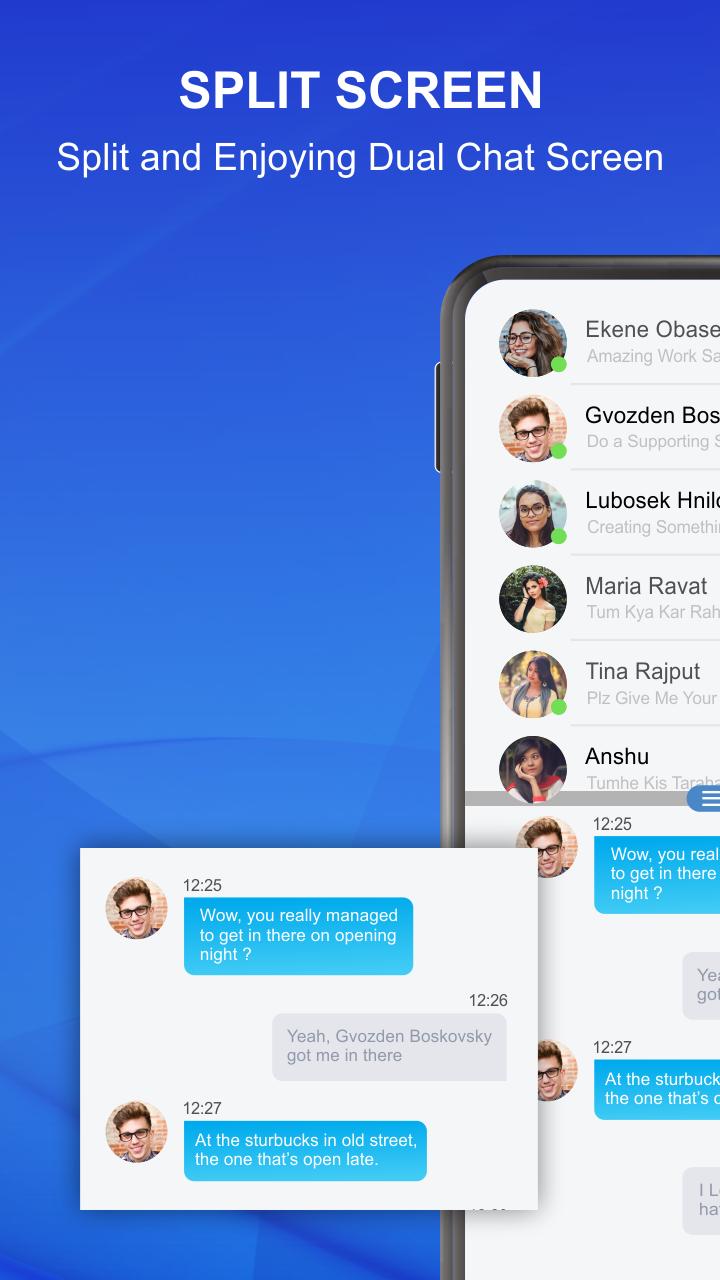
Split Screen - Multitasking is the amazing application for Divide the screen in dual screen. After splitting the screen you can use different applications on both screens at a time. You can add the floating button on the home screen to easily open the app and also change the color of the floating button. There are multiple different colors available for the user to set on the floating button. You can also set the vibration on the split-screen option. This app is with the user-friendly interface it means everyone can use this app easily. For using the app, an internet connection is not required after downloading the application.
Create app shortcuts on the home screen to launch two apps directly in split-screen mode. Split Screen Launcher uses the Android Accessibility API to trigger the split-screen mode.
Split-screen mode or dual-screen can only be used on certain smartphones. This split-screen feature allows users to open two applications at once. Now the split-screen feature can be run for all devices through the application.
But unfortunately, so far the split-screen feature can only be run on applications that do have support to run it. This is indeed designed in such a way as to make it easier for you to run two applications at once. But you can now activate split-screen mode even if your phone is with this split-screen application for free.
The Split Screens App was designed because I wanted to be able to listen to music while still being able to search the web on my Android Phone. I'm looking forward to releasing this Split Screens Android Application to the general public, so they will also be able to see what the Split Screen Application can do for you when it comes to multitasking!
Split Screen - Multitasking Contains::
# Split the screen in dual screen
# create shortcut folder on Home Screen
# easily open split-screen
# User - friendly interface
# Not require an internet connection after downloading the app
FEATURES::
# Use Two app at a time.
# easy for multitasking
# easy to use.
# secure and safe
# Simple and Attractive UI!!
# FREE!!
Phiên bản mới nhất
1.0Yêu cầu Android
7.0 and up
Danh mục
Miễn phí Công cụ ỨNG DỤNGXếp hạng nội dung
Everyone
Báo cáo
Gắn cờ là không phù hợpLast updated on Jun 3, 2020
Minor bug fixes and improvements. Install or update to the newest version to check it out!





APKPure - Kho ứng dụng đa nền tảng chủ yếu tập trung vào Android, cung cấp nội dung phong phú về ứng dụng. Khám phá ứng dụng bạn muốn dễ dàng, nhanh chóng và an toàn hơn, với tính năng tải xuống và cài đặt nhanh chóng và hiệu quả.