
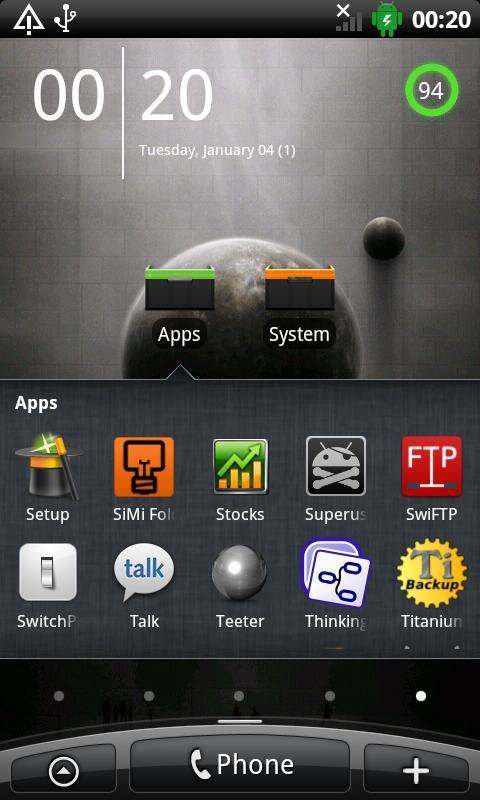
SiMi Folder is a customizable Folder Widget with a horizontal/vertical scrollable Launcher.
(based on the Launcher from SiMi Clock)
Permissions used:
- android.permission.READ_CONTACTS
Without this permission it is not possible to add Contacts to a Folder!
- com.android.browser.permission.READ_HISTORY_BOOKMARKS
Without this permission it is not possible to add Bookmarks to a Folder
- android.permission.CALL_PHONE
You can now use Shortcuts in SiMi Folder. Direct Call Shortcuts are not possible without this permission !
Features
* Size 1x1, 1x2, 1x3, 2x1, 2x2 and 3x1
* 9 different Widget Layouts
* User defined Folder Icons
* User defined Text Color and Size
* Unlimited number of Apps can be linked to a Folder
* Unlimited number of Contacts can be linked to a Folder
* Unlimited number of Bookmarks can be linked to a Folder
* User defined Background color.
How to
Step 1: Add a new Folder
Step 2: Select the new Folder
Step 3: Link Apps to the Folder ( Button Applications )
Step 4: Add a SiMi Folder Widget to your Homescreen
Step 5: Select the Folder you want to use.
-> Done
Phiên bản mới nhất
2.3Được tải lên bởi
Vie Tranquille
Yêu cầu Android
Android 2.1+
Danh mục
Miễn phí Công cụ ỨNG DỤNGXếp hạng nội dung
Unrated · Warning – content has not yet been rated. Unrated apps may potentially contain content appropriate for mature audiences only.
Báo cáo
Gắn cờ là không phù hợpLast updated on Sep 4, 2015
Version 2.3 Free and Pro
Folders will now be shown correct in ICS
In the next 2-3 weeks there will be a redesign of SiMi Folder. I you have wishes or bug please write me an Email.




APKPure - Kho ứng dụng đa nền tảng chủ yếu tập trung vào Android, cung cấp nội dung phong phú về ứng dụng. Khám phá ứng dụng bạn muốn dễ dàng, nhanh chóng và an toàn hơn, với tính năng tải xuống và cài đặt nhanh chóng và hiệu quả.