
Settings, Settings Widget, System, System Settings, System Widget, Einstellungen, Einstellungen Widget, System Control, Systemsteuerung, Settings Manager, Profiles, Profile System Profiles, System Manager, Einstellungen Profile
------------------------------------------------------------
One tool to rule them all.
That's one sentence. And that's also what describes mTool the best.
It's like the one ring in The Lord of the Rings, which was forged to
control all the others.
mTool does this on your mobile. You can forget all other tools, because mTool controls all their functions too.
Well now let's get to the point:
WHAT IS MTOOL?
It is an application for your Android smartphone, with which you can control
all kinds of system settings like Wi-Fi, Bluetooth, etc.
WHICH SYSTEM SETTINGS CAN BE CONTROLLED WITH MTOOL?
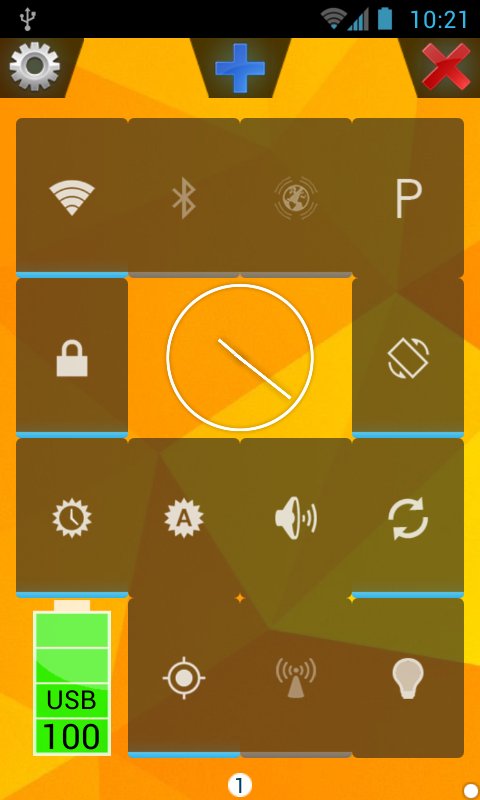
✔ Wi-Fi
✔ Bluetooth
✔ Mobile Data
✔ GPS
✔ NFC
✔ Brightness
✔ Screen Timeout
✔ Wifi-Hotspot
✔ Keyguard
✔ Rotation
✔ Auto-Sync
✔ Volumes (Ringer-Mode)
▲ THOSE CAN ALL BE CONFIGURED IN PROFILES AND THEN ACTIVATED/DEACTIVATED WITH ONE CLICK.
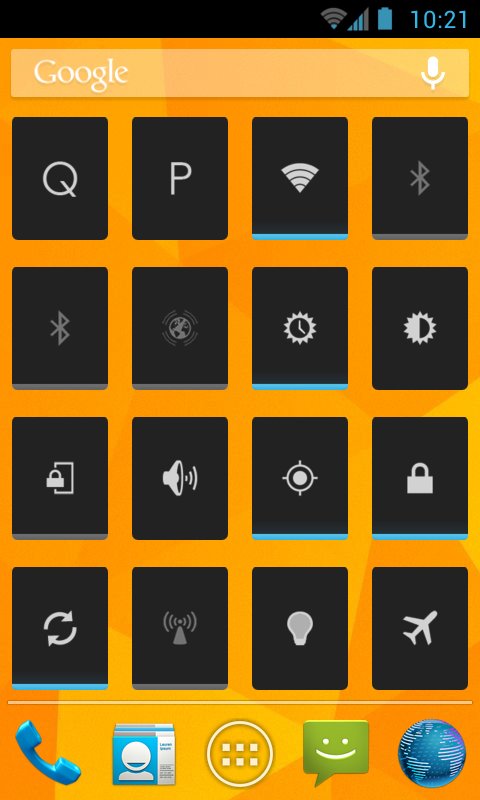
▲ AND THOSE CAN ALSO BE CONFIGURED AS APPWIDGETS/HOME-SCREEN-WIDGETS (THOSE + PROFILES + QUICK).
Additionally:
✔ Torch
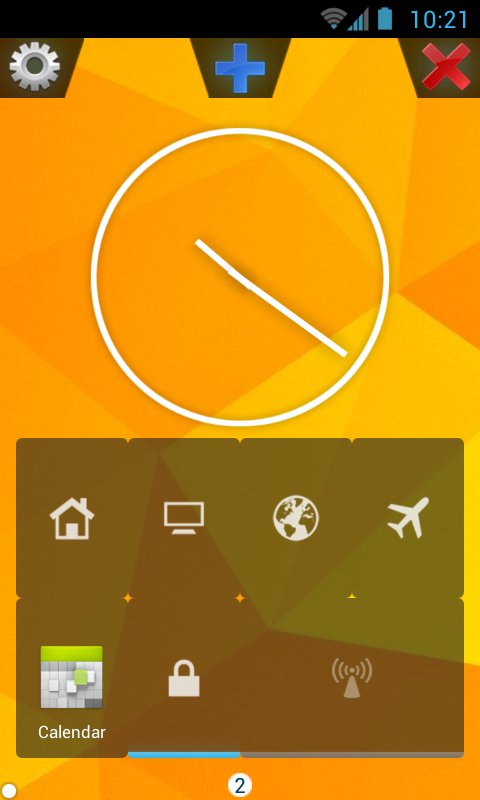
✔ Clock
✔ Battery Info
✔ Application
..and more to come
HOW CAN I FOR INSTANCE TOGGLE A SETTING LIKE WIFI?
A) 1. Open mTool
2. Click on the Wi-Fi widget -> close mTool
(3.)If there is no Wi-Fi-widget:
A. Click the + button
B. Select Add Item
C. Select Wifi and follow the wizard.
D. Go to 2.
B) 1. Open mTool
2. Click on the + button
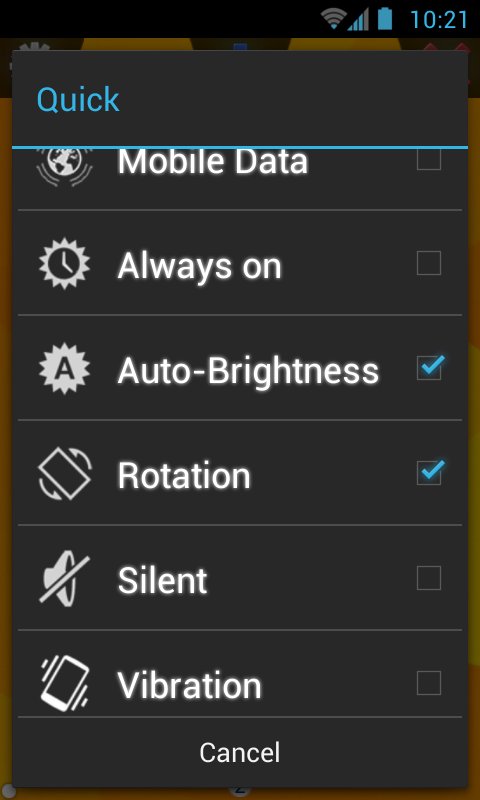
3. Select Quick
4. Click on Wi-Fi -> close -> close mTool
C) Click on an mTool WiFi or Quick appwidget.
D) Activate a Profile with your desired Wi-Fi-Status
------------------------------------------------------------
Trial/Lite Version: http://play.google.com/store/apps/details?id=m.tool.lite
More on http://www.turtle-enterprises.co.de/mtool.html
Check out my other apps: http://www.turtle-enterprises.co.de/apps.html
------------------------------------------------------------
mTool Lite:
-1 Page
-0 Profiles (except Airplane mode)
-1 AppWidget
-Grid Size: 4x4
mTool:
-up to 2 Pages
-up to 3 Profiles
-up to 4 AppWidgets
-Grid Size: 4x4
mTool Pro:
-as many pages as you want
-as many Profiles as you want
-as many AppWidgets as you want
-Grid Size: 3x3, 3x4, 4x4, 4x5, 5x5
------------------------------------------------------------
Tags:
Settings, Settings Widget, System, System Settings, System Widget, Einstellungen, Einstellungen Widget, System Control, Systemsteuerung, Settings Manager, Profiles, Profile System Profiles, System Manager, Einstellungen Profile, Settings, Settings Widget, System, System Settings, System Widget, Einstellungen, Einstellungen Widget, System Control, Systemsteuerung, Settings Manager, Profiles, Profile System Profiles, System Manager, Einstellungen Profile, Settings, Settings Widget, System, System Settings, System Widget, Einstellungen, Einstellungen Widget, System Control, Systemsteuerung, Settings Manager, Profiles, Profile System Profiles, System Manager, Einstellungen Profile, Settings, Settings Widget, System, System Settings, System Widget, Einstellungen, Einstellungen Widget, System Control, Systemsteuerung, Settings Manager, Profiles, Profile System Profiles, System Manager, Einstellungen Profile, Settings, Settings Widget, System, System Settings, System Widget, Einstellungen, Einstellungen Widget, System Control, Systemsteuerung, Settings Manager, Profiles, Profile System Profiles, System Manager, Einstellungen Profile,
Phiên bản mới nhất
1.1Được tải lên bởi
Odini Odini Happiness
Yêu cầu Android
Android 2.2+
Danh mục
Miễn phí Công cụ ỨNG DỤNGBáo cáo
Gắn cờ là không phù hợpLast updated on Oct 22, 2015
Minor bug fixes and improvements. Install or update to the newest version to check it out!


APKPure - Kho ứng dụng đa nền tảng chủ yếu tập trung vào Android, cung cấp nội dung phong phú về ứng dụng. Khám phá ứng dụng bạn muốn dễ dàng, nhanh chóng và an toàn hơn, với tính năng tải xuống và cài đặt nhanh chóng và hiệu quả.