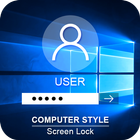
Computer Style Lock Screen Will change your mobile lock screen to look like desktop PC launcher where you can customize it with many wallpapers and lock it with pin code style computer. The Computer Style Lock Screen Fingerprint for windows 10 gives you all the control of your mobile, you can turn WIFI, GPS, Torch and so many things just on your lock screen for Computer Launcher. Computer Style Lock Screen is the ultimate windows lock screen for busy professionals. Next helps protect your phone from unwanted access by others, and you are instantly more productive.
Computer Style Lock Screen Fingerprint is an excellent productivity Computer Style Lock Screen App and companion for your everyday life. Some applications do not perform the origin of the home button, Back, Recent while New style computer lock screen can do that.
New Computer Style Lock Screen Pro provides various useful widgets and interesting themes for decorating your lock screen while protecting privacy and ensuring security. The Computer Style Lock Screen Pro App also has a password option that you can use before unzipping the lock screen. The New style lock screen is very easy to apply. Just click the Activate Computer Style Lock Screen from the main menu and the locker will be displayed every time you lock and unlock your device. Also, Computer Lock Screen App for Android has a preview option so you can see all the changes you made and fine tune the design of the locker.
This Computer Style Lock Screen option makes it very easy to use the Computer Style Lock Screen Pro App, because you don’t have to make a change then exit, see if you like it and the come back to settings. You can do everything right here inside the Computer Style Lock Screen App.
Best Computer Lock Screen also has a built-in a battery saving element that will alert you of things running needlessly in the background consuming precious power. The Computer Style Lock Screen Application is an excellent with live wallpapers. Computer Lock Screen Launcher is beautiful, safe and custom. Within Computer Style Lock Screen there are some deeper settings you can access such as the color for the time, date and camera icons. You can select different types of lock screen unlocks like slide to unlock, unlock sound and more. There are tons of style and wallpaper options this
Computer Style Lock Screen App offers for download. Computer Lock Screen Name, a lot of beautiful wallpaper Galaxy S10 including the famous live wallpaper smoke.
Features:
PIN Code Lock
Wallpapers
Messages and missed call counter
Password hint
WIFI, Location, Air Plan Mode, Mobile Data, Torch, Bluetooth, Task killer
Pattern Lock Added
Wallpaper set issue fixed on some devices
Minor bug fixes
Toast removed after In-App purchase
Speed and performance improved
Lock screen lag fixed
Blur background bug fixes
Can change profile from main settings
Can select Background from gallery
Phone signal issue fixed
Un-Lock Animation added
Phone and tablet supported added
This Computer Lock Screen Offline is designed for Computer Launcher that can change your phone interface to look like windows - 10 PC. The design of this Computer Lock Screen Windows 10 is similar to desktop lock screen. With New style lock screen, you can further customize the locker. Computer Style Lock Screen Pro App is a definitive windows lock screen for occupied experts.
In the world of phones, we are always looking for new ways to get information faster. Many developers have started with the Computer Style Lock Screen. At a very basic level, stock lock screens carry some sort of shortcuts to the camera as well as time and weather apps. Download Free Computer Lock Screen Phone and New Note 10 Apps With the weather, just like most stock options, you choose your location, either automatically or manually.
Inquiries? Report bug? Suggest new improvement or feature? Click Email Developer link below.
Thank You for Using This App….!!
Phiên bản mới nhất
1.2Được tải lên bởi
Tisya Puspitarini Malotu
Yêu cầu Android
Android 4.1+
Danh mục
Miễn phí Cá nhân hóa ỨNG DỤNGXếp hạng nội dung
Everyone
Báo cáo
Gắn cờ là không phù hợpLast updated on Mar 27, 2020
Phiên bản này bao gồm các bản sửa lỗi nhỏ và cải tiến chung. Hãy cập nhật lên phiên bản mới nhất để có trải nghiệm tốt nhất.









APKPure - Kho ứng dụng đa nền tảng chủ yếu tập trung vào Android, cung cấp nội dung phong phú về ứng dụng. Khám phá ứng dụng bạn muốn dễ dàng, nhanh chóng và an toàn hơn, với tính năng tải xuống và cài đặt nhanh chóng và hiệu quả.