

Visual Boy Advance GBA Emulator helps users bring classic handheld games onto a phone or tablet without complicated setup. It focuses on accurate behavior and smooth performance so play feels familiar across low-end phones and modern devices. No games are included, and you should use legally obtained ROMs stored on your SD card. Meanwhile, the built-in library view keeps your collection easy to find and manage. For users comparing options, searching for Visual Boy Advance GBA Emulator APK is a common way to get started.
Visual Boy Advance GBA Emulator aims to match real Game Boy Advance behavior with consistent speed. It is designed to run well on a wide range of Android devices, from older phones to current tablets. As a result, gameplay stays responsive while preserving the feel of original hardware.
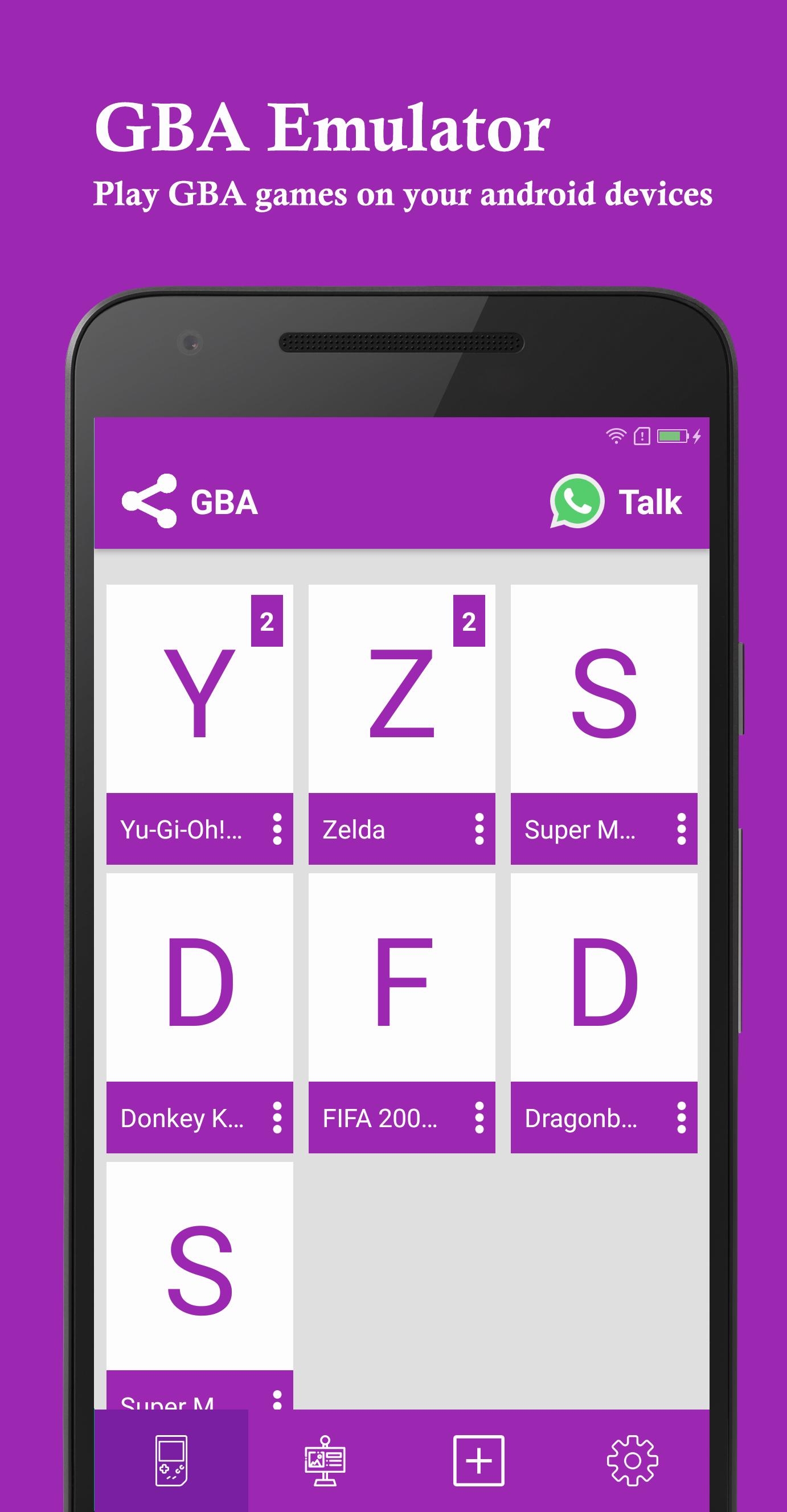
Automatic SD scan and library trackingThe app scans your SD card for GBA files and lists them in a clean library view. Pull-to-refresh updates the library after you add or move ROMs, which helps you see new titles quickly. Per-game open count tracking adds simple context to your play history without extra setup.
Auto-save and quick resumeAuto-save captures progress as you play, and quick resume lets you return to the exact point you left. You can move between games and come back later without losing your place, which keeps sessions convenient for short breaks.
Clean interface and responsive controlsThe interface focuses on clear navigation and a straightforward layout so you can reach games with minimal taps. On-screen controls respond quickly and stay stable during play. This reduces distractions and helps you focus on the game.
VBA-M core and ecosystem supportVisual Boy Advance GBA Emulator follows open-source VBA lineage and supports a VBA-M core on Android. Through the broader ecosystem, users can access optional enhancements such as cheats, controller configuration, and graphics tweaks. Helpful knowledge base guides provide direction for these extras, so you can apply them confidently when needed.
Visual Boy Advance has a long-standing open-source history, which many users rely on for transparency and safety. For reference, you can find background materials and downloads at the official site: visualboyadvance.org. The Android app respects this pedigree by focusing on predictable behavior and clear user control of ROM libraries.
ROM visibility depends on storage location and file format. If a game does not appear after you add it, try these checks:
Setup is straightforward and focuses on your own game files. To begin, prepare your legally obtained ROMs and keep them accessible on your device. If needed, search for Visual Boy Advance GBA Emulator latest version to ensure you are using current builds.
Visual Boy Advance GBA Emulator provides accurate GBA emulation with simple library management, auto-save, and responsive controls. To begin, download Visual Boy Advance GBA Emulator and add your legally obtained ROMs on your SD card. The app focuses on reliable behavior so you can spend more time playing and less time configuring.
For official project information and reference materials, visit:
Latest Version
6.1.2Uploaded by
David Esteban Quintanilla Ibarra
Requires Android
Android 3.0+
Category
Free Entertainment AppContent Rating
Everyone
Report
Flag as inappropriateLast updated on Nov 27, 2017
Visual Boy Advance GBA Emulator
Fix bugs


APKPure - A multi-platform app store primarily focused on Android, providing extensive app-related content. Discover the app you want easier, faster, and safer, with quick and efficient downloads and installations.