


Package Name:com.androho.simplevideoconverter
SHA-256:bbb7a6f886304de047613a778b9ac12f89018073ef5e300e8279f7faa1251a0b
Show More

Video Converter FFmpeg is a video converter for Android that lets you convert videos, resize videos, reduce video size, and convert video to audio – without watermarks. Convert MOV to MP4, MKV to MP4, and other formats directly on your device with FFmpeg.
With FFmpeg on Android, you can change video formats, compress large files, trim a video, and quickly convert media to a suitable format. The app is ideal for common conversions such as MOV to MP4, MKV to MP4, or extracting audio from a video.
Convert videos, resize videos, and extract audio – right on your device
All processing takes place locally on your smartphone. This allows you to convert videos, resize a video, and reduce file size without uploading your files to the cloud.
Two modes for every video conversion:
⚡ Simple Mode:
Quickly convert your video to MP4 using preset options. Ideal if you want to resize a video, reduce video size, and save storage space.
⚙️ Expert Mode:
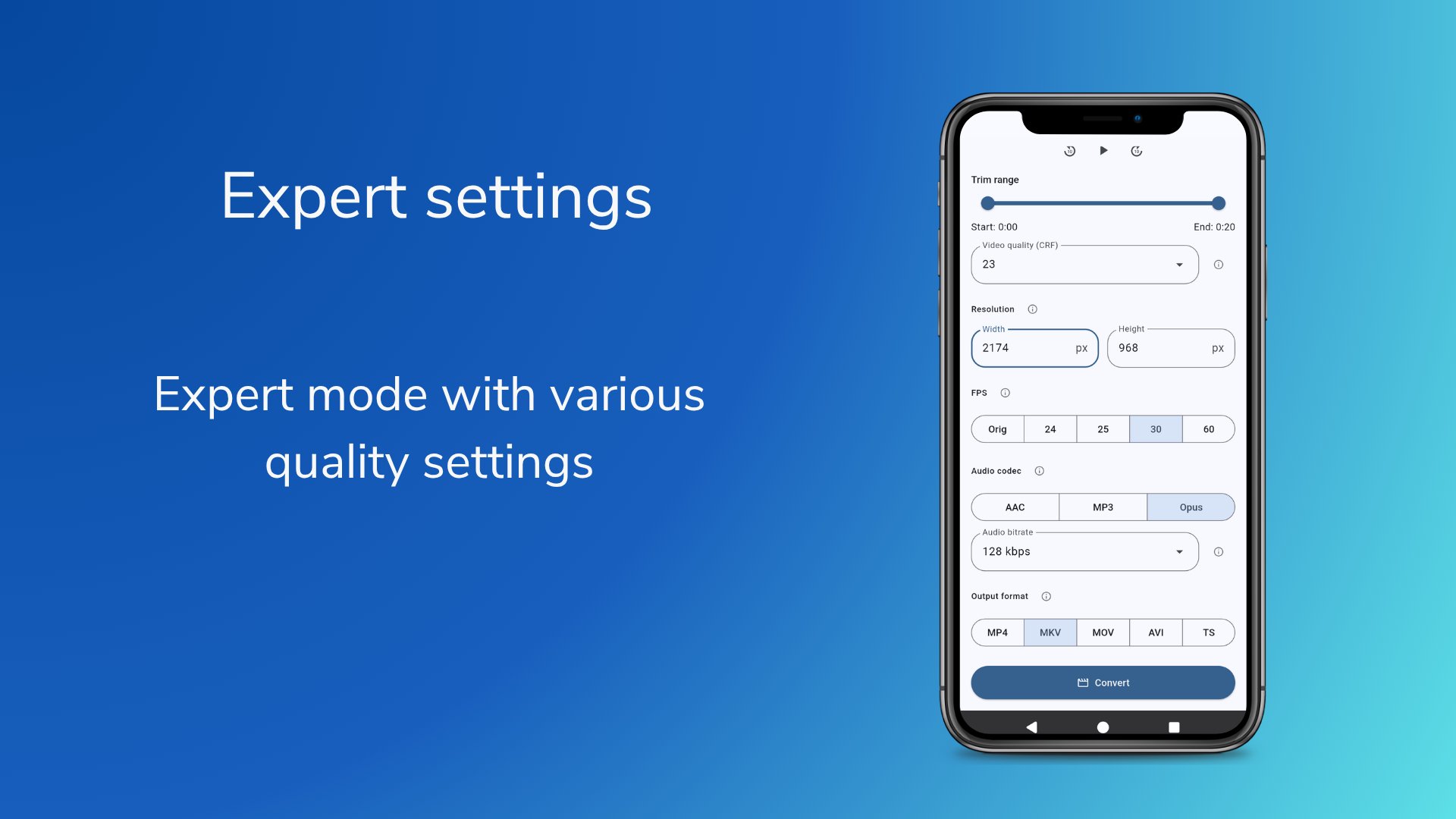
Use advanced FFmpeg settings to change video formats, adjust resolution, set quality, and manually select audio bitrates.
Supported output formats:
• Video: MP4, MKV, MOV, TS, AVI
• Audio: MP3, AC3, Opus
Key Features at a Glance:
🚫 No Watermarks
Create clean files without logos or distracting overlays.
📉 Compress Videos & Reduce File Size
Compress large videos, reduce file size, and save storage space on your device.
🎬 Convert Video Formats
Use the app as a video converter for common formats such as MP4, MKV, MOV, TS, and AVI.
🎵 Convert Video to Audio
Extract audio tracks and save them as MP3, AC3, or Opus.
✂️ Trim Video
Set exact start and end points before conversion.
📊 Preview & Size Estimate
Preview your video and check the estimated file size before conversion.
🛡️ Local & Private
Processing takes place entirely locally on your smartphone.
No external upload, no cloud processing.
💎 FFmpeg on Android
Use proven FFmpeg technology directly in a simple Android app.
🔓 Open Source
The app is GPL-licensed and the source code is publicly available.
✨ Remove Ads Permanently
With a one-time in-app purchase, you can permanently remove ads and support the project.
Open-source project (GPL):
https://github.com/Androho24/SimpleVideoConverter
Latest Version
1.0.4Uploaded by
محمد الاحبابي
Requires Android
Android 7.0+
Category
Free Video Players & Editors AppContent Rating
Everyone
Security Report
Check Now
Report
Flag as inappropriateLast updated on Apr 27, 2026
Welcome to Video Converter FFmpeg!
In this first version, we offer you:
• Powerful video compression without watermarks.
• Fast conversion to MP4, MKV, MOV and more.
• Video-to-audio extraction (MP3, AC3, Opus).
• 100% local processing for maximum data privacy.





APKPure - A multi-platform app store primarily focused on Android, providing extensive app-related content. Discover the app you want easier, faster, and safer, with quick and efficient downloads and installations.











