
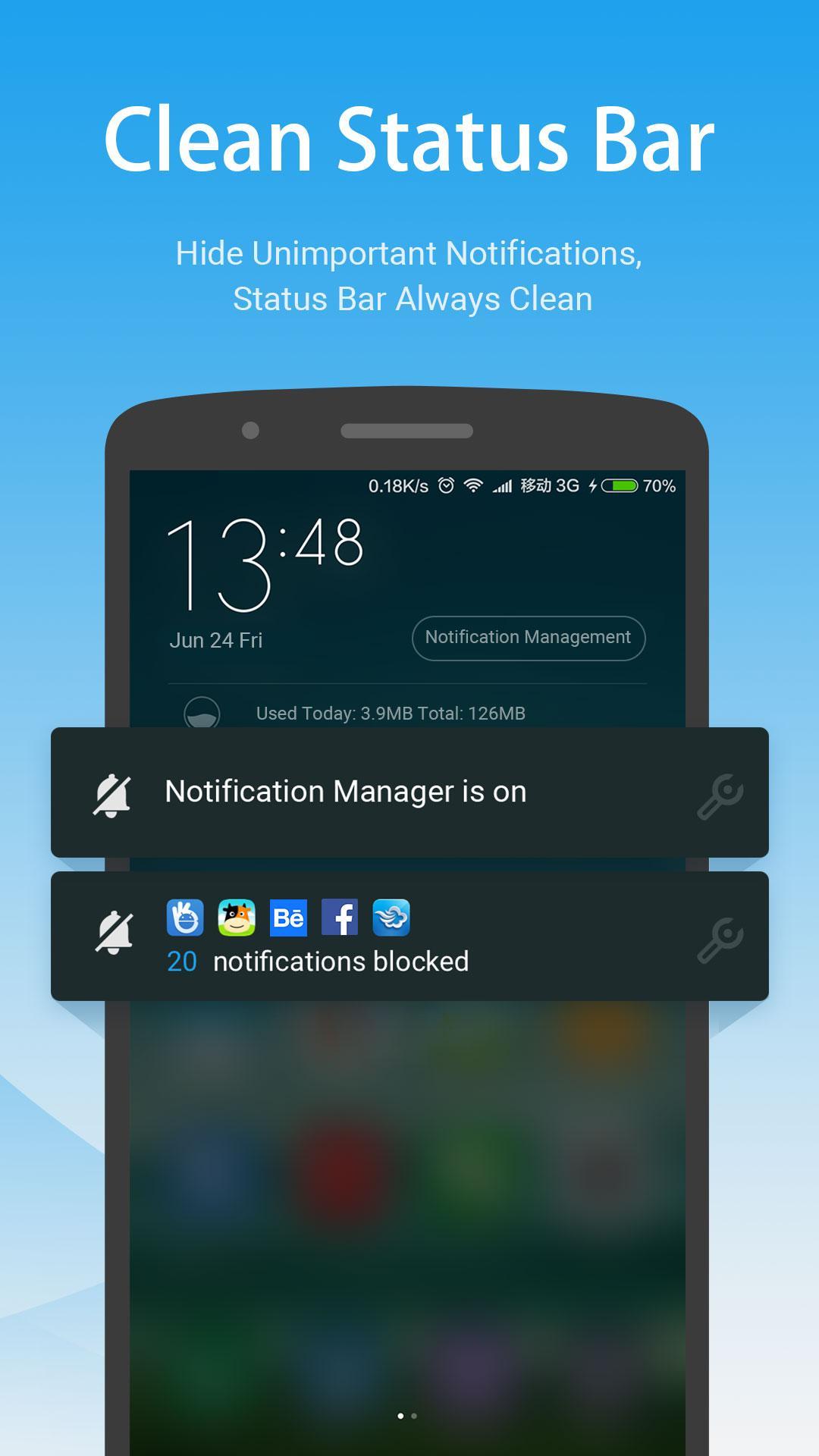
Notification Manager is a plugin belongs to All-In-One Toolbox. It is designed to bulk manage app notification messages from notification bar in an easy and fast way. It allows you to show important notifications and ignore annoying unnecessary notifications. Blocked messages will be hidden together in one place for later check. In this way, you can keep phone notification bar in a cleaner and tidy status.
How to use?
Step 1: Install Notification Manager and its mother program All-In-One Toolbox(Cleaner)
https://play.google.com/store/apps/details?id=imoblife.toolbox.full, find it from All-In-One Toolbox- Toolbox- Plugins
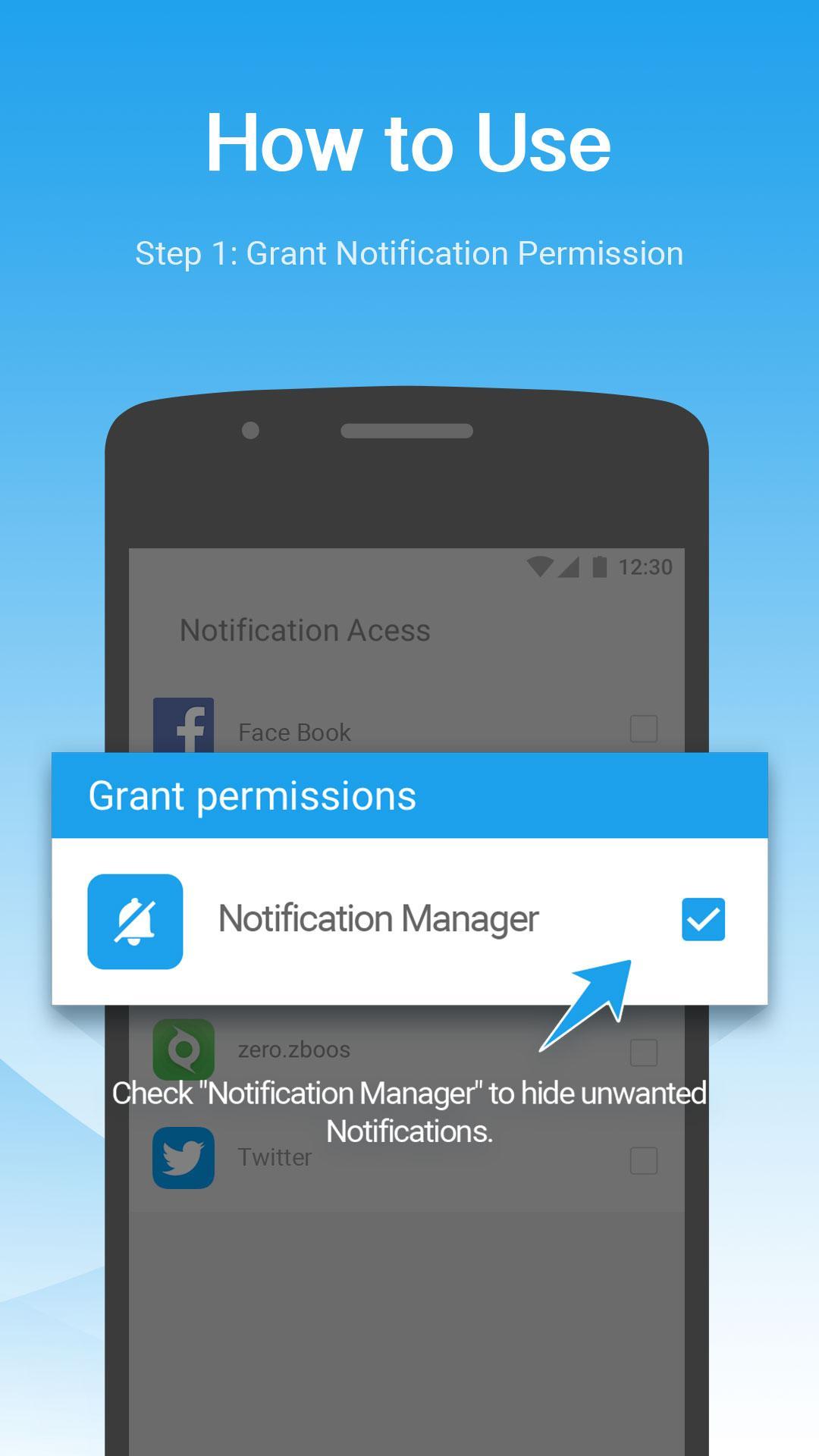
Step 2: Grant “Notification Access” to Notification Manager
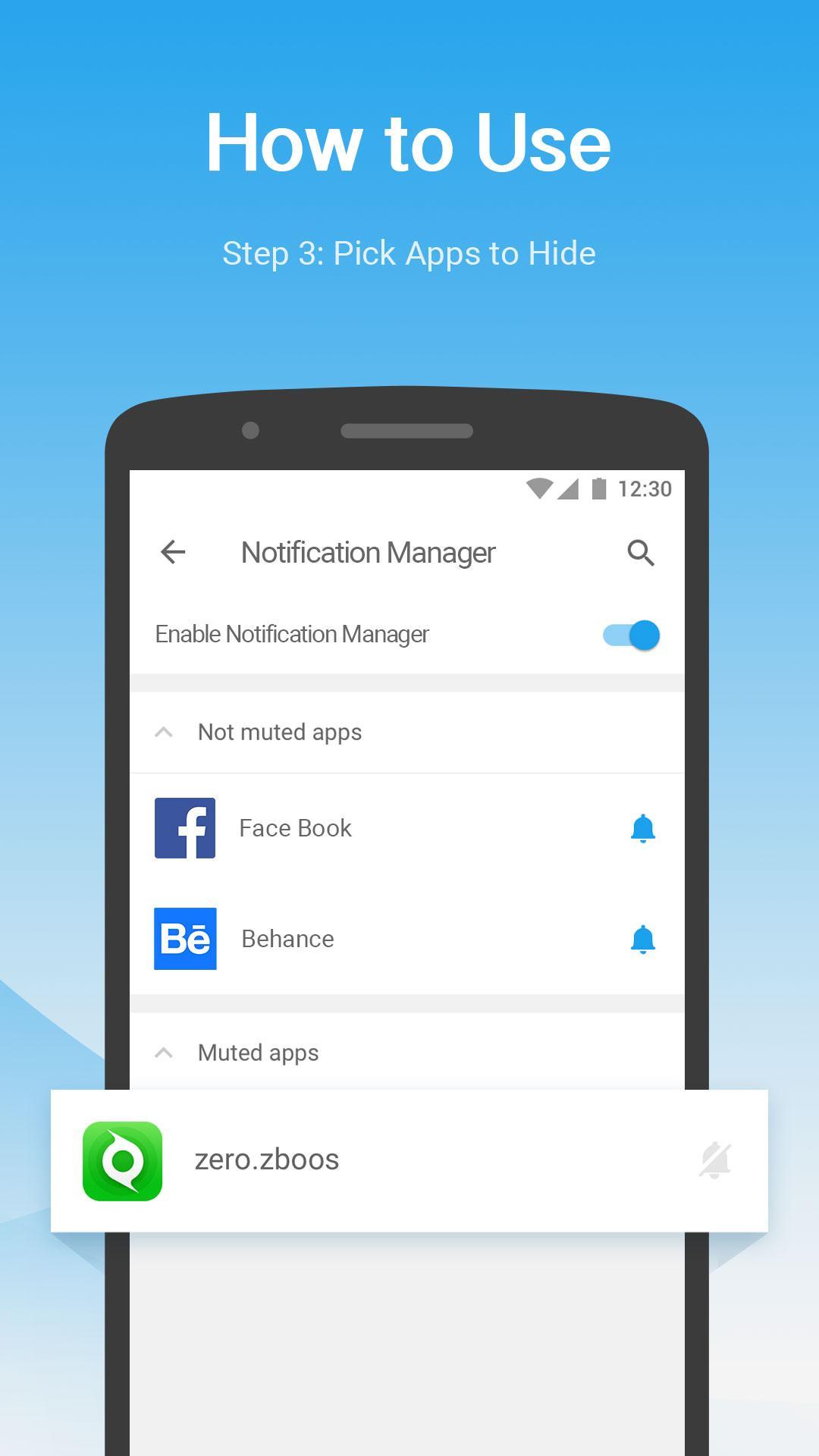
Step 3: Go to app Settings and enable Notification Manager
Step 4: Pick apps you want to hide notifications, and it is done!
How to find blocked messages
Blocked messages are put together in Notification Manager; click Notification Manager on notification bar, you can check all unread notifications there. Drag a message right and you will be able to delete it.
Create shortcut for Notification Manager
For easy access to this Plugin you can create a shortcut for it in this way:
All-In-One Toolbox- Toolbox- Plugins- Notification Manager – click the three Three dots settings on right corner- Create shortcut
Or you can fast access to this feature via All-In-One Toolbox widget:
Long press on blank home screen to add widget, and choose All-In-One Toolbox’s widgets.
► Features list in All-In-One Toolbox
- Junk File Cleaner
- Rom Cleaner
- Duplicate file cleaner
- Task Killer, Memory Booster
- Batch install/Uninstall app
- Move app to sd card
- Backup and restore app
- System app manager
- Startup app manager
- Apk Manager
- SD Card File Manager
- Privacy Protector
- Easy Swipe
- CPU Cooler
- Smart Charger
- App Advertisement Detector
- App Locker
- Auto Clean & Boost Tasks
- Game Booster
- App Permission Check
- Compass
- Flashlight
- QR & Bar code Scanner
- Quick System Settings
- Sensor Box
- Quick Volume Settings
Please join our Google+ beta test group to help us improving app:
https://play.google.com/apps/testing/imoblife.toolbox.full
Any questions please feel free to drop us an email: support@aiotoolbox.com
تازہ ترین ورژن
v1.1اپ لوڈ کردہ
Euil Lincoln
Android درکار ہے
Android 4.4+
کٹیگری
مفت ٹولز ایپمواد کی درجہ بندی
Everyone
رپورٹ کریں
فلیگ غیر موزوں ہےLast updated on Mar 16, 2017
[New] View message details- you can check messages details easily from Notification Manager
[New] Message sound- you can decide whether to notify you if there is a new message
[Fix] Fix the issue after an app updated, the changes users made has been reset to default
[Fix] Fix other issues to make Notification Manager more stable





APKPure - ایک ملٹی پلیٹ فارم ایپ اسٹور جو بنیادی طور پر اینڈروئیڈ پر مرکوز ہے، جو وسیع ایپ سے متعلق مواد فراہم کرتا ہے۔ اپنی مرضی کی ایپ کو آسانی سے، تیزی سے اور محفوظ طریقے سے دریافت کریں، تیز اور موثر ڈاؤن لوڈز اور انسٹالیشنز کے ساتھ، جو آپ کی ضروریات کو پورا کرتے ہیں۔















