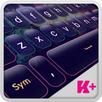
Grey is a paradox color, as it is made out of black and white. It can have warm or cold tints when it is mixed with small amounts of colors. Also, any two complementary colors, like red and green turn into colored grey when combined. In surveys, only 1% of the subjects said that grey is their favorite color, although you can find it very often in nature. Grey is a very cold and unemotional color, the color of a steel lock or of a storm cloud but in the same time, it is such a neutral and relaxing color. Do you need a classy touch for your smartphone or tablet? Your Android gadgets have been waiting for the new Keyboard Plus Lock theme. Customize your keyboard with this cool Keyboard Plus Lock theme, you can download it right now and have a fantastic texting experience.
I need help applying a Keyboard Plus theme. How do I do it?
To apply a Keyboard Plus theme, you need to follow these 3 simple steps:
1 download the Keyboard Plus Lock from the Google Play store
2 open the Keyboard Plus Lock theme
3 press the Activate button from the Keyboard Plus Theme Manager
All of our themes come with custom fonts that match the style of the theme. Don't worry about anything, the special font will be displayed automatically after you apply the theme. This theme uses a free Google Font™: http://www.google.com/fonts/specimen/Ubuntu
New layouts for various languages coming soon.
Have something to tell us? For suggestions or bugs, contact us at thememasters1@gmail.com and we will reply faster than you can say "Keyboard Plus" !
Can I change the size of the font?
Yes, from the Quick Settings tab (the 5th button from the option bar), you can control the Keyboard Size from the 3 possibilities: S - small, M - medium and L - large.
تازہ ترین ورژن
3.0.38اپ لوڈ کردہ
Nitin Gupta
Android درکار ہے
Android 4.2+
مواد کی درجہ بندی
Everyone
رپورٹ کریں
فلیگ غیر موزوں ہےLast updated on Sep 26, 2018
اس ورژن میں معمولی بگ فکسز اور عمومی بہتریاں شامل ہیں۔ بہترین تجربے کے لیے تازہ ترین ورژن پر اپ ڈیٹ کریں۔



APKPure - ایک ملٹی پلیٹ فارم ایپ اسٹور جو بنیادی طور پر اینڈروئیڈ پر مرکوز ہے، جو وسیع ایپ سے متعلق مواد فراہم کرتا ہے۔ اپنی مرضی کی ایپ کو آسانی سے، تیزی سے اور محفوظ طریقے سے دریافت کریں، تیز اور موثر ڈاؤن لوڈز اور انسٹالیشنز کے ساتھ، جو آپ کی ضروریات کو پورا کرتے ہیں۔