How to install a Keyboard Plus theme?
Just follow these easy steps:
1. Download Sunset Keyboard from Google Play Store
2. Open Sunset Keyboard
3. Apply the theme by pressing the - Activate - button from the Keyboard Plus Theme Manager
If you want to change your font size just go to the Quick Settings Tab and choose from one
of the 3 available sizes: small, medium or large.
This Keyboard Plus theme uses a free Google Font available here:
http://www.dafont.com/marker-sd.font
All the Keyboard Plus themes come with a matching font that will be displayed
automatically.
For the best experience for all our users this app is translated in 49 different languages.
We are looking forward for your feedback so don't hesitate to contact us for any
suggestions or other issues that you may have at the following address:
studiothemes2@gmail.com
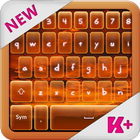
Don't waste anymore time and get now on you phone our latest keyboard theme , the Sunset
Keyboard theme! This keyboard theme will introduce you in a great scenario with the sun
coloring the sky in different shades of yellow and orange. This marvelous keyboard theme
will give you a fresh vibe and will make you always wander about a sunset on the sunset
shore.
Last updated on 2016年05月12日
此版本包含小幅錯誤修正和一般改善。請更新至最新版本,以獲得最佳體驗。