1. Difference from standard keyboards
The conventional Hangul keyboard has consonant keys on the left side and vowel keys on the right side, and is designed to be used with both hands on the hardware keyboard.
In the case of a smartphone, I think that there is a more suitable method because the screen is small and input operation is one handed.
All Hangul can be entered in 3 steps: consonant selection → vowel selection → Hangul selection, so you can easily input even Hangul including double vowels and double patchims.
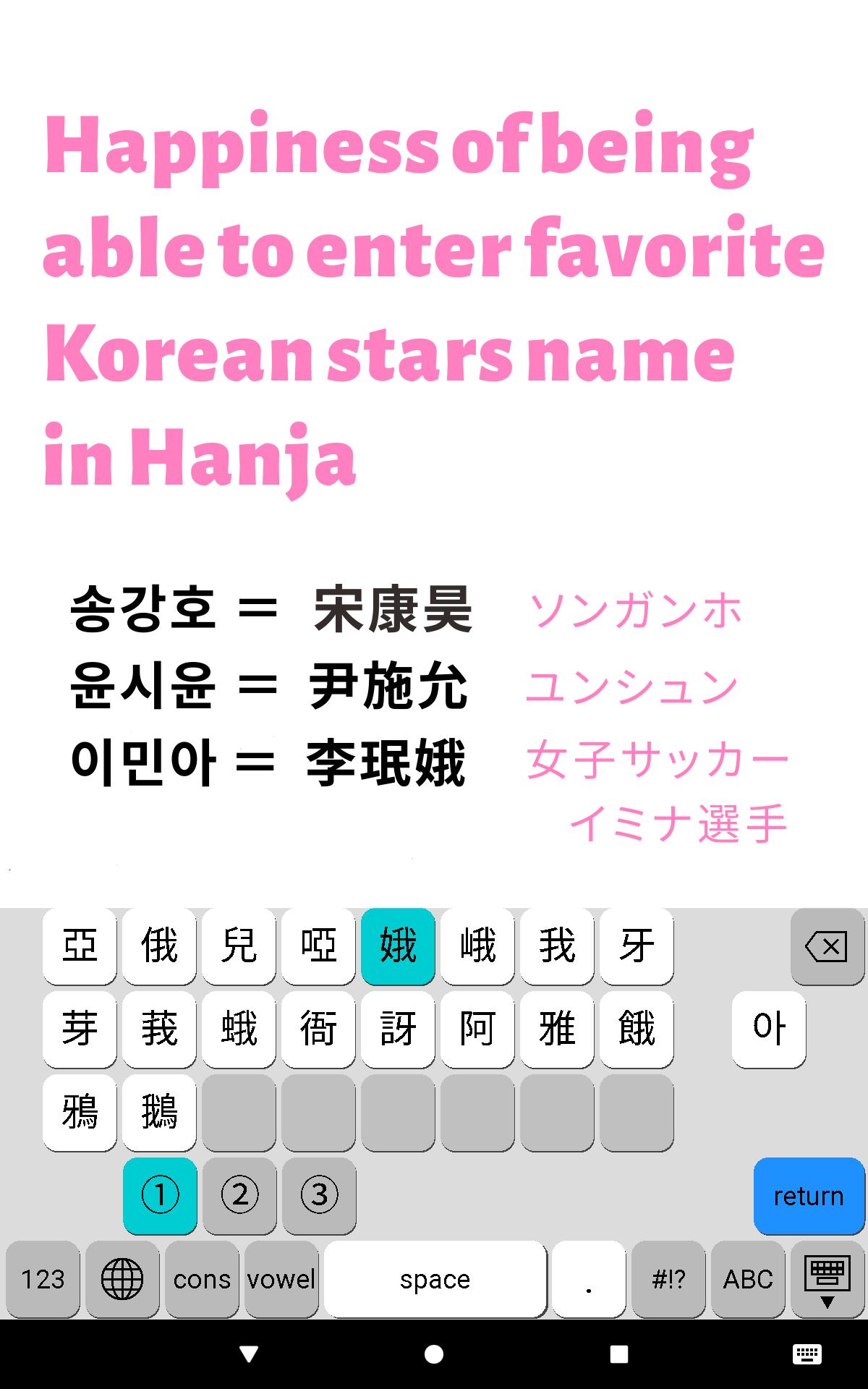
In addition, you can easily enter the name of your favorite Korean stars in Hanja(Korean Kanji), so I think it ’s convenient.
2. Latest version
• Version 3.0 (2019/10)
3. Compatibilities and OS
• Devices: Both Phone and Tablet
• Screen Size: 4 Inches or over
• Android OS: Ver 6.0~10.0
4. Features
(1) Just by choice of a consonant and a vowel, you can see 2,350 kinds of Hangul candidates that cover over 99% of Hangul used in modern Korea.
(2) Rather than assembling a Hangul letter in the input area, you can input Hangul by choosing from the candidates.
(3) As the key width expands and contracts according to the number of candidates, tapping mistakes will be reduced.
(4) It is possible to input 4,888 kinds of Hanja letters that are the same as Windows and Mac.
(5) It is possible to input 11,172 types of Hangul too.
(6) There are seven input modes: basic Korean, Hangul jamo, English Alphabet, Number, Symbol, Hanja, and Full Hangul.
(7) System Click sound can be added.
(8) There is a battery-friendly dark mode.
5. Options
(1) Click Sound Switch
(2) Hanja Switch
(4) Dark Mode Switch
6. How to Install
(1) Tap "Settings" icon of your Android device.
(2) Choose "System" menu that includes Languages and keyboards.
(3) Tap "Languages & input"
(4) Tap "Virtual keyboard"
(5) Tap "+ Manage keyboards "
(6) Please tap "Hanglin" to activate.
7. Points of use
(1) There are 7 input modes. (Basic Hangul, Jamo, Hanja, Full Hangul, English Alphabets, Numbers, Symbols)
(2) Switching between consonant screen and vowel screen is done automatically. If you want to input the Hangul that has the same consonant or vowel as before, tap "cons" key or "vowel" key.
(3) To input any jamo letter (not Hangul), tap "jamo" key and select any consonant jamo or vowel jamo.
(4) To input Hanja letter, you need to input any basic Hangul. If you tap "漢字" key, Hanja candidates will be displayed. When you select one, the Hangul that entered just before is replaced with the Hanja.
(5) There are 2 type shift keys. In the case of White arrow key, after inputting a uppercase letter, it returns to lowercase mode automatically. In the case of Black arrow key, uppercase mode continues until tapping Black arrow key again.
(6) In Number Input mode and Symbol Input mode, there are 2 pages. So you can input a lot of symbols.
(7) You can switch to another keyboard by tapping the globe key.
8. Privacy Policy
• We don't collect the information of user's operations or don't send them to other servers.
• We promise that personal information such as customer's name and e-mail address will not be used for another purpose and we don't sell or publish them to others.
9. Supports
(1) Creator
IMAI Takayuki (今井 隆行), Japan
(2) Support Site:
• Site Name: Superscript
• URL: http://superscript.sakura.ne.jp/
Last updated on 2019年10月06日
此版本包含小幅錯誤修正和一般改善。請更新至最新版本,以獲得最佳體驗。