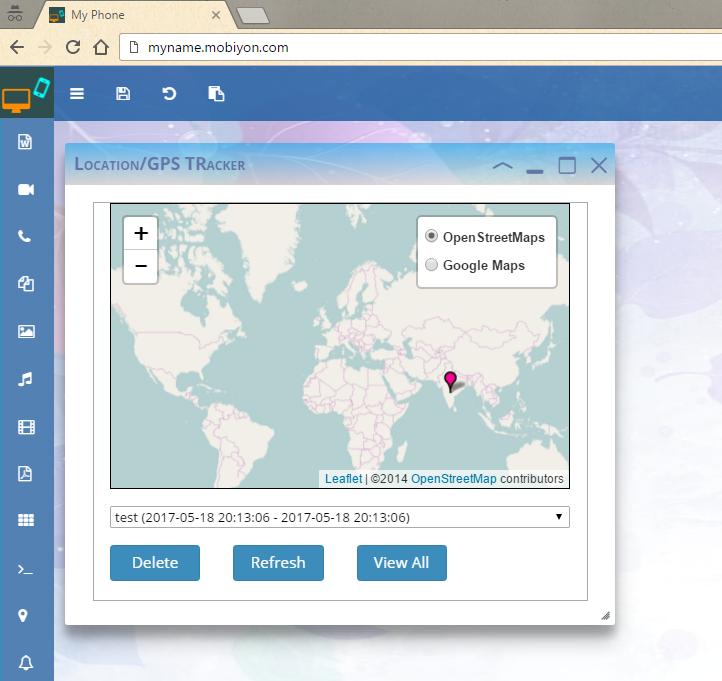
You can access your Phone on any remote Web Browser with the help of this App.
Server runs locally on your phone, hence you can be assured of safety and privacy of your data.
Features Included for Remote Access are (ROOT ACCESS IS NOT REQUIRED and NO ADS SHOWN) :
1. Dial and Accept/Reject Calls.
2. View, Send and Receive SMS Messages.
3. View Call History.
4. View All SMS Messages.
5. View, Add/Edit Contacts in your Phone.
6. Access Front/Back Camera and Video Streams Remotely.
7. Capture Phone's Screen and View Remotely.
8. Remote Notes Editor - Save it on Phone with export as PDF and HTML option.
9. Remote File Browser - View, Edit, Delete, Download and Add new Files.
10. Remotely View Photos.
11. Remote Music and Video Players (Supports multiple formats).
12. Remote PDF Document Viewer.
13. Remotely Launch, Install, Download and Uninstall Apps.
14. Access Android Shell/Terminal in Browser as SSH Client.
15. Remotely Track your Phone's Location in Browser Maps.
16. Access, Store and Delete Notifications.
17. Access to Bi-directional Clipboard, i.e. between Browser and Android.
18. No Executable needs to be installed on the Desktop.
Completely free App for Intranet Usage.
No Advertisements.
Nominal Fee for accessing the app over internet.
Few things to note, before providing any feedback:
1. To view Android notifications in Browser, you need to enable access in Settings.
2. To track location, location setting should be turned on and there should be movement from one place to another
3. If you have changed the URL prefix or Passwords, please restart the server (Click "Stop Server" and then "Start Server").
4. Please ensure that you have decent internet speed on Phone.
5. Please use Latest and Modern Browsers only.
6. Please ensure that the app is allowed access over firewall, if any.
7. In case of any other unknown issues, please restart the browser/server and try and if the issue still persists, uninstall and then install the app again.
Please e-mail me for any complaints, feedback or any other information regarding the App.
Planning to add more features as updates in the future releases.
Last updated on 2018年05月10日
Bug fix related to Photos Slideshow.