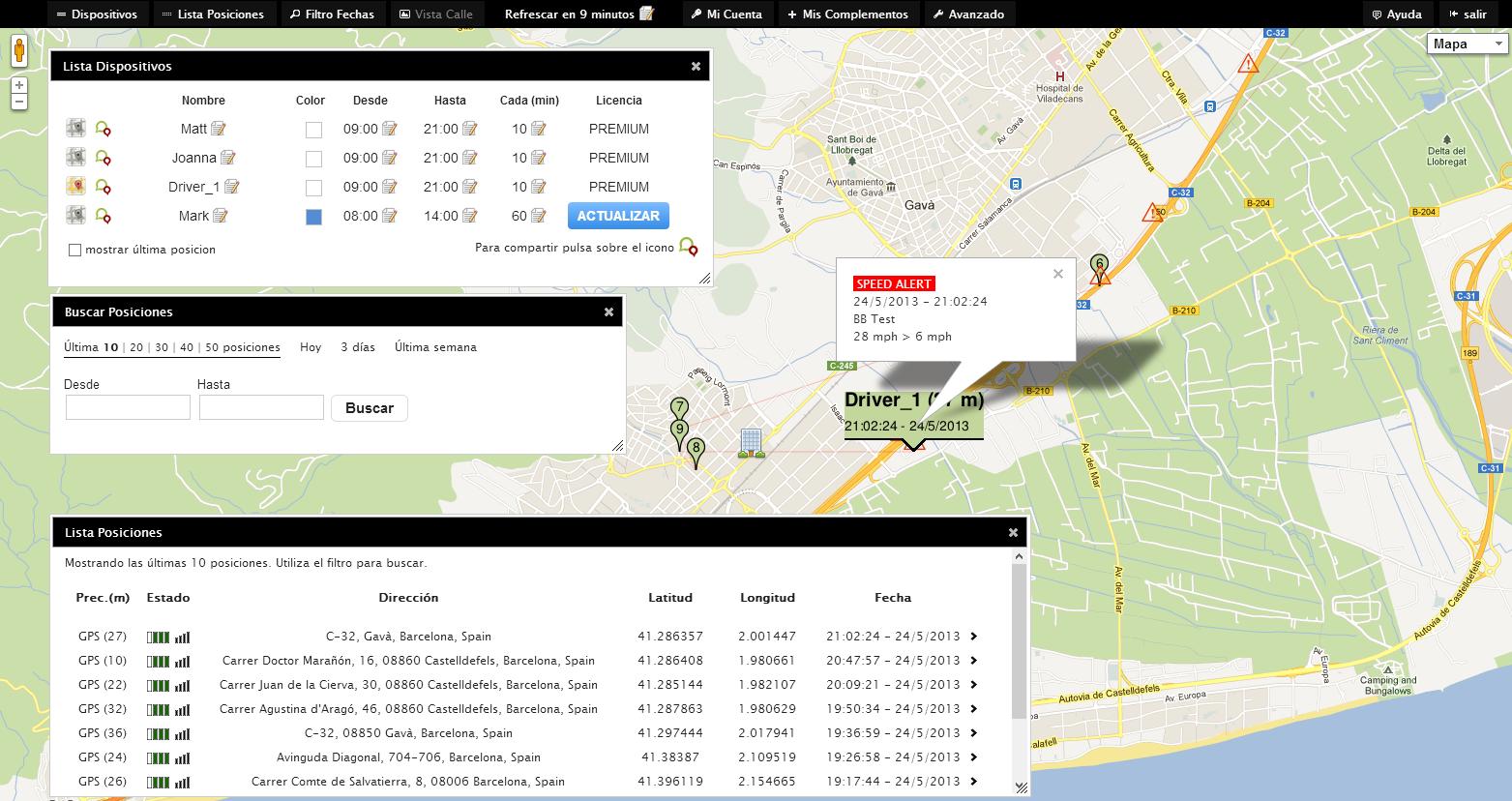
Use MapME.net GPS Phone Tracker to get all your employees GPS Location from your office PC.
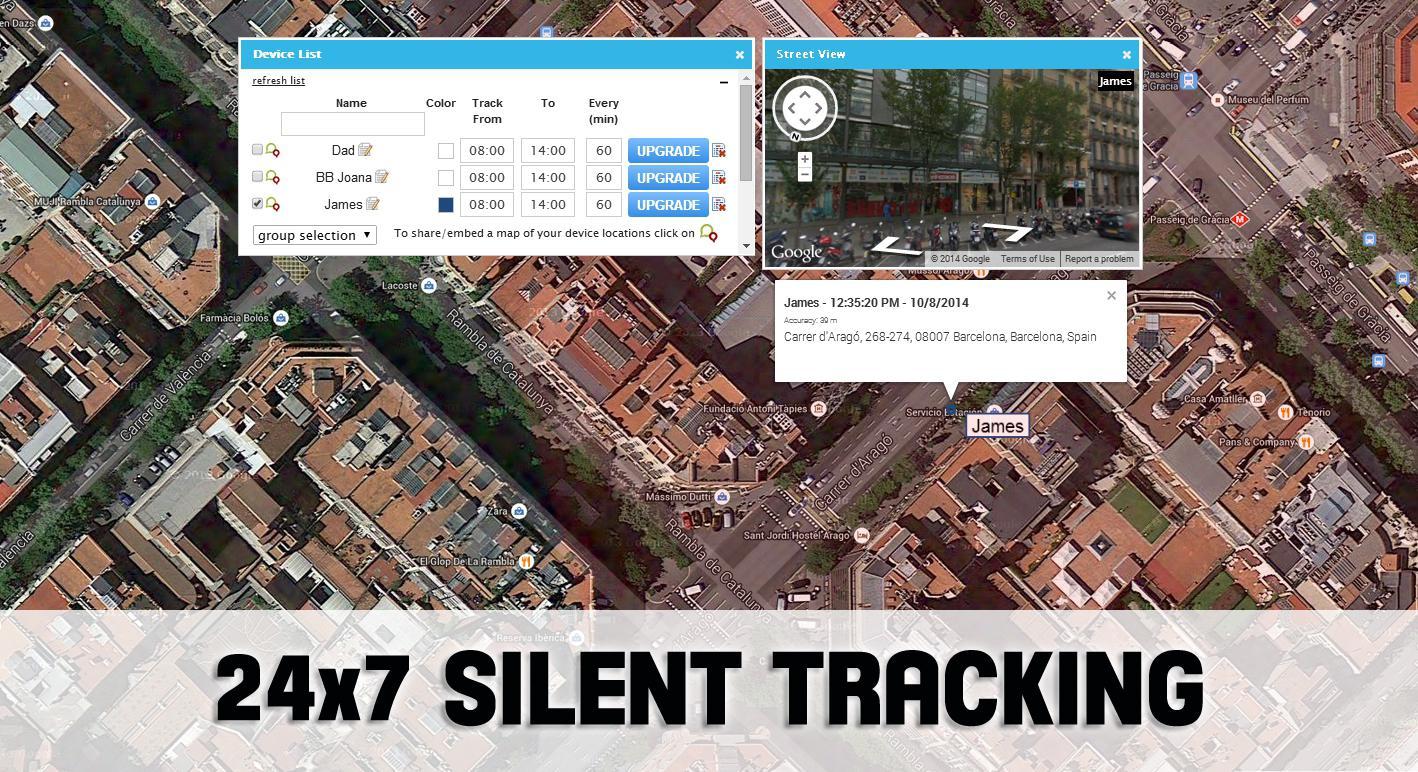
Just install Phone Tracker mobile app on your business devices and log in your account to get a Google Map showing real-time location of all your employees.
Do not spend money on expensive GPS solutions and get this state-of-the-art GPS Phone Tracker mobile application now. And best of all, you can install and test how it works for free! Install now on your mobile and get the most used professional GPS Tracker in just 1 minute.
SOME FEATURES:
View ALL your employee's real-time location at a glance.
Once installed GPS Phone tracker will start sending locations to your private account: you will get all your devices location on a single map. Also note that all the Phone Tracker configuration is made on the website, so mobile phone tracker users do not have to do anything. The app just works on the mobile automatically, and you get control on the GPS Tracking settings from your account. Set the GPS phone tracker intervals and hours remotely, create device groups, set alerts, and get a professional GPS cell phone tracking system.
The mobile app runs silently and automatically.
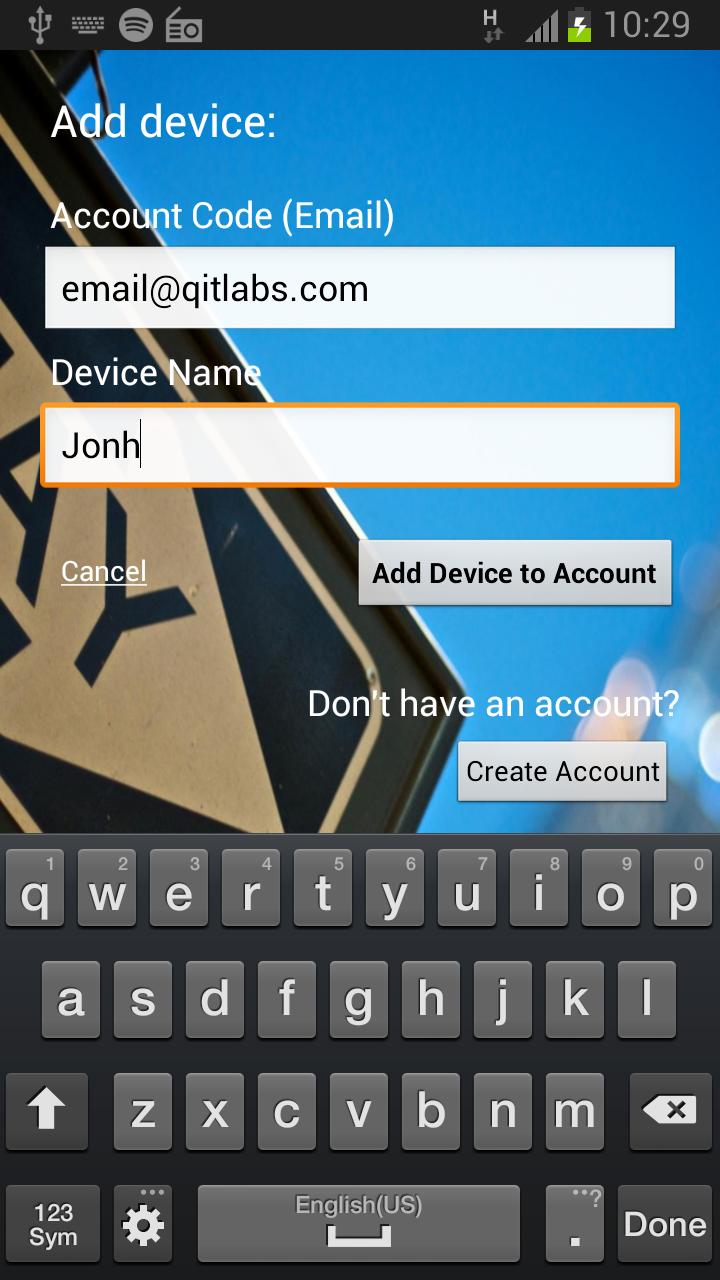
Phone Tracker mobile app runs automatically, and that means the mobile user do not control the app, but you do control of GPS Tracker configuration from your PC (when you install the app on the mobile, a form is displayed to link device to your account, after you correctly install Phone Tracker on the mobile everything works automatically on the mobile side).
All settings are made from your desktop PC.
This cell phone tracker app configuration is made from the central management site. Just log in to cell phone tracking site and set your devices tracking intervals, define cell phone groups, set alerts and get professional business reports.
Track your employees up to EVERY MINUTE, 24 hours a day, 7 days a week (24x7).
You can cell phone track all your mobiles from up to every minute, seven days a week, with no limit. And you get not only real-time locations but also location history to analyze and check for your employee's routes.
Define Speed Alerts to check when they're moving too fast.
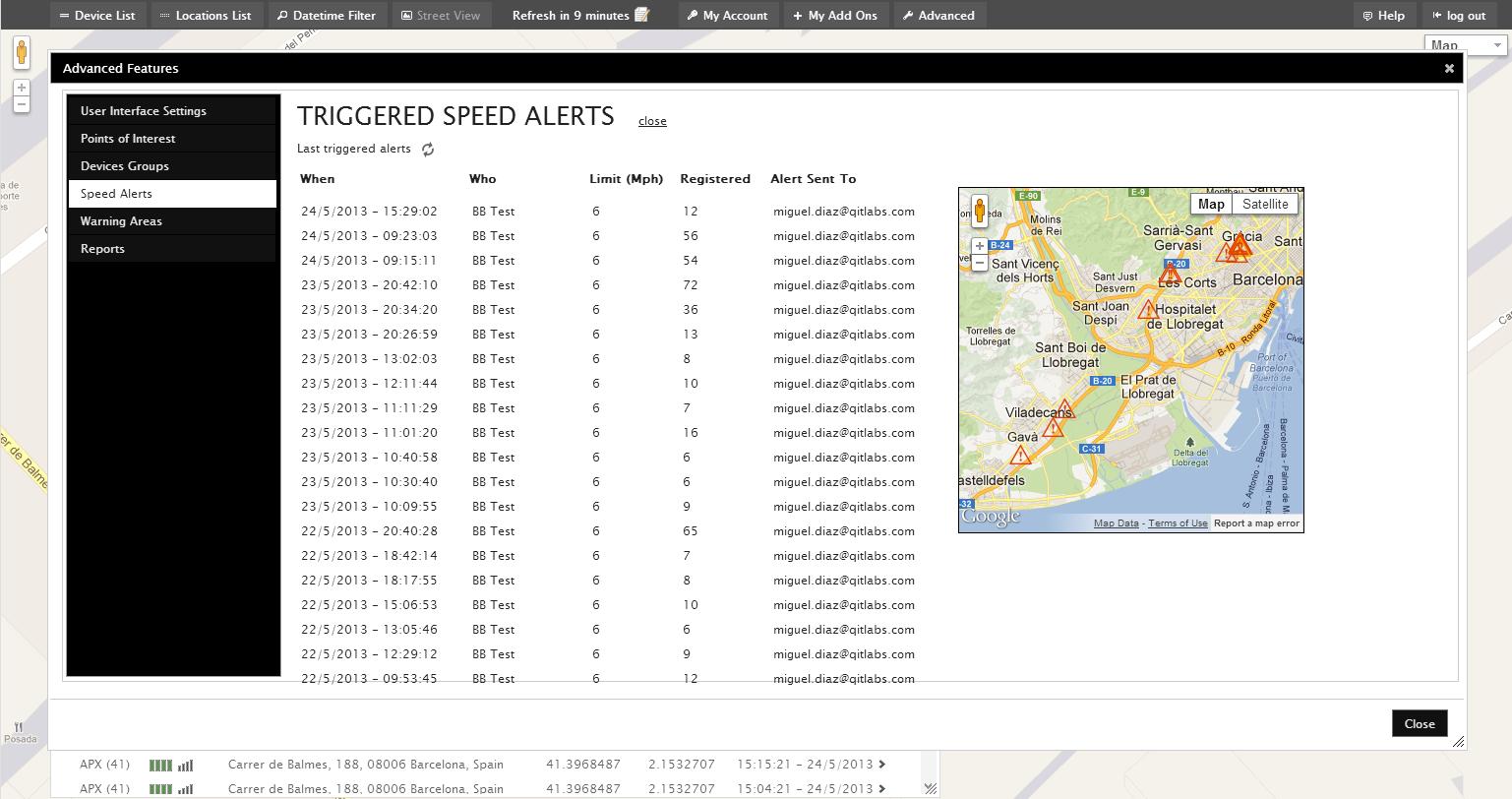
Using Phone Tracker mobile app you can define speed alerts from your business account. If you define an speed alert, if one of your employees or vehicle is going too fast, you will get an alert on your email, indicating the registered speed and the defined speed limit.
Create Warning Areas and get alerted when entering or leaving a zone.
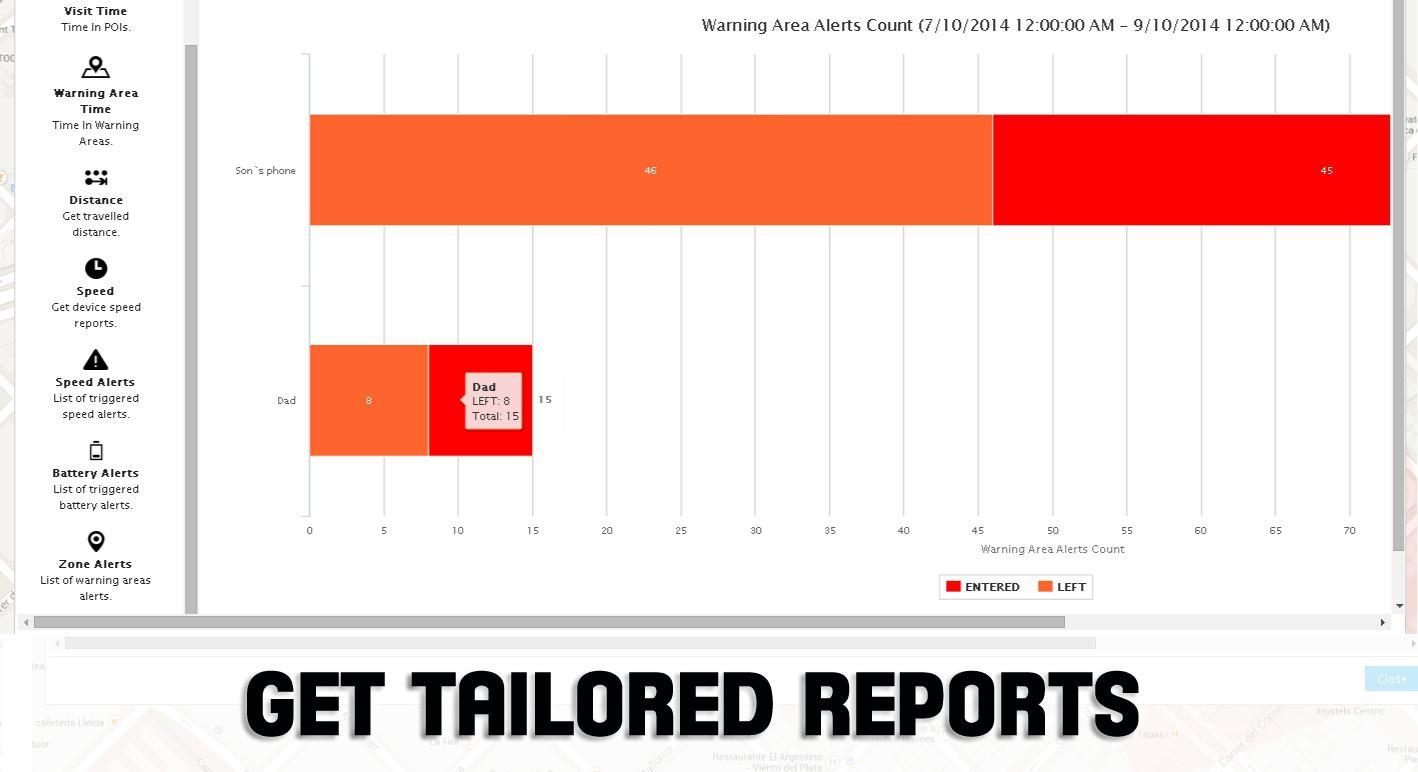
Sometimes you need to get alerted if your driver or field agent is entering a dangerous or prohibited area. Or maybe you just want to know when they leave the office. With Phone Tracker, you can define all the required areas with just a few clicks on a map, and you will get a cell phone alert when a device enters or leaves an area.
Use Points Of Interest to check for customer visits.
Points Of Interest are GPS locations you define on the map to set for example one of your customer's office. By setting those POIs and using the available business reports you can get the time your employees spend on a customer visit or at the headquarter.
Get your employees' activity using Advanced Reports.
For businesses, getting good reports means taking good decisions. With GPS Phone Tracker you save all the GPS locations your employees send so you can then get advanced cell phone tracking reports to get for how much time your sales force spend on each visit, or how much distance your drivers are traveling.
Share mobile location with clients (private link).
Using Cell Phone locator mobile app you can also share your employee's location with your customers by using a temporal GPS real-time tracking share link. Share your field agents route with your clients, and improve your service.
Try this Phone Tracker app now for free, and remember that if you need support, you can just send us an email to support@mapme.net.
Last updated on 2016年05月06日
GPS Tracker algorithm has been optimized.