Document Scanner turns your Android devices into a multiple pages scanner for documents, receipts, notes, invoices, business cards, whiteboards and other paper text.
Features Fast Document Scanner Free App:
Now your smart scanner on your Android device opens the PDF or JPEG files in other applications such as Dropbox or Evernote and Skydrive, Google Drive also, well to send them via the cloud or fax depending on what you want.
The new Fast Document Scanner Free App is a free app available on your Android store, with a number of unlimited scan document, and well as unlimited features.
The quick and easy document scanning
Fast Document Scanner can scan any type of document, one received a book when you want, or want and you just have to follow the scan processing path.
Fast Scanner turns your Android devices into a multiple pages scanner for documents, receipts, notes, invoices, business cards, whiteboards and other paper text. With Fast Scanner, you can quickly scan your document, then print or email them as multiple pages PDF or JPEG files. Moreover you can save the PDF files in your device or open them in other apps.
Export all your documents to PDF in just a moment
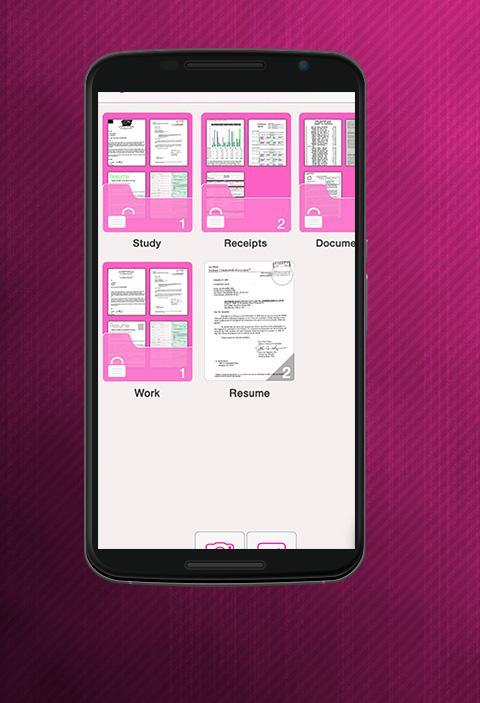
Know all your scanned documents using Fast Document Scanner Free App are always exported in standard PDF. You can add new pages or delete existing pages already in the PDF file.
A new useful tool, certainly fast
The new Fast Document Scanner is certainly designed to run quickly, that to serve you in just a moment.
This app is like a scanner in your pocket. With this app, you can quickly scan your document, then print or share them as multiple pages PDF or JPEG files. Furthermore you can save the PDF files in your device or open them in other apps.
Sending files via email is now possible spot
This simply expensive scanner user a specific document and then press "Send".
Multi editing support scanned documents is always offers choices
Best Fast Document Scanner Intelligent, can still support many image editing options you will require, so you can make the scanned image of the highest quality that you want to have.
The Fast Document Scanner performs scans to be automatically saved on your Android device as an image or PDF file.
Last updated on 2016年08月21日
此版本包含小幅錯誤修正和一般改善。請更新至最新版本,以獲得最佳體驗。









![文字掃描儀 [OCR] APK](https://image.winudf.com/v2/image1/Y29tLnBlYWNlLlRleHRTY2FubmVyX2ljb25fMTc4MzE5MTcwMl8wODU/icon.png?w=102&fakeurl=1)