PC Remote allows you to control your computer using Android smart phone.
Features supported:
• Mouse Control (mouse moves, left and right clicks, scrolling, click and hold, drag)
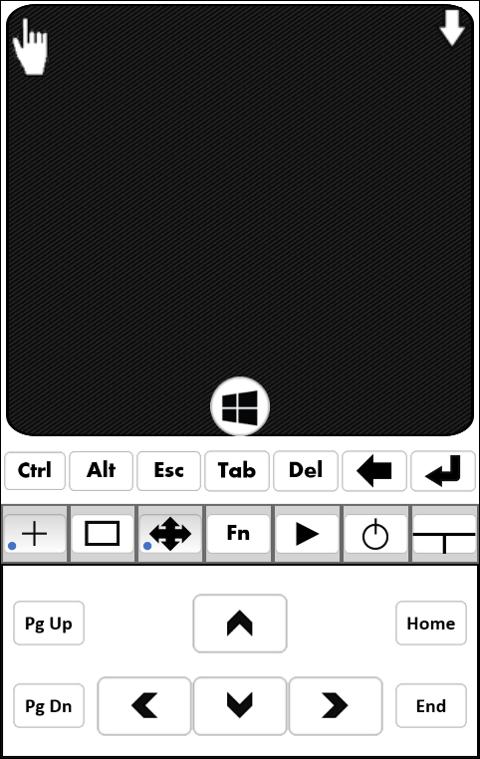
• Keyboard (keyboard typing, Swype keyboard and special keys)
• Window Controls (Minimize, Maximize, Close and switch Windows)
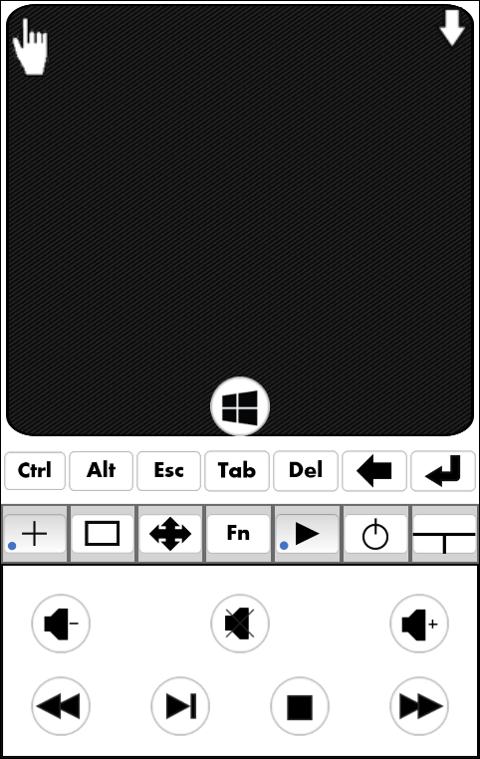
• Navigation, Function, Media control keys (Volume rocker keys control PC volume)
• Power controls shutdown, lock, suspend, hibernate, logout, restart computer
• Automatic discovery of available servers (configurable)
• Multiple simultaneous server connections from client
• Multiple client connections from server (configurable)
• Password protection for connection
• Works on Windows and Linux
• All features are free and No Adds
Usage:
• On your PC download and run PCRemote Server from https://sites.google.com/site/gbhatdev/pcremote
(Needs Java)
• Make sure devices and computer are connected to same network. Firewall may have to be disabled.
• Run App on Android device. Available servers will be listed.
• Manually add server address if server broadcasting is disabled.
• Select the host to connect to.
Controls:
• Once connected touch on the screen and move around for mouse moves.
• Tap once for single click and double tap for double click.
• Long tap is for right mouse click.
• Scroll with two fingers with close distance for mouse wheel scrolling.
• Tap with two fingers with some distance in between for click and hold. Make your selections or moves and tap once to release the hold.
• Use Android on-screen-keyboard for typing. Swype keyboard is supported.
• Keys like Alt, Ctrl, Enter, Backspace, Enter, Menu are provided as virtual keys
• Function, Navigation, Media keys are given in special keyboard
• Key combinations can be entered like Ctrl + C, Alt + F4
This is my first application. Please provide your valuable feedback and suggestions.
Tags: Android PC Remote, Android PC Control, Android PC Mouse, Android PC Keyboard, Android Remote PC Control, Android Remote Mouse, Android Remote Keyboard, Android mouse, Android Mouse Keyboard, Android PC Mouse Keyboard, WiFi Mouse, WiFi Keyboard, WiFi remote
Last updated on 2015年11月24日
Fix keyboard and support word prediction
Add support for Shutdown timer
Direct shortcut can be created to frequently used hosts