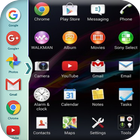
==> Now Enjoy With Multi Window Experience In Your Mobile Phone Also.
==> Install This Free Tool To Create Your Favourite List Of Installed Icons In Your Phone.
=====>>> Types: Most used app, Recently used app and Alphabetical Order. <<<=====
==> You Can Select Many Different Default Themes.
==> You can hide and unhide On long pressing multi window Sidebar icon. (Follow Help )
==> You can change transparency of slide bar.
==> Customize color, animation speed,order and opacity.
==> Service start automatically when phone restart Fix.
=====>>> Features <<<=====
==> No root required
==> Long press and Drag Drop Icons On Screen For Open App.
==> You Can Increase And Decrease Speed Of Multi Window Tray.
==> You Can Arrange Icons.
==> Multi Window Is the app by which we can An App By Which You Can Create Shortcuts Of Your Installed Apps Icon Into Multiple Window Tray.
==> And By Clicking On These Shortcuts, You Can Easily Switch From One Task To Another During Your Current Task.
==> You Can Also Create Shortcuts Of Your Installed System Apps Icon Into Multi Window Tray.
Thank You...!!!
Last updated on 2017年08月23日
此版本包含小幅錯誤修正和一般改善。請更新至最新版本,以獲得最佳體驗。