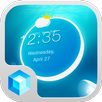
Hola Screen Lock is a simple and practical application, allowing you lock your screen with a single tap, freeing up your power button.
Normally, the physical hardware power button on your phone is used to lock your screen. However, repeatedly pressing it will eventually shorten its life. Once installed, this app allows you to double-tap your touchscreen (desktop) to lock your screen, thus allowing you to extend your hardware button's life.
Problems Uninstalling This App?
If the uninstall button is greyed out in System Settings > Manage App, first navigate to System Settings > Security > Device administrators and deactivate Hola Screen Lock. Then uninstall the app through Manage App.
Please note that this is an optional plugin for Hola Launcher. It will not work on its own.
Last updated on 2015年05月11日
此版本包含小幅錯誤修正和一般改善。請更新至最新版本,以獲得最佳體驗。