Default App Manager Pro now availabe on the playstore at :
https://play.google.com/store/apps/details?id=com.appiator.dampro
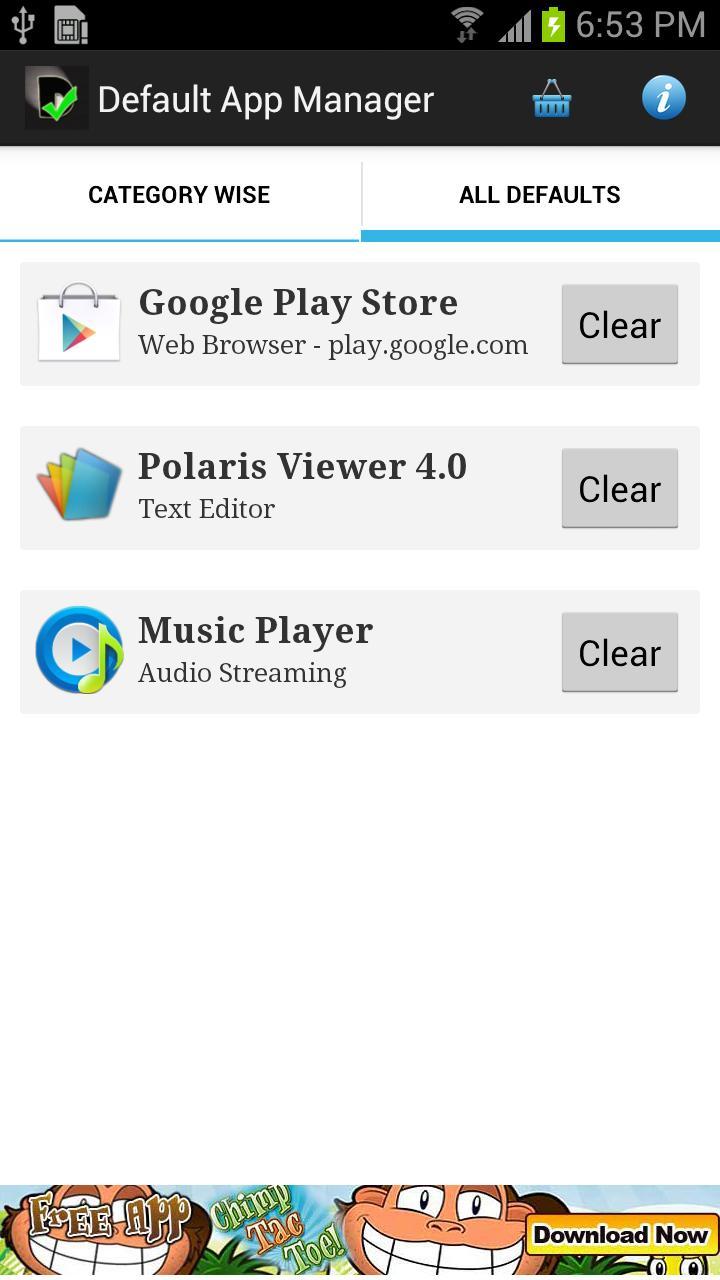
Default App Manager is a simple yet very functional app to manage (set defaults, clear/reset defaults) default applications for different types of actions that Android does. Unlike other applications that allow you to manage defaults for only one-two types of categories, this app allows to you to manage for almost all the common actions.
It eliminates all the hassles and troubles of remembering defaults set for various applications such as Audio, Video, E-mail, Doc Viewer, etc. It is very handy for active Android lovers who use a wide range of applications for any particular category and keep changing them from the default Android settings.
The main features of Default App Manager Lite are:
-- Offers a list of different categories and the current default for each one.
-- Offers a wide range of categories like Audio, Audio Streaming, Browser, Camera, Calendar, Car Dock, Desk Dock, E-books (epub) ,Email, Home Launcher, Messaging(sms), PDF, Phone Dialer, Video and Video Streaming.
-- Tells you which applications can be used for a particular type of category.
-- Super cool UI for easy navigation across screens
-- Clear defaults (default application) of a particular category without having to remember which one was set as default earlier or without having to travel a long way into the Android default settings page.
-- Reduces at-least 4 user clicks and helps you set defaults from within the app itself.
-- Set default for any category right from the application.
PLEASE READ THE BELOW INSTRUCTIONS BEFORE USING:
1. To set the default application, please check the 'USE BY DEFAULT ICON' and only then select the application. Otherwise, the application WILL NOT BE set as the default one.
2. Once the default app is SET, the application will open. It might however open with some error-message like 'FILE CANNOT BE OPENED' or 'ERROR WHILE OPENING FILE'. Don't worry, the application is SET as default successfully. You can verify by clicking BACK BUTTON on that application and going back to Default App Manager.
Refer to the Change Log/ What's New section to find out details about the latest version (2)
*******************************************************************************
You have a feature request?
Please send us an email and we will try to add your suggestions and improve the app.
You found any problems with the app?
Hold-on, don't rate the app one star. Please drop a note or call us and we will get back to you ASAP!
Tags:
Default, Set Defaults, Clear Defaults, Uninstaller, remove apps, Android App Manager, APK uninstaller, Default Cleaner, APK Manager, Simple Manager, Cache cleaner, Defaults
Last updated on 2015年08月26日
Adding uninstaller functionality
Bug fixes.