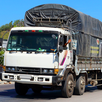
Truck Simulator Vietnam suits players who want a grounded trucking experience with clear controls and realistic road behavior. It places you on demanding routes where careful driving and planning matter, and it favors authentic scenery over arcade shortcuts. As a result, you spend more time handling cargo and managing the vehicle in natural conditions. The premium build removes distractions, so runs feel focused from start to finish. For users looking for Truck Simulator Vietnam APK, this page provides core details to support a confident choice.
Truck Simulator Vietnam focuses on real countryside roads with rough surfaces, sharp bends, and steep slopes. The iconic SAPA mountain pass challenges your braking and gear use, especially during long hauls. Weather and light also influence visibility, so you adjust driving habits as conditions change. This setting rewards steady decisions rather than fast reactions.
Diverse trucks and cargo typesYou can choose between 2, 3, and 4 axle trucks suited to tarpaulin, container, or tanker bodies. Cargo options cover everyday goods such as milk, noodles, and cement, alongside other heavy loads. Each selection affects how the vehicle feels, from weight shifts to cornering. As cargo varies, routes and pace evolve to fit the job.
Hands-on vehicle controlsManual and automatic gearboxes are available, with 4WD support for boggy sections. You can use the handbrake, start or stop the engine, and toggle signals, headlights, and cabin lights. Four horn modes help with road communication in narrow areas. These tools make each trip a practical routine rather than a simple point and go.
Cabin and body interactionsOpen doors to step into the cabin, tilt the cabin for a closer look, and open the trunk when needed. Pull the canvas cover on tarpaulin bodies and use the wipers during rain. These interactions give the truck a clear sense of presence, so actions inside and outside the vehicle feel connected. Photo mode lets you capture these moments for later.
Navigation and control optionsA mini map with GPS directions keeps your route clear without cluttering the screen. You can steer with a wheel, touch buttons, or tilt the phone, and then set truck color and plate details to match your style. Achievements and online save track progress across sessions. With no ads, the controls remain readable throughout each haul.
Truck Simulator Vietnam is a paid premium app with a one-time purchase around 3.99 USD. There are no ads and no subscription layers, which keeps play uninterrupted. Ongoing updates and online save are part of the value, so progress stays safe between sessions. If you want to download Truck Simulator Vietnam, confirm current pricing and availability before installing.
The game centers on built-in trucks, cargo, and routes rather than external downloadable content. It aims for a focused experience that highlights real terrain and hands-on driving without store add-ons. Users looking for optional packs should note that the core experience already covers common long-haul scenarios.
Start with shorter routes to learn the handling, then build to steeper roads once controls feel familiar. Use the mini map and GPS to plan your path before loading cargo, and adjust for weather. To stay current, consider checking the Truck Simulator Vietnam latest version details on this page.
Truck Simulator Vietnam delivers careful driving on realistic Vietnamese roads with clear controls and no ads. For users planning to download Truck Simulator Vietnam, review the features and pricing above and choose the setup that fits your device.
For official support or more developer information, use the contacts below.
Latest Version
6.8.8Requires Android
6.0
Category
Simulation GameContent Rating
Everyone
Report
Flag as inappropriateLast updated on Nov 24, 2025
Minor bug fixes and improvements. Install or update to the newest version to check it out!




APKPure - A multi-platform app store primarily focused on Android, providing extensive app-related content. Discover the app you want easier, faster, and safer, with quick and efficient downloads and installations.