Package Name:com.uniappscenter.transparent.wallpaper.phone.screen.lock
SHA-256:8bbe24f9b6cc5988e5e78d11734c486faafaeab9c878fe796d4e17639d1b9906
Show More
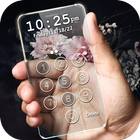
Transform your lock screen into a transparent screen with secure screen lock master app. With this Transparent phone Lock Screen you can not only Slide to unlock your screen lock, but also Set password/passcode/pin to enhance your phone security.
It will show your background screen from back camera and make your lock screen as Transparent phone. The absolute Transparent Phone will give you entire new user experience.
If you want to get rid of the conventional boring Screen locks, you can refresh the look of your phone by downloading this free of cost application that is on Transparent lock screen.
A very elegant way to unlock screen which provides date and time information. It is a pin locker and is made for the people who are much concerned with the high lock security for their phone as it maximize your lock security. Keep your data safe and out of reach of other people. No abuse of personal data is possible with this pin Lock Screen.
Transparent Screen Locker is a highly secure, free application for your android smartphones and tablets which can be used offline without an active internet connection.
You just have to swipe on the main lock screen and enter your unique passcode to unlock the device smoothly. As the protection of your personal data is our utmost priority, make sure you remember your pin, otherwise you will not be able to bypass the security pin's password of Transparent Screen Locker.
Transparent Screen Lock provides best and high definition view qualities. Compatible with almost every android device. It's also tested on various android devices, i.e. android tablets and Android based mobile phones. All the actions can be performed very easily without any confusion. Reliability is guaranteed of Transparent Screen Lock. Transparent Locker is specially designed in a way that it will definitely work with all new devices and android versions too.
HOW TO Enable Transparent Lock Screen:
- Allow permissions required to Transparent Lock screen
- Enable Screen Lock from the main settings Screen of the Transparent Lock Screen
- Enter unique pin/pattern for locking the screen
FEATURES of Transparent Lock Screen:
- 24 hours Time Format
- Real time live Date and time is displayed on the lock screen
- Attend/Reject calls while the phone remains locked
- Simple and clean Design
- Finest security lock screen
- No privacy assault
- High security with attractive user interface
You can appreciate us and suggest us if there are any improvements that can be made in Transparent locker. You can also tell us via email about any issues that you are facing while using the Transparent Lock Screen application. We will help you in any way possible. Please give your precious feedback so that we can make improvements and provide you a useful tool with awesome effects. Your suggestions and feedback will be highly appreciated!
Thanks and Enjoy Transparent Screen Lock
Latest Version
4.0Uploaded by
ابو نور الخالدي
Requires Android
Android 8.0+
Category
Free Tools AppContent Rating
Everyone
Security Report
Check Now
Report
Flag as inappropriateLast updated on Nov 15, 2024
Minor bug fixes and improvements. Install or update to the newest version to check it out!



APKPure - A multi-platform app store primarily focused on Android, providing extensive app-related content. Discover the app you want easier, faster, and safer, with quick and efficient downloads and installations.