Package Name:touchlock.disablescreen
SHA-256:afb02dda11558b07c91f9459064dde86cbfcb193c2fcf9b6d4b212ec96162f41
Show More
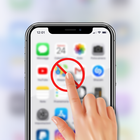
Touch Lock: Disable Touch & Screen Shield helps you block unwanted screen taps, accidental touches, and ghost touch while watching cooking recipes and movies.
Enjoy music while walking, running, or working out without accidental screen touches.
Sweat, rain, and wet fingers can trigger unwanted taps, but Touch Lock helps prevent them by blocking touch input when needed.
Use it to disable your touchscreen and keep your phone safe from accidental touches with a reliable ghost touch shield.
Perfect for every situation:
• While your kids watching stories.
• While listening to music during walks or gym workouts.
• While drawing or sketching on your screen.
• While your phone is in your pocket or bag.
Touch Blocker methods:
1. Floating Action Button:- Tap the floating button to enable or disable screen touch instantly.
2. Volume Buttons: - Press Hardware Volume Key Up to lock touch and Volume Key Down to unlock touch.
Features:
1. Custom Touch Area:- Select specific areas of your screen where you want to disable touch input.
Add multiple custom touch zones to block unwanted screen touches and prevent accidental taps exactly where needed.
2. Disable Touch on Selected Apps:-Choose one or more apps where you want to disable touchscreen when app come foreground.
Prevent accidental touches while watching videos, listening to music, drawing, or using your favorite apps with Touch Lock.
3. Full Screen Protection:- Guards system navigation bars (Home, Back, Recent) and notification panel outside of the app.
4. Ghost Touch Guard:- Essential assistive tool for damaged screens, sweaty hands, or motor control assistance.
5. Auto App Lock: - Automatically activate or deactivate touch lock when selected apps open.
Accessibility Permission:- This app use Accessibility Service API only to provide unwanted touch protection and assistive screen guard features.
This permission is required for:
• Intercepting and blocking notification panel to avoid accidental clicks.
• Guarding system navigation bar actions (Home, Back, Recent Apps).
• Preventing unwanted system button interactions and Detecting physical Volume Up/Down key presses for hardware toggles outside our app.
YOUR PRIVACY IS OUR PRIORITY
• Touch Lock does not collect, store, or share your personal data, touch patterns, or screen content.
• The Accessibility Service works entirely on your device, keeping your data private.
• The service does not track your activity, record keystrokes, read personal information, access media files, or send data over the internet.
Latest Version
1.0Uploaded by
李华
Requires Android
Category
Free Tools AppContent Rating
Everyone
Security Report
Check Now
Report
Flag as inappropriateLast updated on Oct 26, 2026
This release includes minor bug fixes and general improvements. Update to the latest version for the best experience.



APKPure - A multi-platform app store primarily focused on Android, providing extensive app-related content. Discover the app you want easier, faster, and safer, with quick and efficient downloads and installations.