Touch Assistant app is lightweight and easily accessible app launcher that works like edge launcher or side bar. Quick swipe to access all your favorite apps and the app drawer with a single swipe. Customize triggering area to your liking and trigger from both left and right edges or any location of your screen you want.
Change color, size, width or height as per your need to easily and quickly access your apps from edges of your screen.
Access your all apps by swiping on the screen. Change position, size, color, visibility of edge launcher. its fully customizable yet simple to understand by its clean UI.
Easy and simple UI that gives you the feature you most needed, not loaded with unlimited numbers of features to confuse but there are only curated features that most of us like to have. that also leaves very less footprint on memory.
> Apps shortcuts just a swipe away.
> Allows positioning of Edge launcher to any location of your screen you need.
> Customize Edge launcher’s transparency, position, height, width, and color.
> Quickest way to access your calendar or camera or any contacts.
> Control the number of columns for edge launcher.
How to use “Touch Assistant - Side bar - Edge Launcher” app:
Download this amazing application from the play store. After installing, it will ask for system overlay permission.
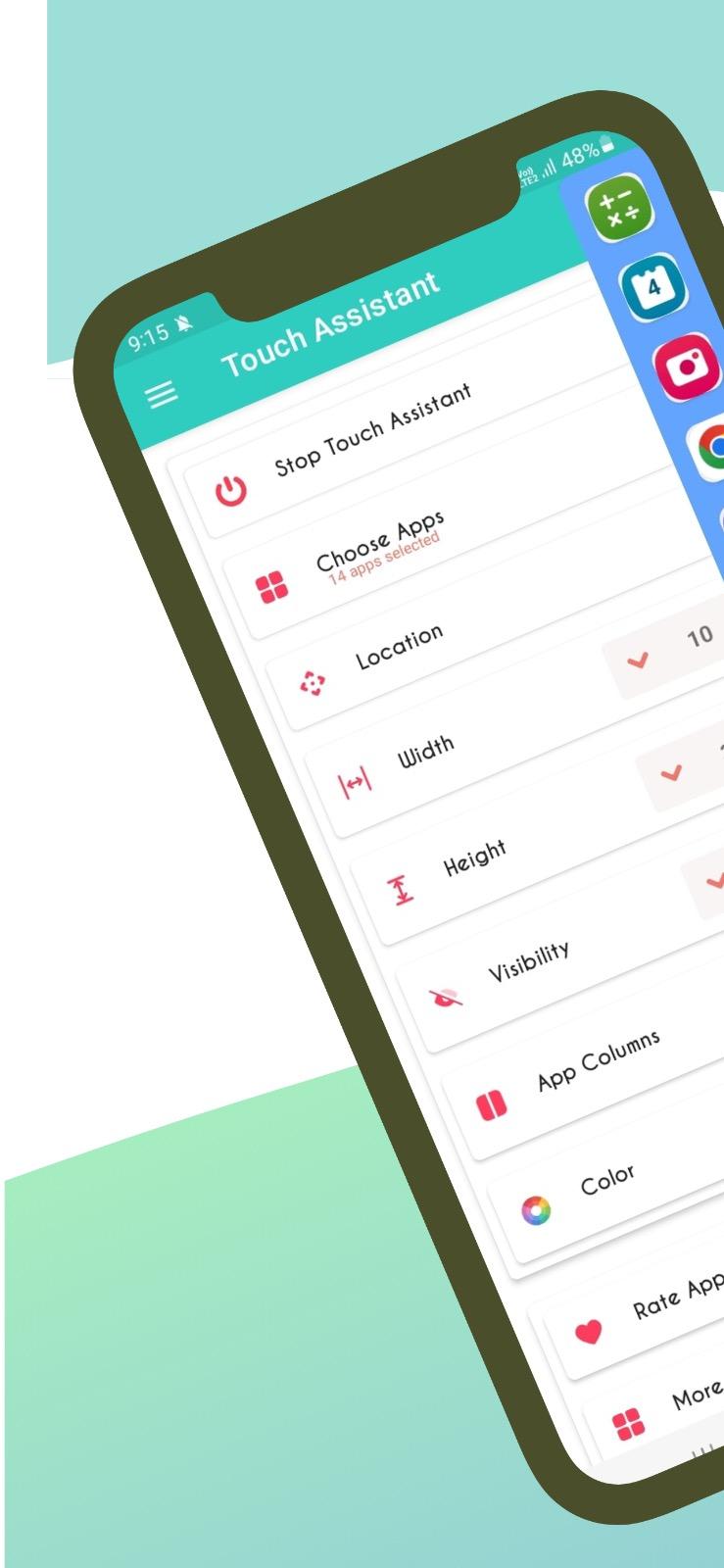
once permission given you will see Main screen, and its so simple and easy and limited to most required features that will make it easy for you to organize your shortcuts and edge launcher look and feel.
Enable touch assistant, that's the first thing you will see, and the second option is to choose your favorite apps. the later options are to place your edge swiper on different location of the screen so you can swipe it easily. thats all, the rest options are very self explanatory, try your self.
Open your favorite apps more effectively, download this Touch Assistant app. And please give us ratings. If you face any errors or have any queries or suggestions, please email us at harshit.androapps@gmail.com and please do not forget to share this with your friends and family, too.
Latest Version
1.3Requires Android
7.0
Category
Tools AppContent Rating
Everyone
Report
Flag as inappropriateLast updated on Apr 29, 2023
This release includes minor bug fixes and general improvements. Update to the latest version for the best experience.



APKPure - A multi-platform app store primarily focused on Android, providing extensive app-related content. Discover the app you want easier, faster, and safer, with quick and efficient downloads and installations.